

Initialization
Initialize Your Node
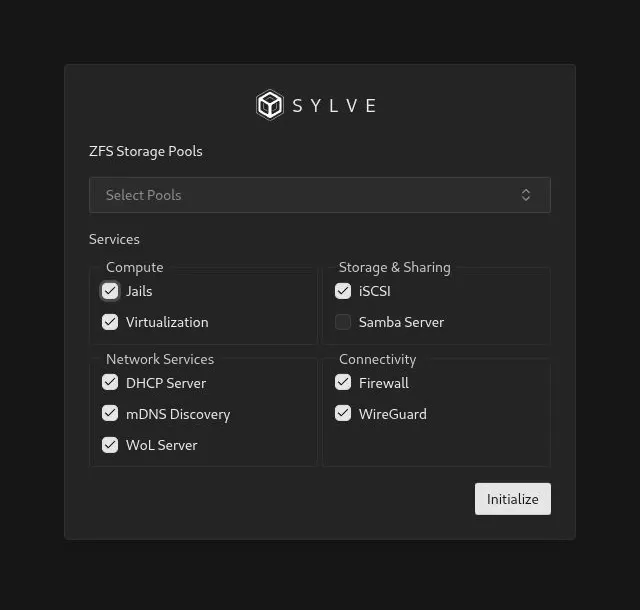
Section titled “Initialize Your Node”After signing in for the first time, Sylve opens the initialization dialog. It records the ZFS pools that Sylve can manage and enables the subsystems this node will provide. Services can be enabled or disabled later from the UI, so choose what you need now without treating this as a permanent design decision.
The dialog is shown automatically after you log in at https://<your-server-ip>:8181 or your configured Sylve hostname:
ZFS Storage Pools
Section titled “ZFS Storage Pools”Select each existing ZFS pool that Sylve should use. This is optional: you can initialize the node without a pool and create or add one later. For every selected pool, Sylve creates or adopts its managed dataset layout:
<pool>/sylve<pool>/sylve/virtual-machines<pool>/sylve/jails<pool>/sylve/bootstrapsUse a pool only if you want Sylve to manage workloads and storage beneath that layout. Existing datasets will not be removed by initialization.
Select Services
Section titled “Select Services”The checkboxes are grouped by what the service provides. The defaults shown on the initialization screen are a starting point, not a hardware-detection result.
| Group | Service | What enabling it prepares |
|---|---|---|
| Compute | Jails | Enables Sylve’s FreeBSD Jail management and runtime monitoring. Sylve verifies jail accounting and visibility sysctls; if racct is missing, it can add the boot-time loader setting and asks for a reboot. |
| Compute | Virtualization | Enables bhyve virtual machine management through libvirt. Sylve verifies the required virtualization packages and qemu-img, then loads vmm when needed. At operational startup it starts libvirtd and the virtual TPM service. |
| Storage & Sharing | iSCSI | Enables iSCSI initiator and target management. At startup, Sylve preserves unmanaged /etc/iscsi.conf and /etc/ctl.conf once, writes its managed configuration, and starts iscsid and ctld. |
| Storage & Sharing | Samba Server | Enables SMB sharing and Samba audit-log handling. Sylve checks for a Samba 4XX package, manages the Samba configuration, and starts samba_server when the node starts. |
| Network Services | DHCP Server | Enables managed DHCP and DNS service through dnsmasq. Initialization checks that dnsmasq is installed, and Sylve starts it after the node enters operational mode. |
| Network Services | mDNS Discovery | Enables multicast DNS records for discovering Sylve-managed services on the local network. Sylve rebuilds the advertised record set when the service starts or its settings change. |
| Network Services | WoL Server | Enables Sylve’s Wake-on-LAN listener, allowing configured devices to receive magic-packet wake requests that can turn on VMs and Jails. |
| Connectivity | Firewall | Enables management and application of the node’s PF firewall configuration. PF is part of FreeBSD, so this option does not require an additional package check during initialization. |
| Connectivity | WireGuard | Enables WireGuard VPN management. Sylve verifies that the FreeBSD if_wg kernel module is available, loading it when necessary, then enables the WireGuard service during operational startup. |
Select the services that match the node’s role. For example, a storage-and-sharing node might select Samba and mDNS, while a hypervisor node normally selects Virtualization, Jails, and one or more storage pools. Do not select DHCP, firewall, or WireGuard merely because they are shown: each one can affect live network behavior once configured.
Finish Initialization
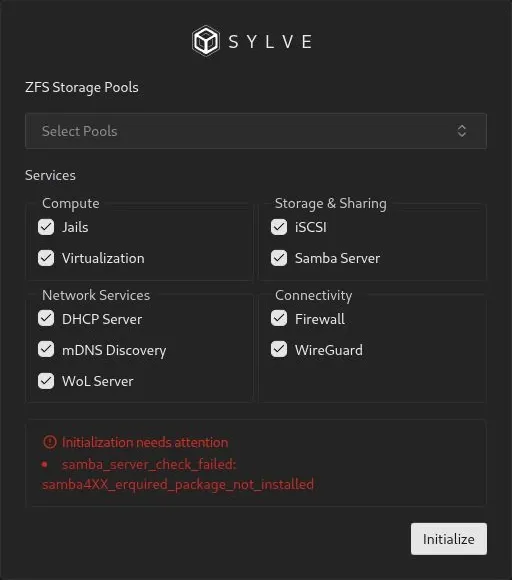
Section titled “Finish Initialization”Click Initialize after making your selections. Sylve validates the selected services before saving the configuration. If a requirement is missing, the dialog shows the failed check so you can install or configure what is needed and try again.
Initialization validation messages
Section titled “Initialization validation messages”These are the service checks that a valid submission from this screen can produce. The identifier before any operating-system detail is stable. The text after a colon can include the command or system error that caused the check to fail.
| Area | Message shown | What to do |
|---|---|---|
| Virtualization | virtualization_check_failed: virt_required_package_<package>_not_installed |
Install the named dependency. Sylve checks libvirt, bhyve-firmware on amd64 or u-boot-bhyve-arm64 on arm64, and swtpm. |
| Virtualization | virtualization_check_failed: virt_required_command_qemu-img_unavailable: <detail> |
Install or repair the package that provides qemu-img, then retry. |
| Virtualization | virtualization_check_failed: virt_failed_to_load_vmm: <detail> |
Check that bhyve virtualization is available on the host and that the vmm kernel module can load. |
| Virtualization | virtualization_check_failed: virt_unexpected_vmm_load_output: <detail> |
Inspect the reported loader output and host logs before retrying. |
| Jails | jails_check_failed: jails_failed_to_check_racct: <detail> |
Resolve the reported kern.racct.enable sysctl query failure. |
| Jails | jails_check_failed: jails_enforce_statfs_not_enabled |
Enable security.jail.enforce_statfs and retry. |
| Jails | jails_check_failed: jails_failed_to_check_enforce_statfs: <detail> |
Resolve the reported security.jail.enforce_statfs sysctl query failure. |
| Jails | jails_check_failed: jails_racct_autoconfig_failed: <detail> |
Allow Sylve to update the boot-time racct setting, or make the setting manually, then reboot. |
| DHCP | dhcp_server_check_failed: dhcp_server_required_package_dnsmasq_not_installed |
Install dnsmasq, or deselect DHCP Server. |
| Samba | samba_server_check_failed: samba4XX_erquired_package_not_installed |
Install a Samba 4XX package, such as samba419, then retry. The identifier intentionally matches the current server response. |
| Samba | samba_server_check_failed: failed to run pkg info: <detail> |
Repair pkg access on the host, then retry. |
| WireGuard | wireguard_check_failed: wireguard_failed_to_load_if_wg: <detail> |
Check that the if_wg kernel module is available and can load. |
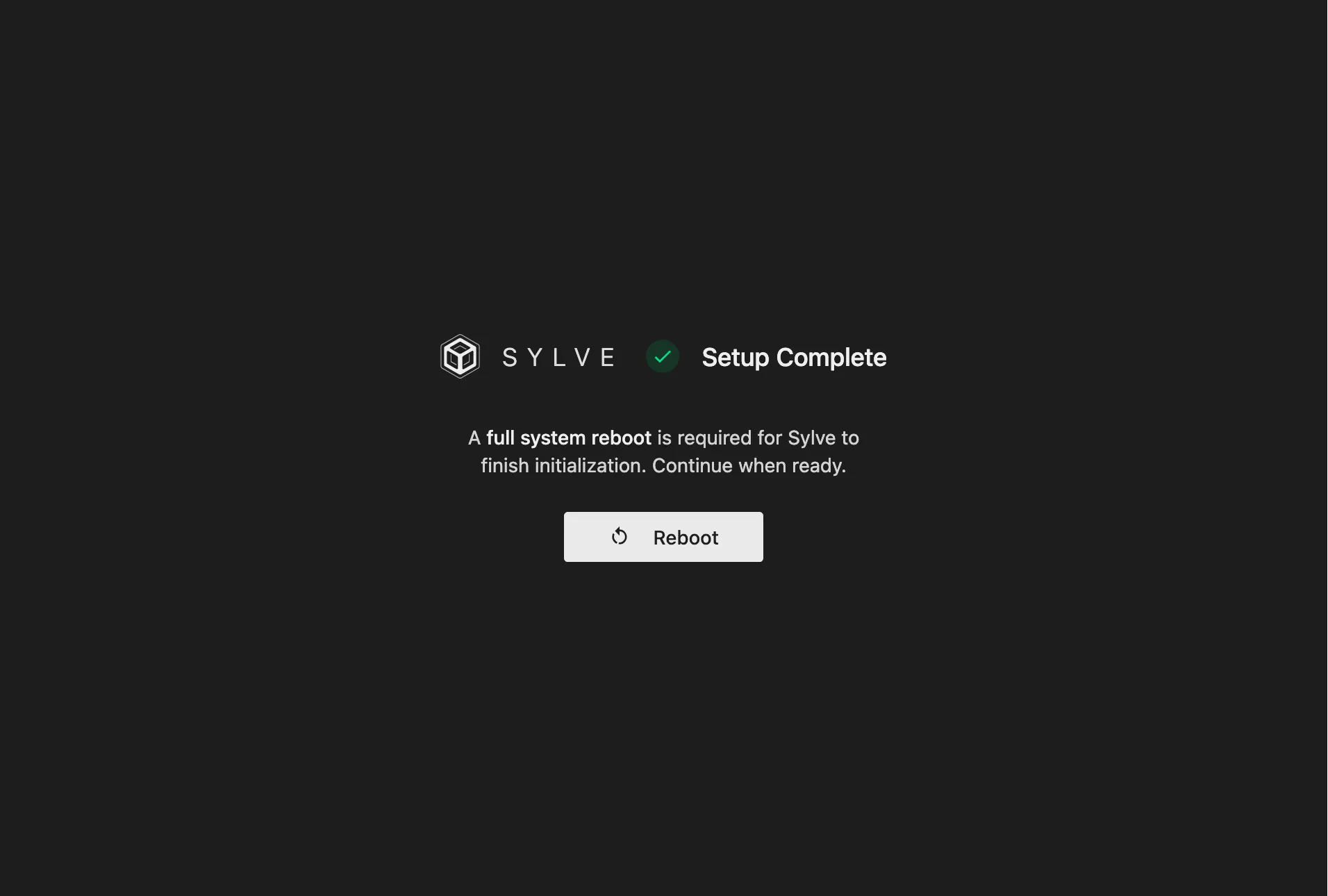
Some initialization choices require a reboot before the node can enter its full operational mode, especially when jail resource accounting has been enabled for the first time. When Sylve asks for it, use the reboot screen to restart the host:
After the host comes back online, sign in again. Sylve starts the selected services and opens the data-center dashboard:
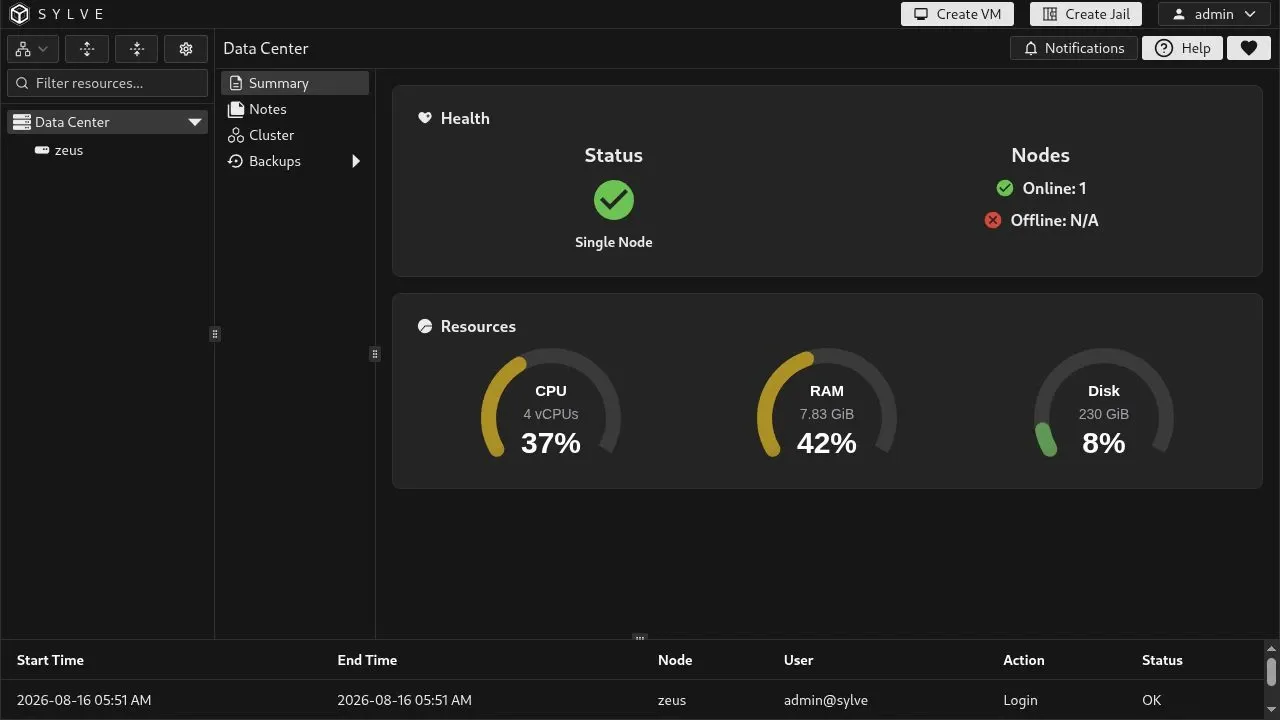
You can resize the dashboard panes by dragging the divider handles. The layout is stored in your browser, so it is remembered on later visits.