
Console
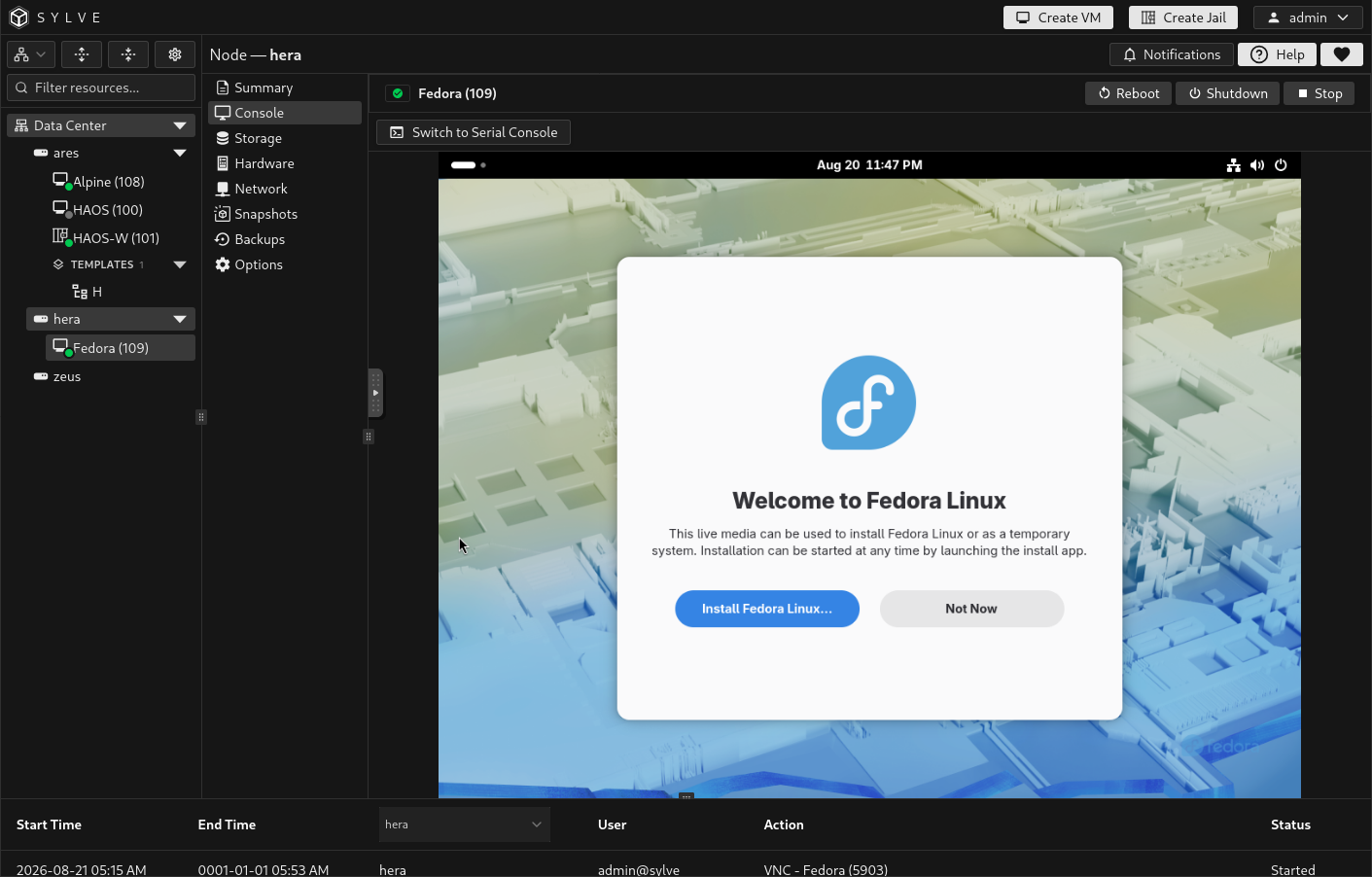
The Console page provides browser-based access to a running VM. It shows VNC, serial, or both, depending on the VM’s hardware configuration. When both are enabled, use the toolbar to switch between them.
Choose a console type
Section titled “Choose a console type”| Console | Best for | What to configure |
|---|---|---|
| VNC | Installers, desktop guests, UEFI setup, and any guest that needs a graphical display. | Enable and configure VNC from VM Hardware. |
| Serial | Server guests, boot troubleshooting, recovery work, and terminal-based administration. | Enable Serial Console from VM Hardware and configure the guest operating system to use its serial port. |
When both are enabled, Sylve remembers your last selected console separately for each VM on each node. If only one is enabled, that console opens automatically. If neither is enabled, the page explains that no console is configured.
The VNC console opens the VM’s graphical framebuffer in the page. It is the right choice for interactive operating-system installers and graphical desktops. Configure the VNC bind address, port, password, and resolution in VM Hardware before using it.
If the VM is running but VNC cannot connect, first confirm that VNC is enabled and that the VM has started successfully. Review VM Summary logs for startup errors.
Serial
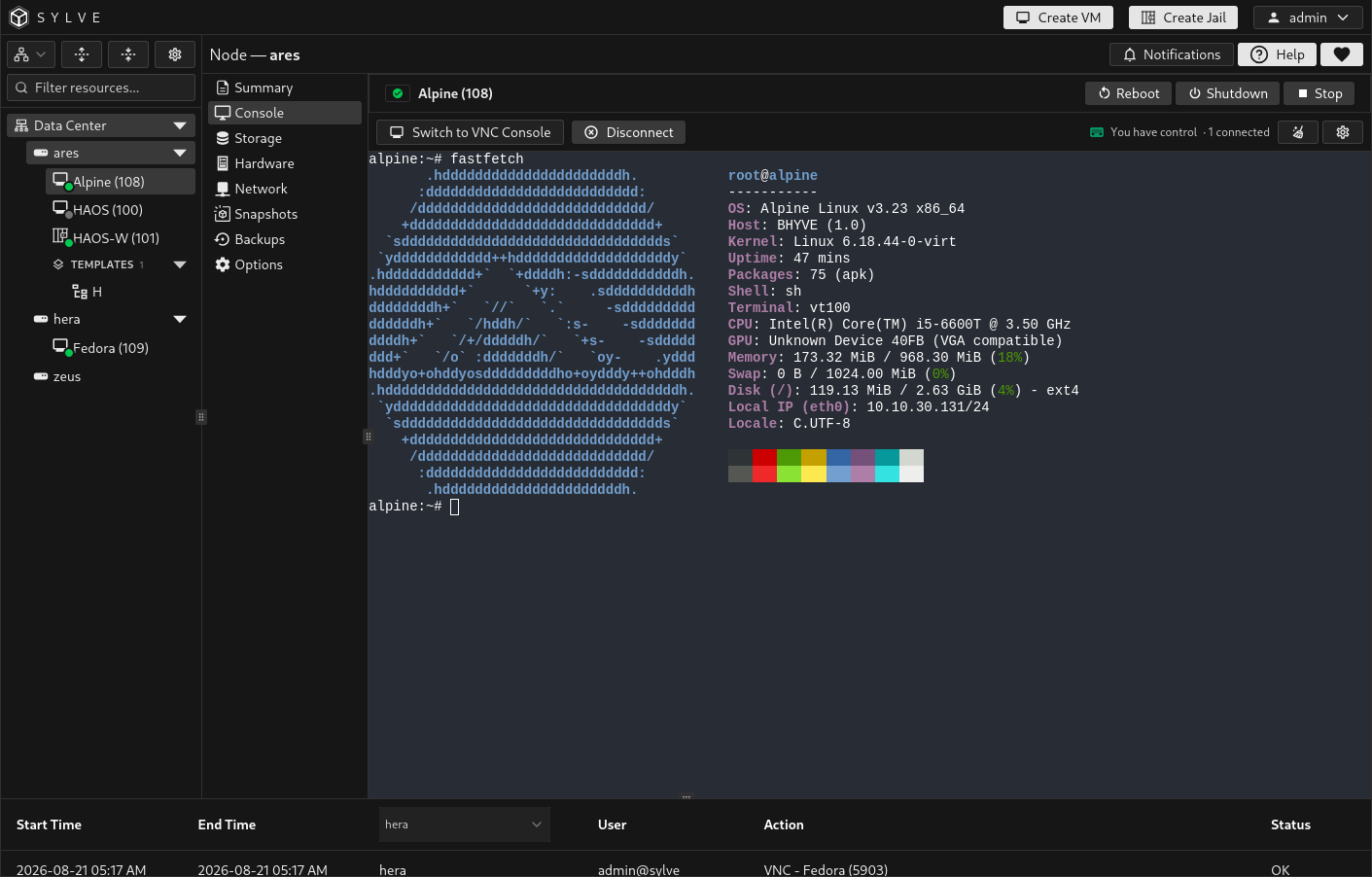
Section titled “Serial”The serial console is an in-browser terminal connected to the guest’s serial device. Enable a serial console in VM Hardware and configure the guest bootloader and operating system to send a login prompt or console output to that device. Enabling the VM setting alone does not make every guest use serial output automatically.
The toolbar provides Disconnect and Reconnect actions, a button to clear only the local terminal display, and console settings. A dropped connection shows a reconnect notice without changing the VM’s state.
Serial-console control
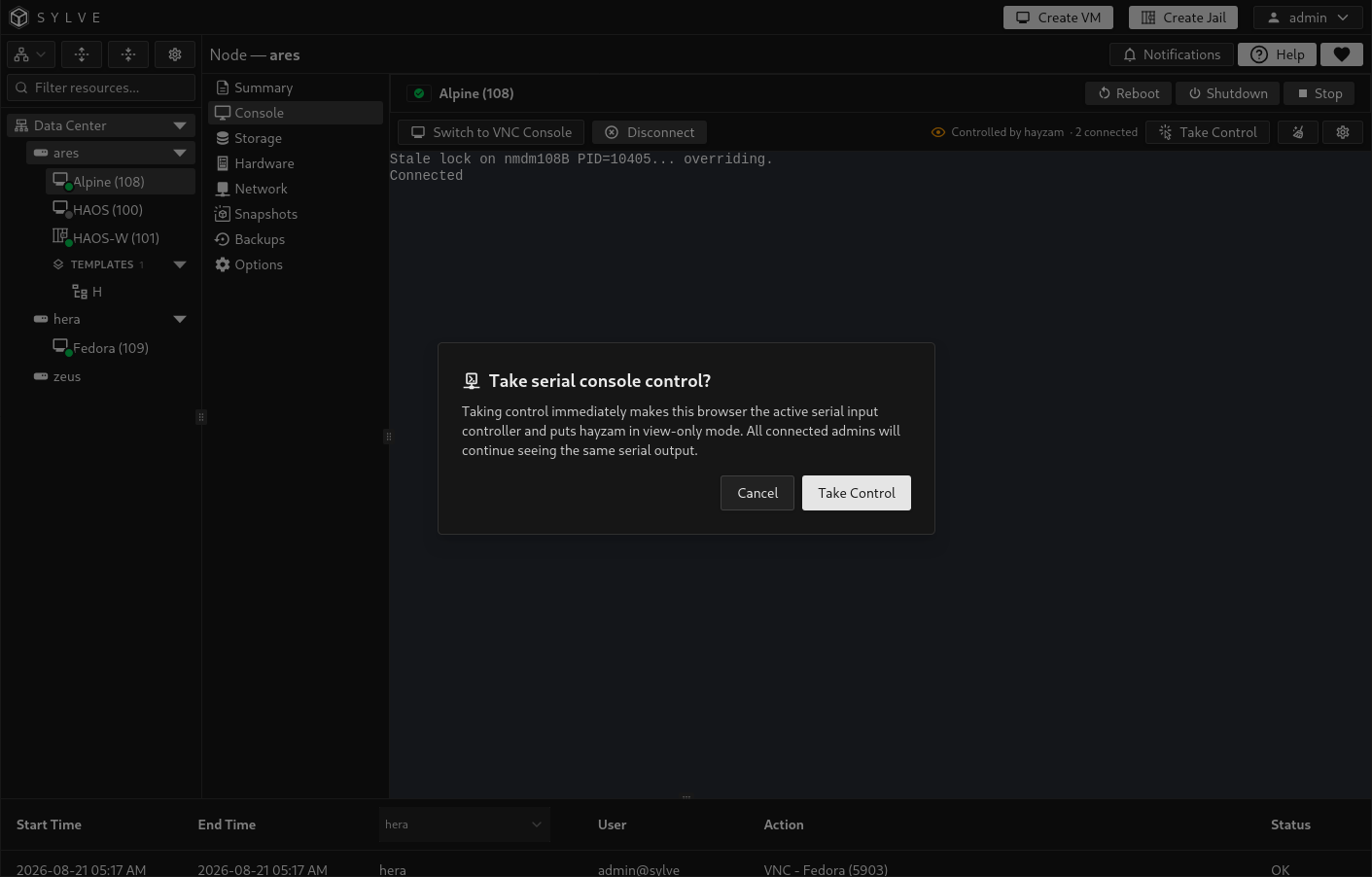
Section titled “Serial-console control”Multiple administrators can observe the same serial output, but only one browser has keyboard input control at a time. The toolbar identifies whether you have control, who currently controls it, and the number of connected observers.
If another administrator has control, your terminal is view-only. Select Take Control and confirm the prompt to make your browser the active input controller. The previous controller becomes an observer, while everyone continues to see the same output.
Coordinate with other operators before taking control, especially during recovery work or an operating-system installation.
Terminal settings
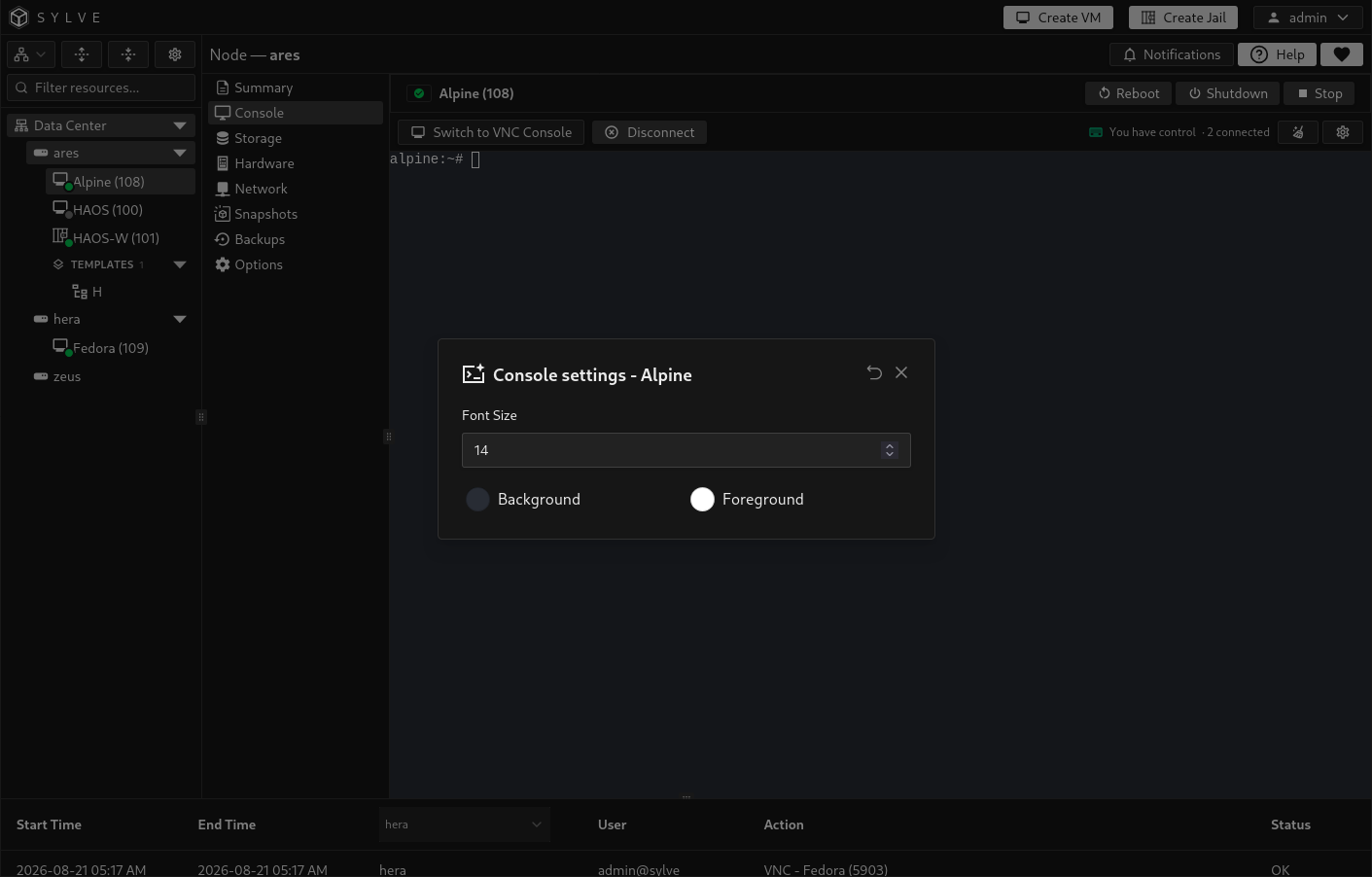
Section titled “Terminal settings”Select the settings button in the serial-console toolbar to adjust the local terminal only:
| Setting | Effect |
|---|---|
| Font Size | Changes the terminal font size from 8 to 24 pixels. You can also use the platform zoom modifier with + or -. |
| Background | Changes the local terminal background colour. |
| Foreground | Changes the local terminal text colour. |
| Reset | Restores the default background and foreground colours while retaining the selected font size. |
These preferences are stored in the browser for that VM and node. They do not change the guest, its serial settings, or any other administrator’s terminal.