

Audit Logs
The Audit Logs page shows SMB activity recorded for shares that have Audit logging enabled. Enable auditing and select operations in the share’s Options tab before expecting events here. The log watcher reads new Samba audit entries every two seconds and stores recognised events for the paginated table.
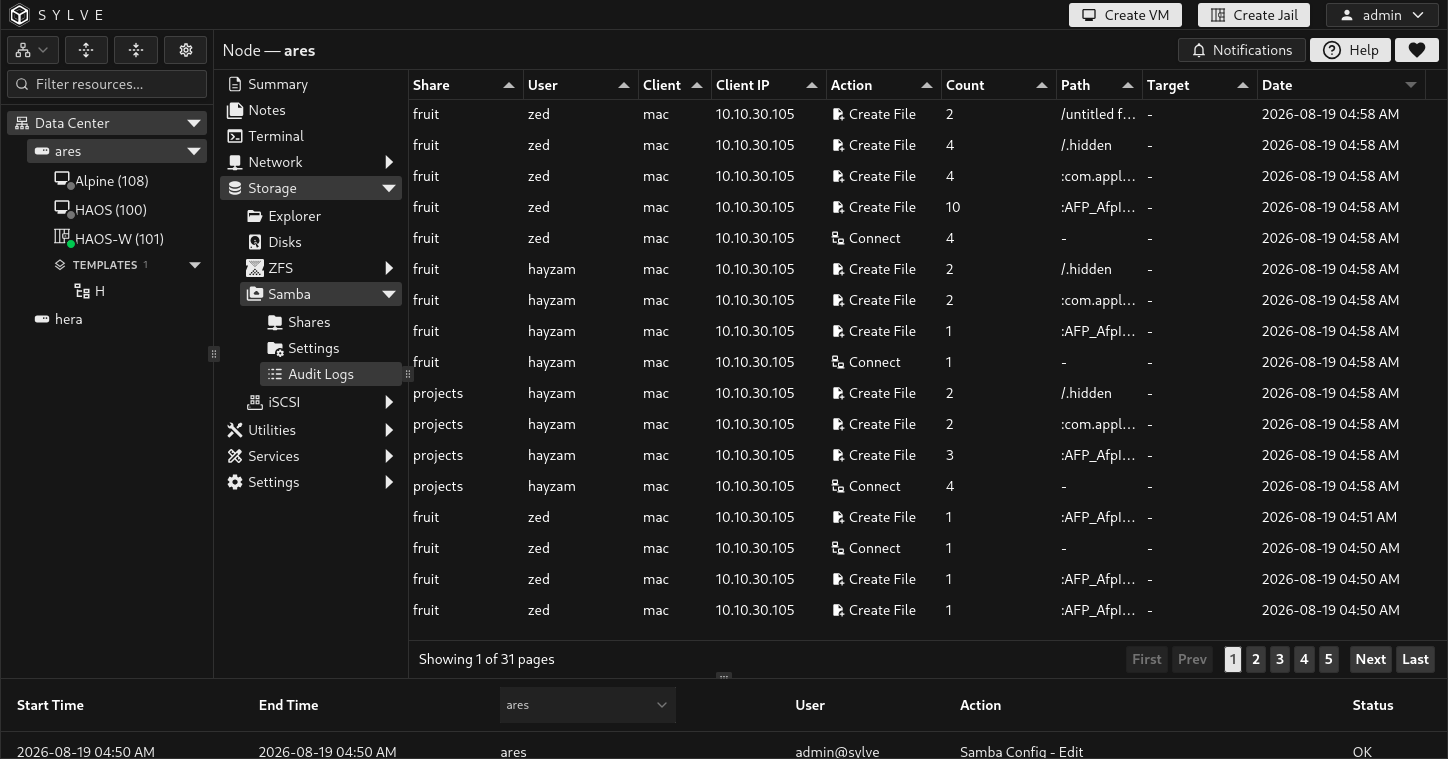
Table fields
Section titled “Table fields”| Column | Meaning |
|---|---|
| Share | Samba share that produced the event. |
| User | SMB user recorded by Samba for the operation. |
| Client | SMB client or machine name reported by Samba. |
| Client IP | Client address reported by Samba. |
| Action | Recorded SMB operation. Sylve presents all supported actions with readable labels, including connection, file creation, directory creation, deletion, rename, open, close, read, and write. |
| Count | Number of identical occurrences coalesced into this entry. Repeated syslog messages are counted rather than stored as duplicate rows. |
| Path | Path involved in the operation, shown relative to the share’s dataset mount point when the dataset is available. |
| Target | Destination path for rename operations, also made relative to the share mount point. It is blank when the event has no target. |
| Date | Time Sylve stored the recognised event. |
Recorded operations
Section titled “Recorded operations”The share editor lets you select the following Samba audit operations:
| Operation | Use |
|---|---|
connect |
A client connects to the share. |
disconnect |
A client disconnects from the share. |
create_file |
A file is created. |
mkdirat |
A directory is created. |
unlinkat |
A file or directory is deleted. |
renameat |
A path is renamed. The table shows the source and target paths. |
openat |
A file is opened. |
close |
A file is closed. |
read |
A client reads a file. |
write |
A client writes to a file. |
Each audit record receives the retention setting of its share when it is recorded. Sylve prunes records whose positive retention period has elapsed every six hours. A retention value of 0 keeps records indefinitely.
The table is server-paginated and can be sorted by ID, action, share, user, client, client IP, path, target, count, or date. It does not alter share configuration or filesystem data.