

Templates
Jail templates let you capture a stopped jail as a reusable ZFS-backed image. A template preserves the jail’s base filesystem and supported configuration, while leaving the source jail intact. You can then create one jail or a sequential group of up to 200 jails from that template.
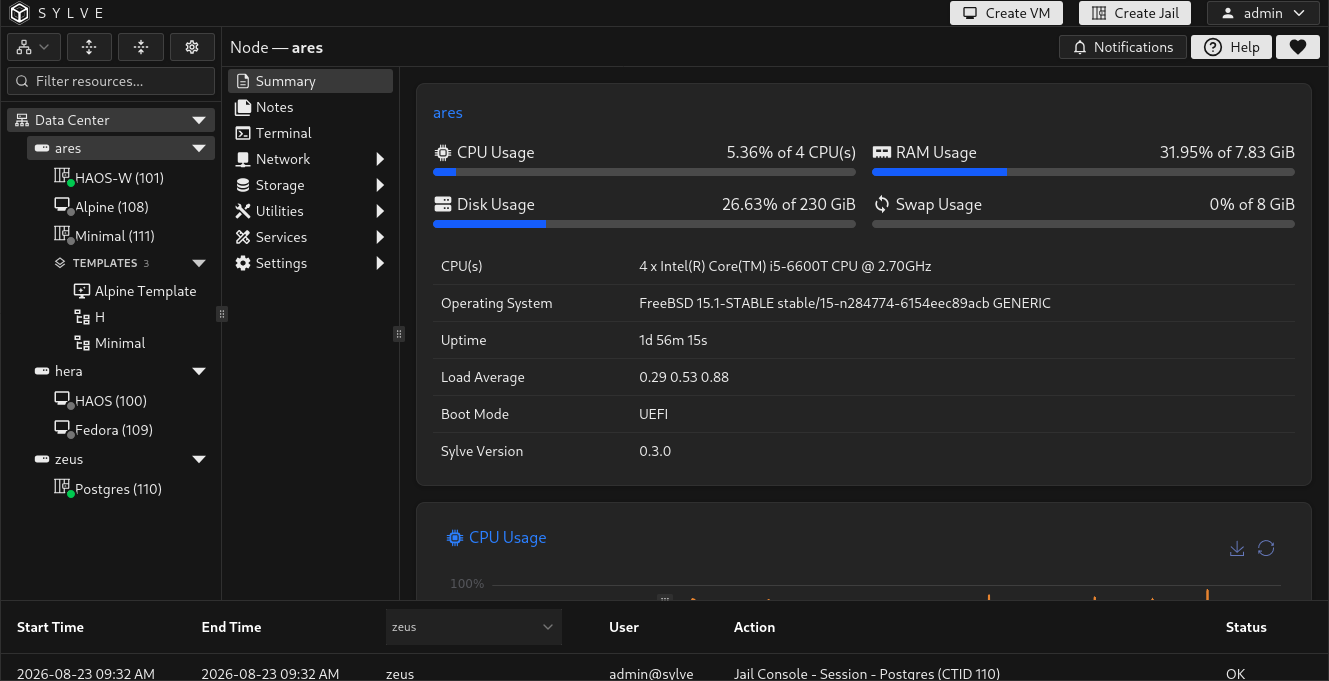
Templates appear in the Templates branch of the resource tree. If template grouping is disabled in the tree preferences, jail templates appear with the other resources on their node.
Prepare the source jail
Section titled “Prepare the source jail”The source jail must be stopped before capture. Review its filesystem and configuration first because the template records their current state.
Before continuing:
- Apply pending package, configuration, and application updates.
- Remove temporary files, credentials, host-specific state, and data that every new jail should not inherit.
- Review network, fstab, DevFS, resolver, and lifecycle-hook settings for node-specific dependencies.
- Stop the jail and confirm that no lifecycle task is still running.
- Confirm that the source pool has enough free space for another copy of the jail’s base dataset tree.
Convert a jail to a template
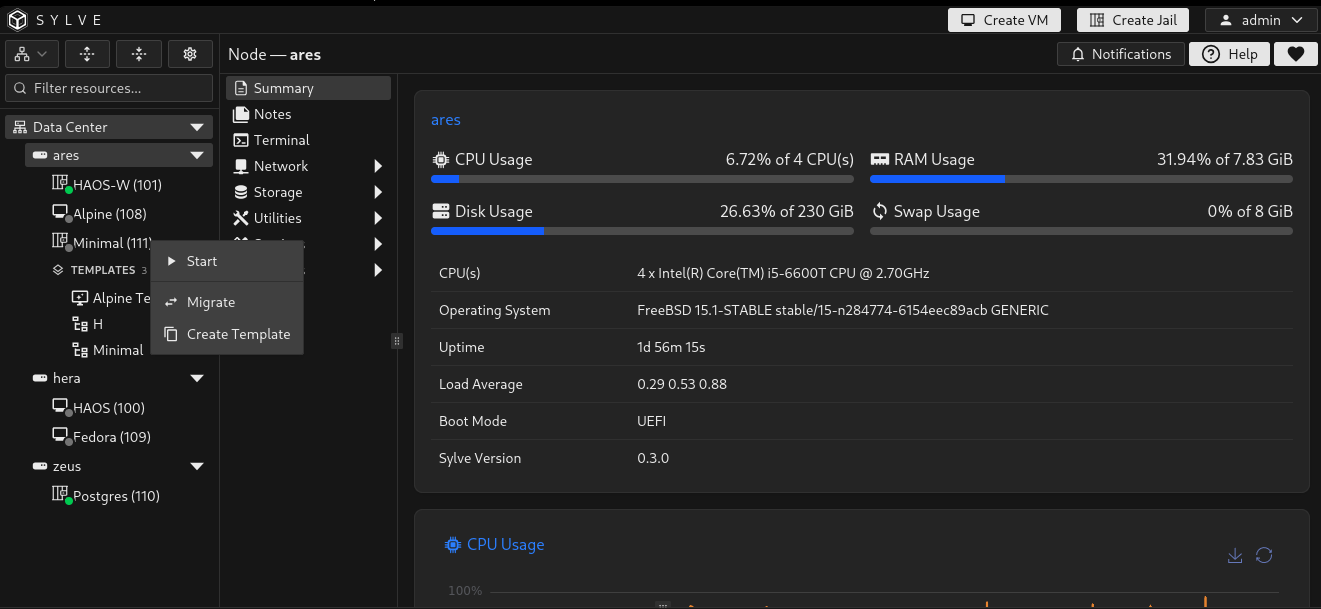
Section titled “Convert a jail to a template”Open the stopped jail’s context menu and select Create Template. The action is unavailable while the jail is active. Capture is also refused while another jail lifecycle task is active, when the node does not own the jail’s replication lease, when the base dataset is missing, or when its pool does not have enough free space for the template copy.
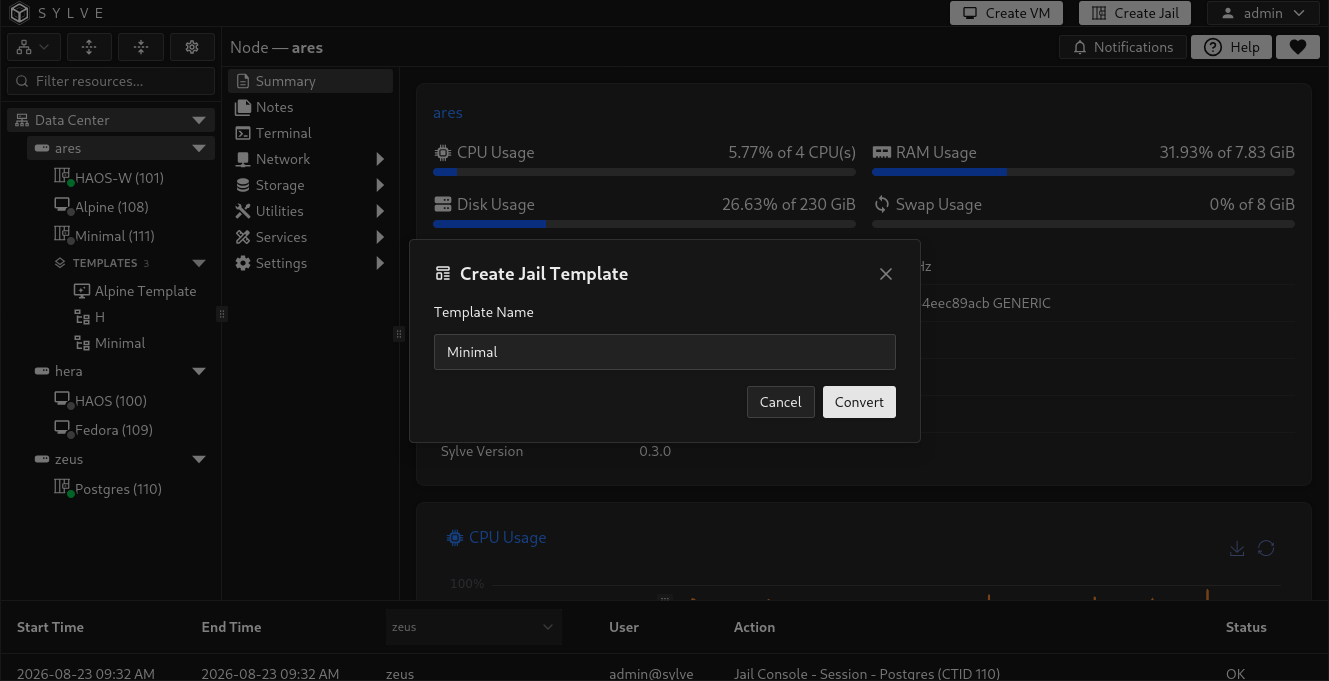
Enter a unique Template Name, then select Convert. Names are trimmed, must not be empty, are limited to 120 characters, and are compared without case when checking uniqueness.
Sylve queues the capture as a background lifecycle task. It rechecks that the jail is stopped, creates a recursive temporary snapshot, sends it to the template dataset, saves the supported configuration, and refreshes the resource tree. The source jail is not deleted or converted into a template-only object.
If capture fails, Sylve attempts to remove the temporary snapshot, partial template dataset, and incomplete database record.
What the template retains
Section titled “What the template retains”Sylve recursively snapshots the source jail’s base ZFS dataset tree and copies it to an independent dataset under:
<pool>/sylve/jails/templates/<template-name>-<timestamp>The source snapshot is temporary and is removed after capture. The resulting template does not depend on the source jail remaining present.
The saved configuration includes:
- Jail type and Wake on LAN setting
- Resource-limit state, CPU cores, and memory
- IPv4 and IPv6 inheritance settings
- Fstab content, its captured jail-root mountpoint, and resolver content
- DevFS rules and clean-environment behavior
- Execution timeout
- Additional and allowed jail options
- Metadata and lifecycle hooks
- Network switch references, DHCP, SLAAC, and default-gateway behavior
When a jail is created from the template, Sylve automatically rebases fstab destination mountpoints beneath the captured jail root onto the new jail’s actual root mountpoint. It does not replace CTID text globally: source paths, mount options, comments, unrelated numbers, and destinations outside the captured jail root remain unchanged. This also supports creating the jail on a pool with a different mountpoint.
For legacy templates that do not contain the captured root, Sylve first tries to recover it from the source jail. If the source no longer exists, jail creation still succeeds, but Sylve preserves the original fstab entries as comments with a warning. Review their destination paths and uncomment them when they are ready to use.
What each new jail receives instead
Section titled “What each new jail receives instead”Some identity-specific values are intentionally not reused:
| Value | Behavior in a new jail |
|---|---|
| CTID | Supplied when creating from the template. It must be available throughout the cluster. |
| Jail name | Supplied or generated during creation. |
| Description | Starts empty. |
| Start at boot and start order | Start at boot is disabled and start order is reset to 0. |
| MAC address | A new MAC object and address are generated for every template interface. |
| Static IP and gateway objects | Not copied. Configure static addressing on the created jail afterward. |
| Additional storage outside the captured base tree | Not recreated as separate storage attachments. Attach or recreate it after creation. |
Inspect a template
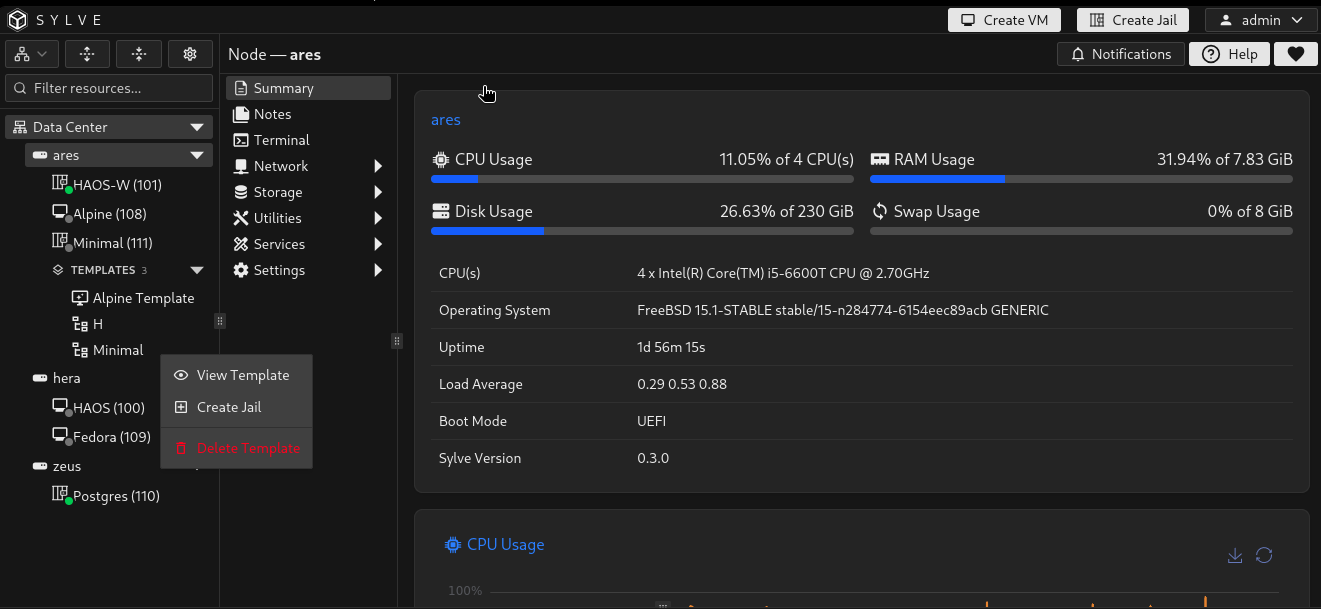
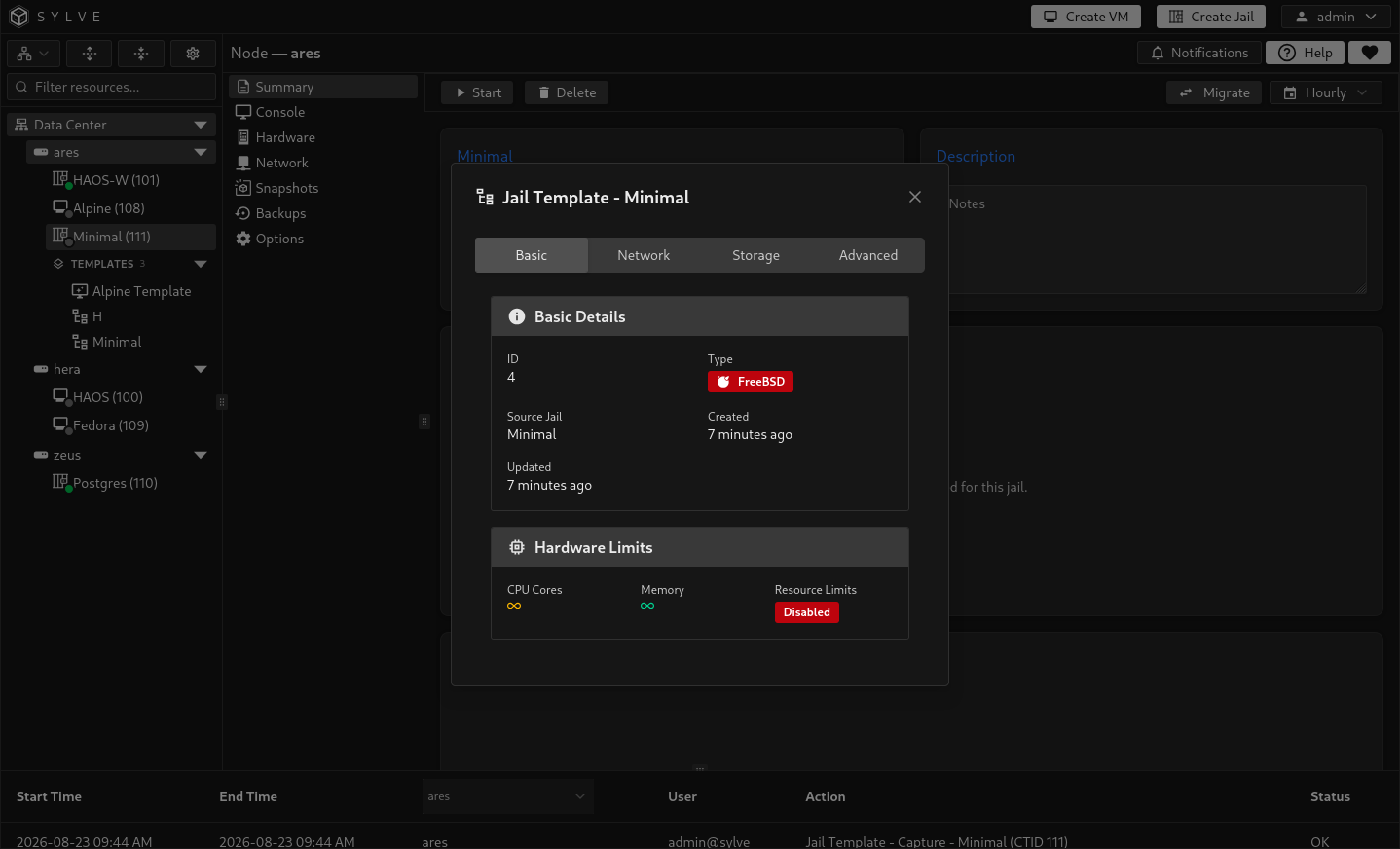
Section titled “Inspect a template”Open the template’s context menu and select View Template. The viewer separates the captured information into four tabs.
The Basic tab shows the template ID, FreeBSD or Linux type, source jail, creation and update times, and captured hardware limits.
Network
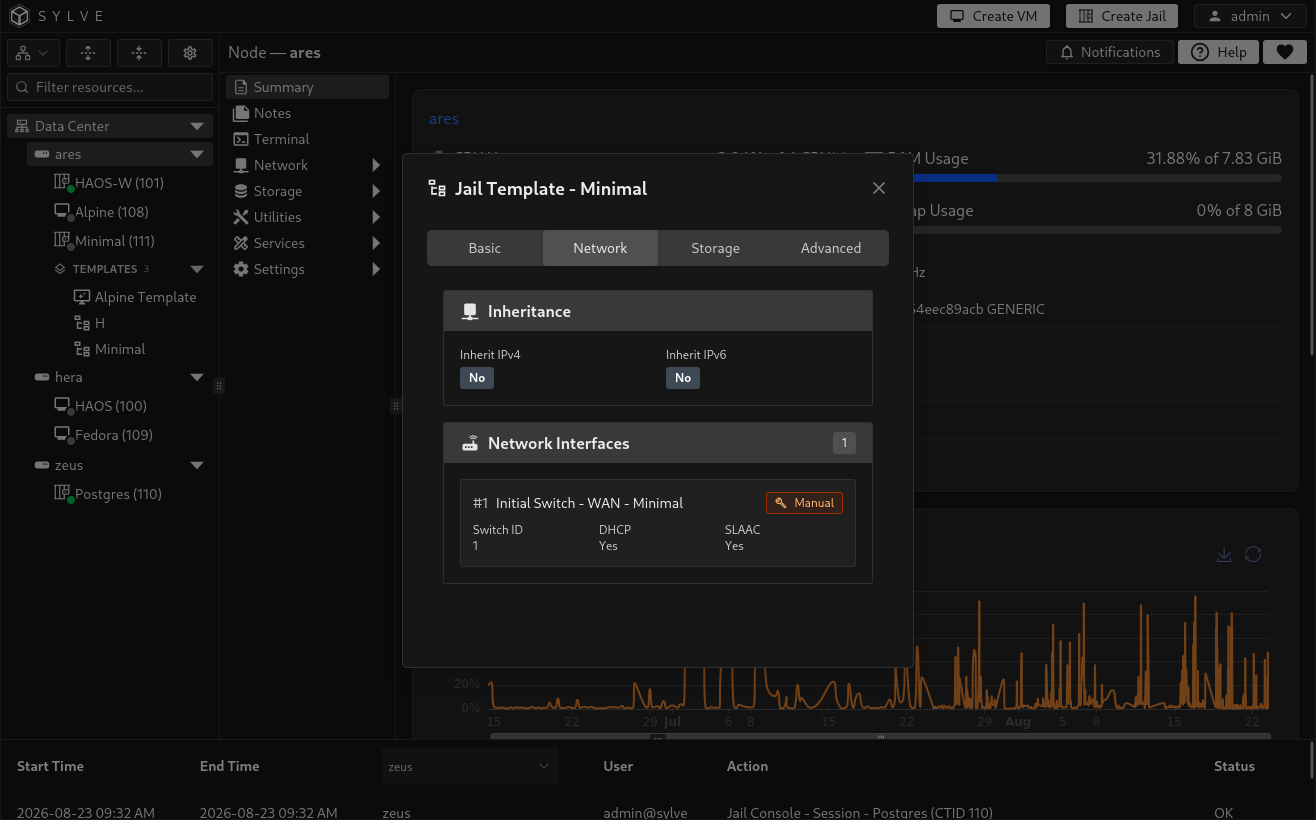
Section titled “Network”The Network tab shows IPv4 and IPv6 inheritance, each saved interface and switch type, and its DHCP, SLAAC, and default-gateway behavior. Captured resolver content appears below the interface list when present.
Remember that the displayed interface definitions do not contain the source jail’s MAC, static IP, or gateway objects. New MAC objects are generated during creation.
Storage
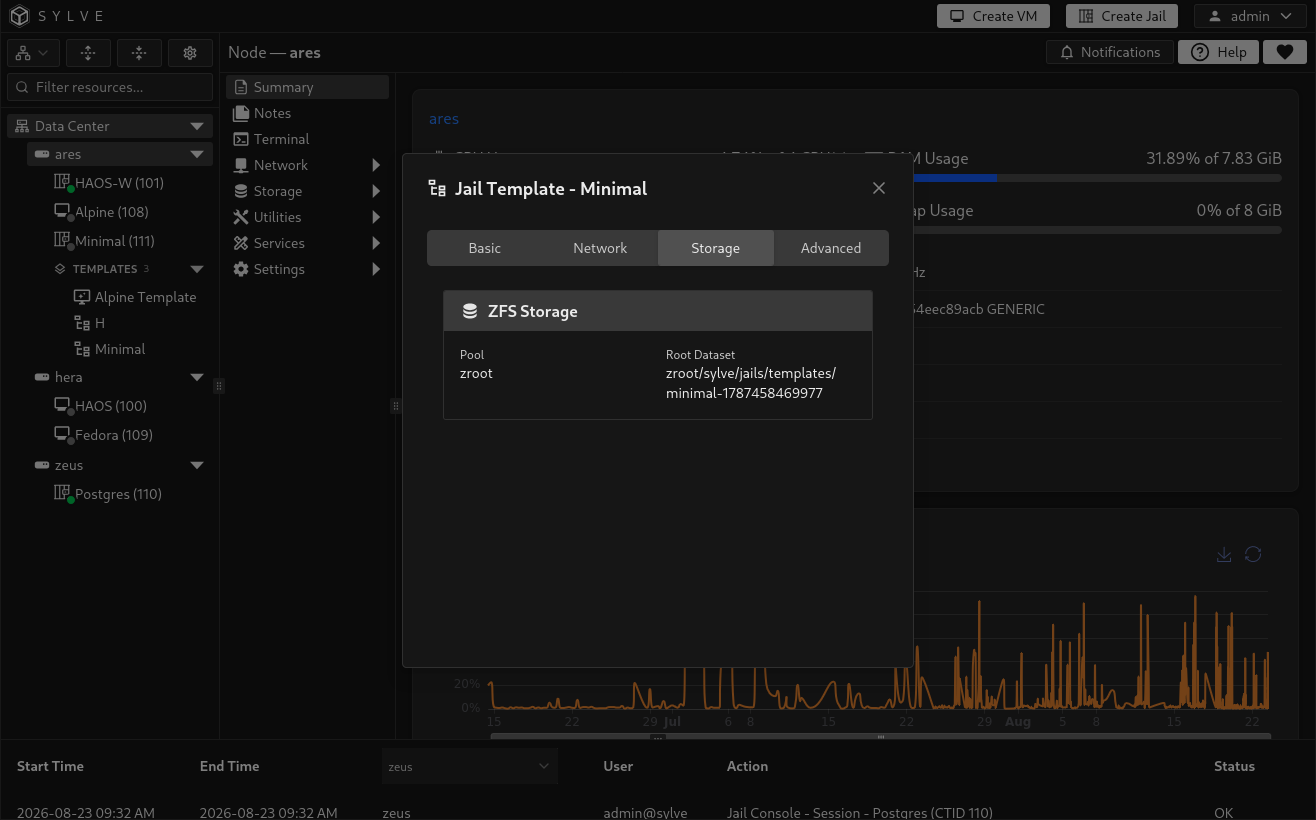
Section titled “Storage”The Storage tab shows the template’s ZFS pool, root dataset, and captured fstab content.
Advanced
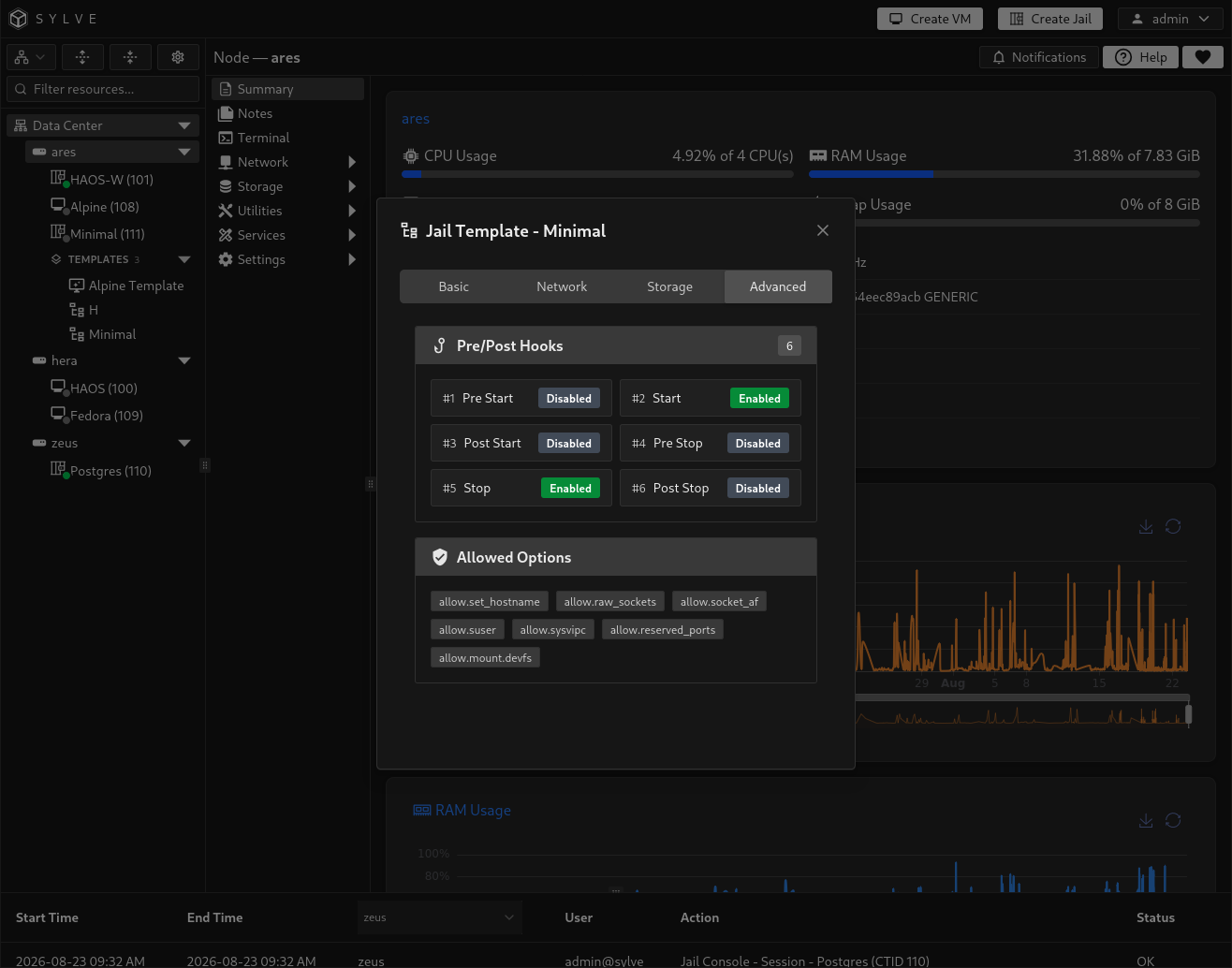
Section titled “Advanced”The Advanced tab shows captured lifecycle hooks, allowed options, and raw additional options. Select a hook to inspect its complete script and enabled state.
Create jails from a template
Section titled “Create jails from a template”Open the template’s context menu and select Create Jail. Sylve loads the complete template and the usable ZFS pools on the current node.
Single jail
Section titled “Single jail”In Single mode, configure:
| Field | Requirement |
|---|---|
| Pool | Destination pool for the new jail dataset. The template’s original pool is selected when available; otherwise, Sylve selects the first usable pool. |
| CTID | A whole number from 1 through 9999. The suggested value is the next available guest ID. |
| Name | Optional valid jail name. When empty, Sylve uses the source jail’s name or falls back to jail-<CTID>. |
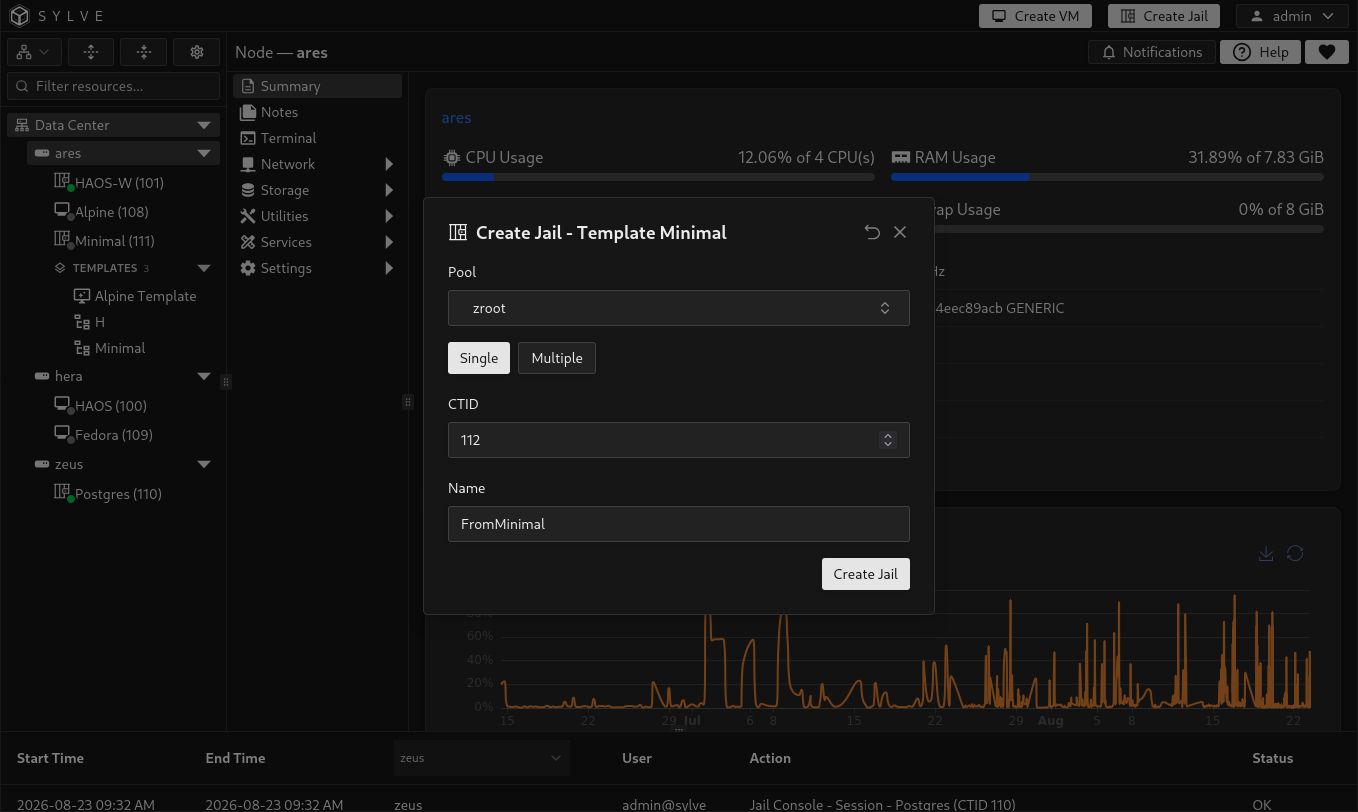
Select Create Jail to queue the operation. The created jail remains stopped so you can review its network, storage, options, and identity-specific settings before starting it.
Multiple jails
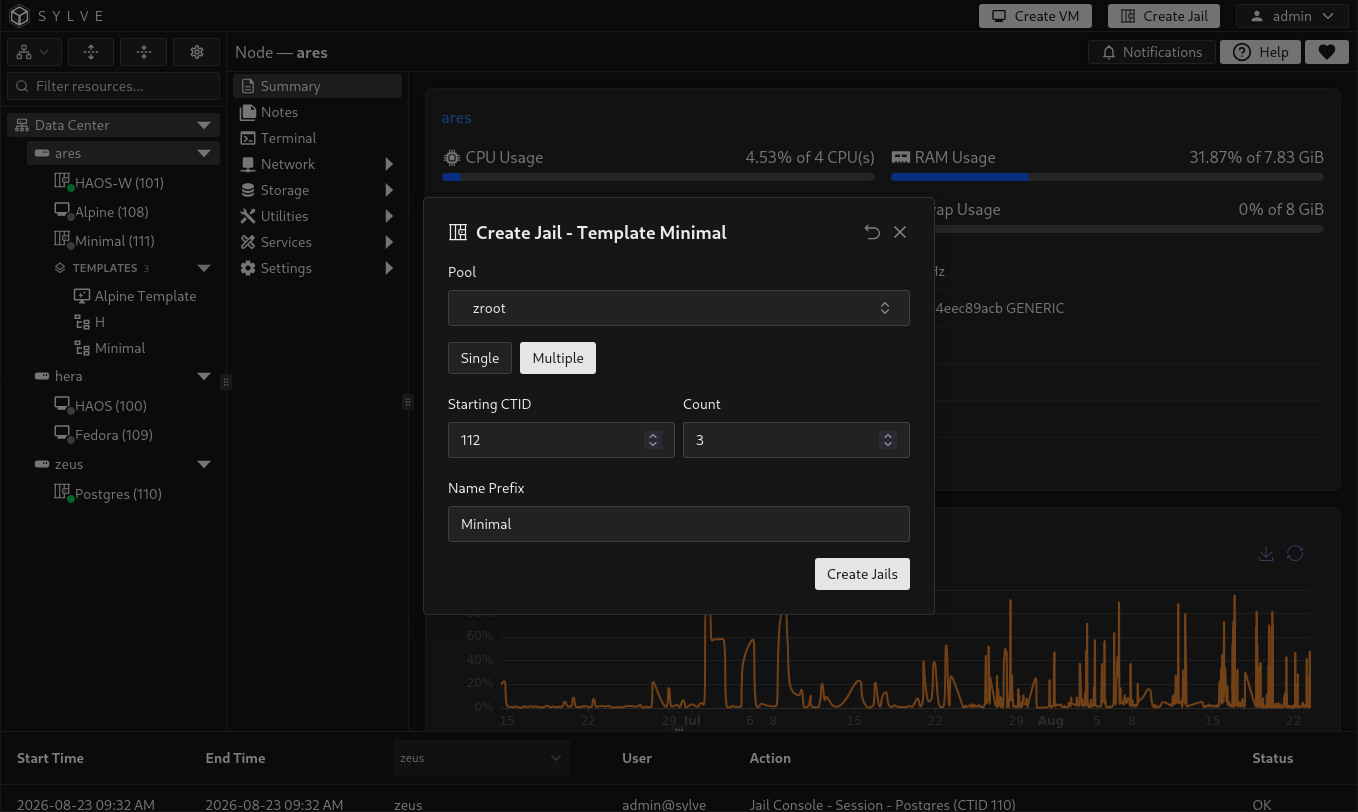
Section titled “Multiple jails”Choose Multiple to create a sequential group. Configure:
| Field | Requirement |
|---|---|
| Starting CTID | First CTID in the requested range. The complete range must remain between 1 and 9999. |
| Count | Number of jails to create, from 1 through 200. |
| Name Prefix | Optional prefix of at most 15 characters. Each name becomes <prefix>-<CTID>. |
| Pool | One destination pool used by every jail in the group. |
When the prefix is empty, Sylve uses the source jail’s name if it is valid and no longer than 15 characters. Otherwise, it uses jail.
Preflight checks and recovery
Section titled “Preflight checks and recovery”Before queueing creation, Sylve verifies the complete request as one plan:
- Every CTID is valid, unique in the request, and unused by both VMs and jails across the cluster.
- Every generated jail name is valid, unique in the request, and unused on the current node.
- The target datasets do not already exist.
- The template dataset and referenced network switches are available.
- The selected pool has enough estimated free space for every requested copy.
- Linux template interfaces do not request DHCP or SLAAC.
- No more than one saved interface is marked as the default gateway.
The jails are then created one at a time. If a later jail fails, Sylve attempts to roll back the jails already created by that request in reverse order.
Review a created jail
Section titled “Review a created jail”Before starting a jail created from a template, check:
- The generated name and CTID.
- The destination pool and base dataset.
- Every network interface and newly generated MAC object.
- Static IP and gateway configuration, which must be assigned separately.
- External fstab source paths and any storage that was not part of the captured base tree.
- DevFS devices and node-dependent lifecycle hooks.
- Resource limits, resolver content, and advanced options.
Use the Summary, Network, Hardware, and Options pages to complete the review.
Delete a template
Section titled “Delete a template”Open the template’s context menu, select Delete Template, and confirm the warning. Deletion recursively removes the stored template dataset and its database record. Jails previously created from the template are independent and are not deleted.
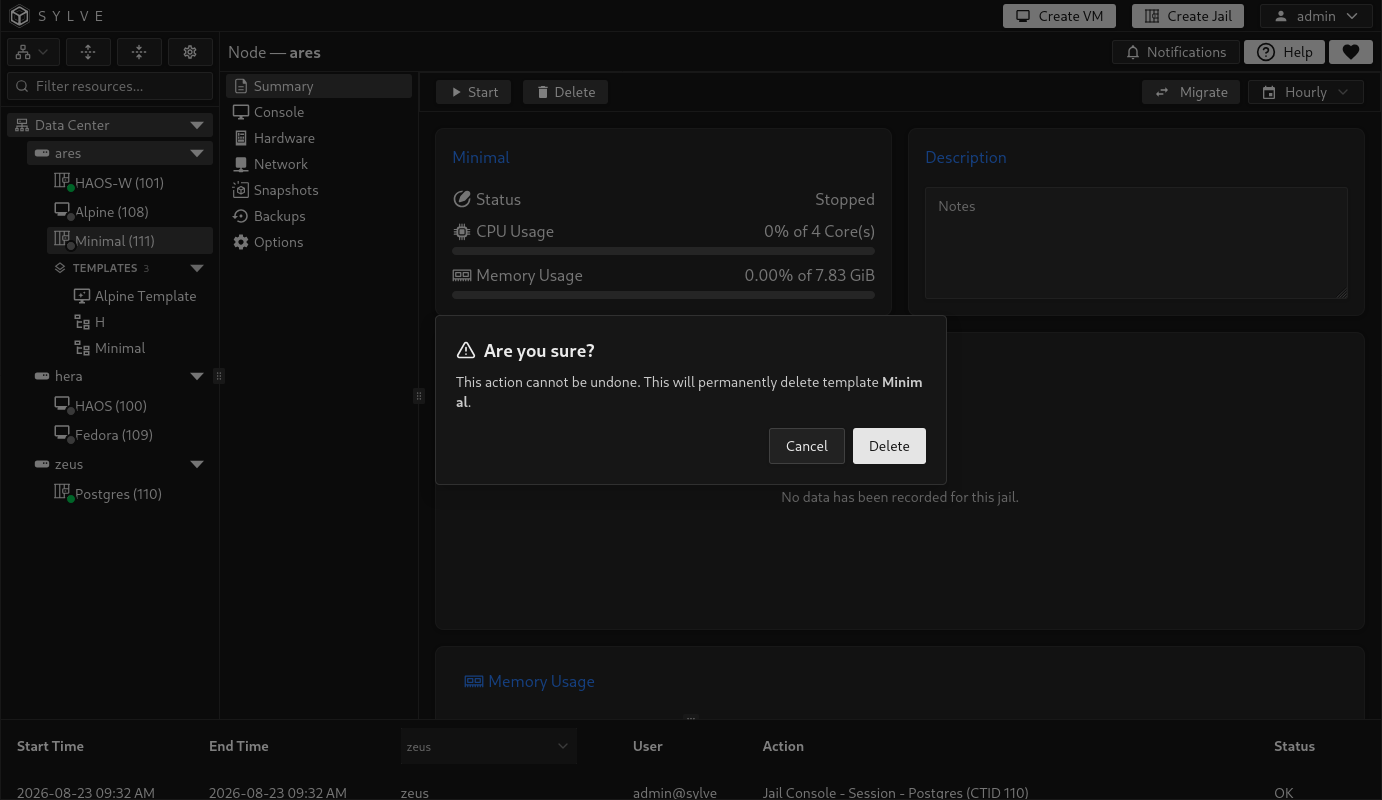
Deletion is blocked while a jail-creation task from that template is queued or running. Wait for the active task to finish before trying again.