

Snapshots
The Snapshots page manages point-in-time recovery states for a jail. Each entry represents a recursive ZFS snapshot of the jail’s root dataset tree together with the jail metadata and host-side configuration needed for restoration.
Understand the snapshot tree
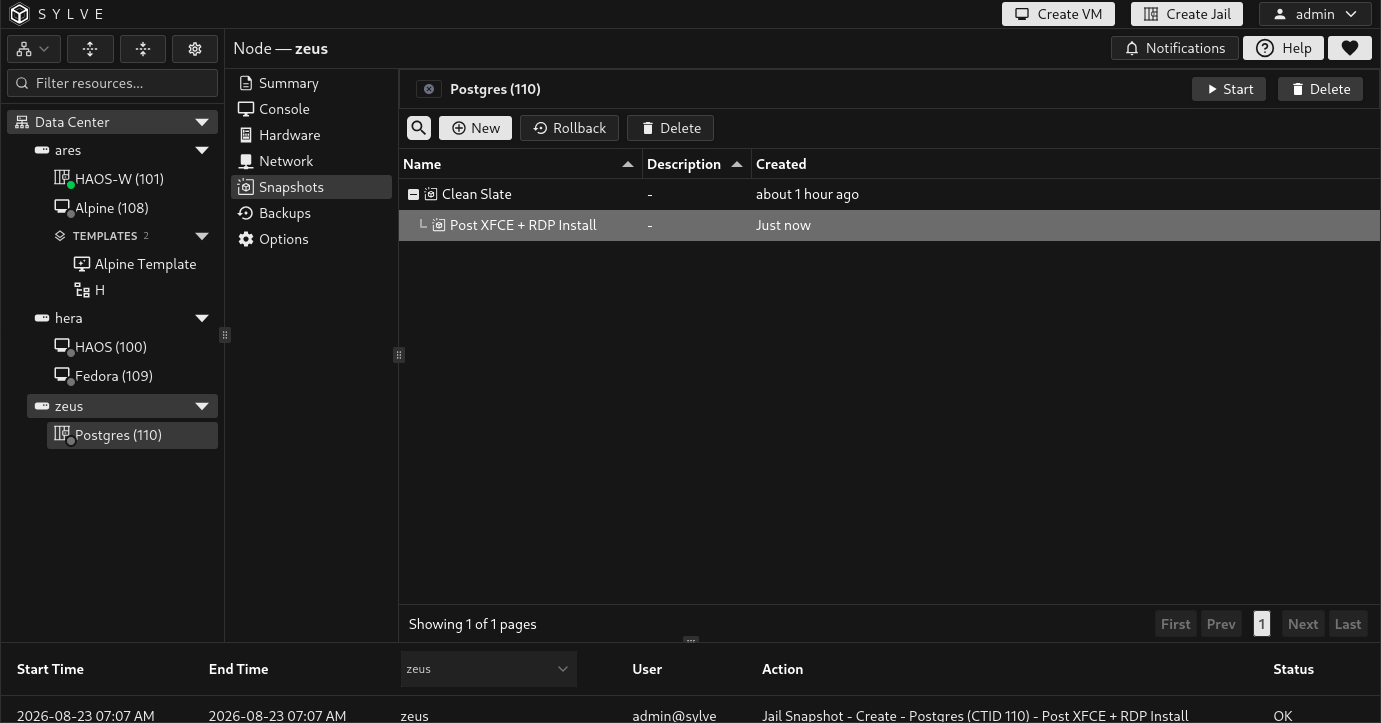
Section titled “Understand the snapshot tree”Snapshots are displayed in creation order as a parent and child tree. A new snapshot becomes a child of the most recently created managed snapshot.
| Column | Meaning |
|---|---|
| Name | The user-facing name assigned when the snapshot was created. |
| Description | The optional reason or context recorded for the snapshot. |
| Created | Relative creation time. Hover over it to see the full local timestamp. |
Select one snapshot to reveal its Rollback and Delete actions. The search field filters the table without changing the snapshot lineage.
Create a snapshot
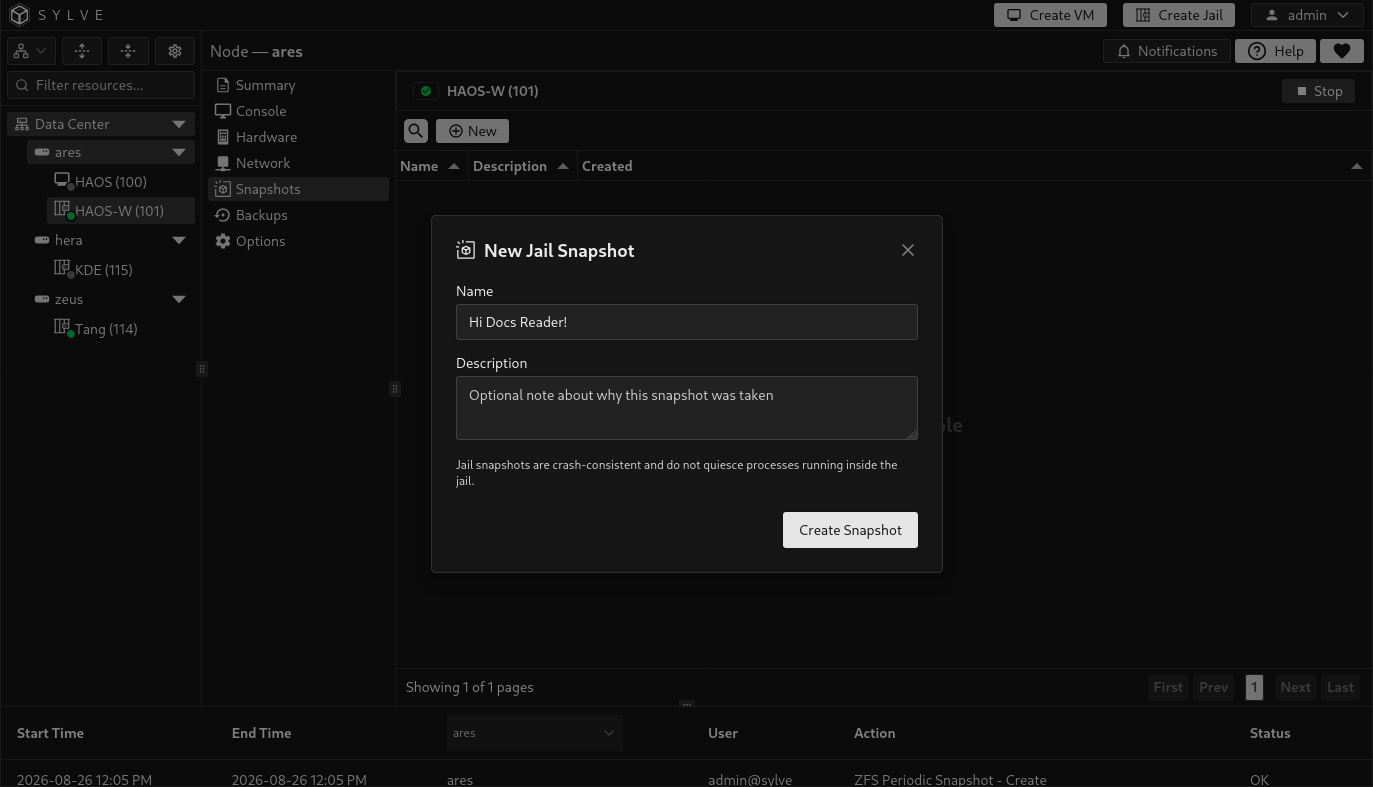
Section titled “Create a snapshot”Select New, enter a name, optionally add a description, and choose Create Snapshot.
- The name is required and can contain up to 128 characters.
- The description is optional and can contain up to 4096 characters.
- Sylve generates a unique underlying ZFS snapshot name from the supplied name and creation time.
- The jail may be running or stopped during creation.
Before creating the recursive ZFS snapshot, Sylve refreshes the jail metadata and stages its managed host configuration inside the jail dataset. This allows rollback to restore both stored files and the matching Sylve configuration.
The recursive snapshot includes the jail’s root dataset and its descendant datasets. Storage mounted from datasets outside that tree is not automatically captured by this jail snapshot.
Roll back a snapshot
Section titled “Roll back a snapshot”Select the target snapshot, choose Rollback, read the warning carefully, and confirm the operation.
Rollback performs the following sequence:
- Validates the snapshot, jail identity, dataset tree, saved metadata, and host configuration.
- Stops the jail if it is currently running.
- Rolls every dataset in the captured jail tree back to the selected snapshot.
- Restores the saved jail configuration, including managed network, storage, hook, and metadata records.
- Removes managed snapshot records created after the selected point.
- Attempts to start the jail again if it was running before rollback.
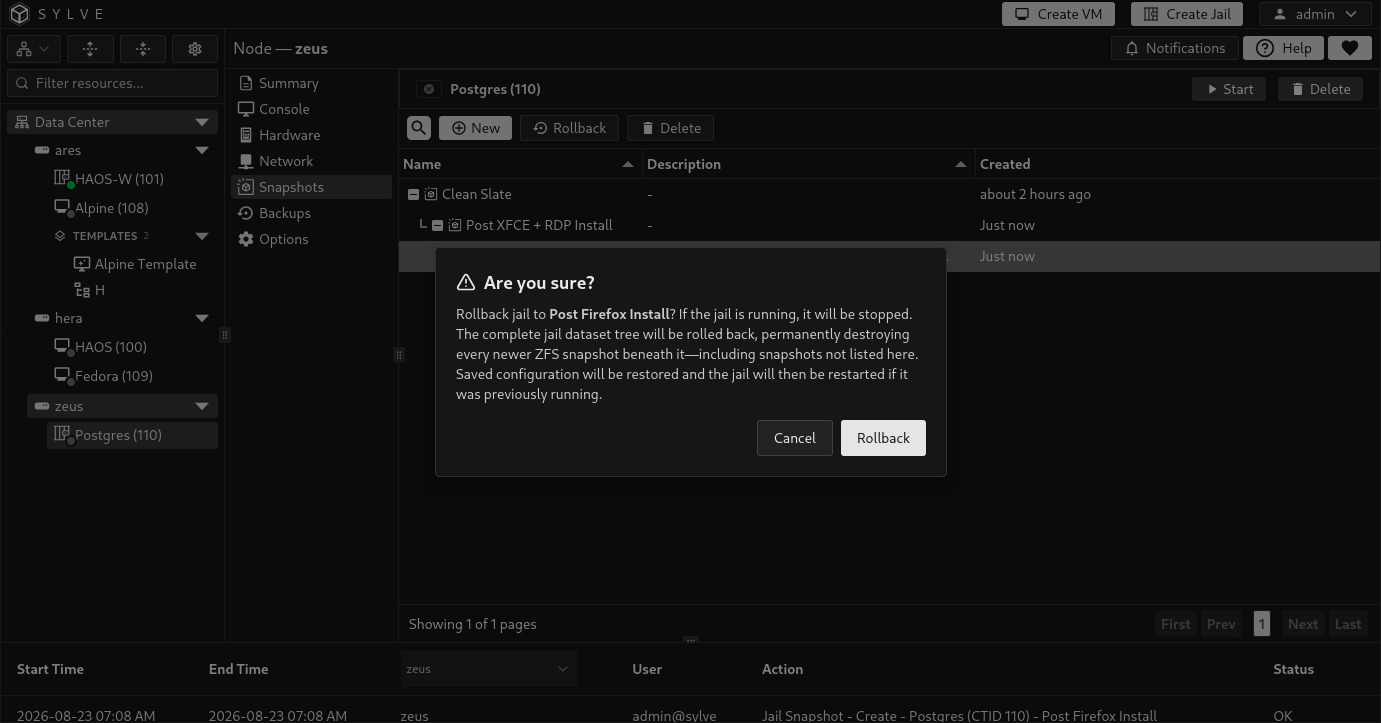
If the jail was stopped before rollback, it remains stopped. If it was running, Sylve makes a best effort to restore the active state. A successful rollback can still return warnings when the jail cannot be restarted or when metadata refresh encounters a non-fatal problem. Review the final jail state and its Summary logs before returning the workload to service.
Delete a snapshot
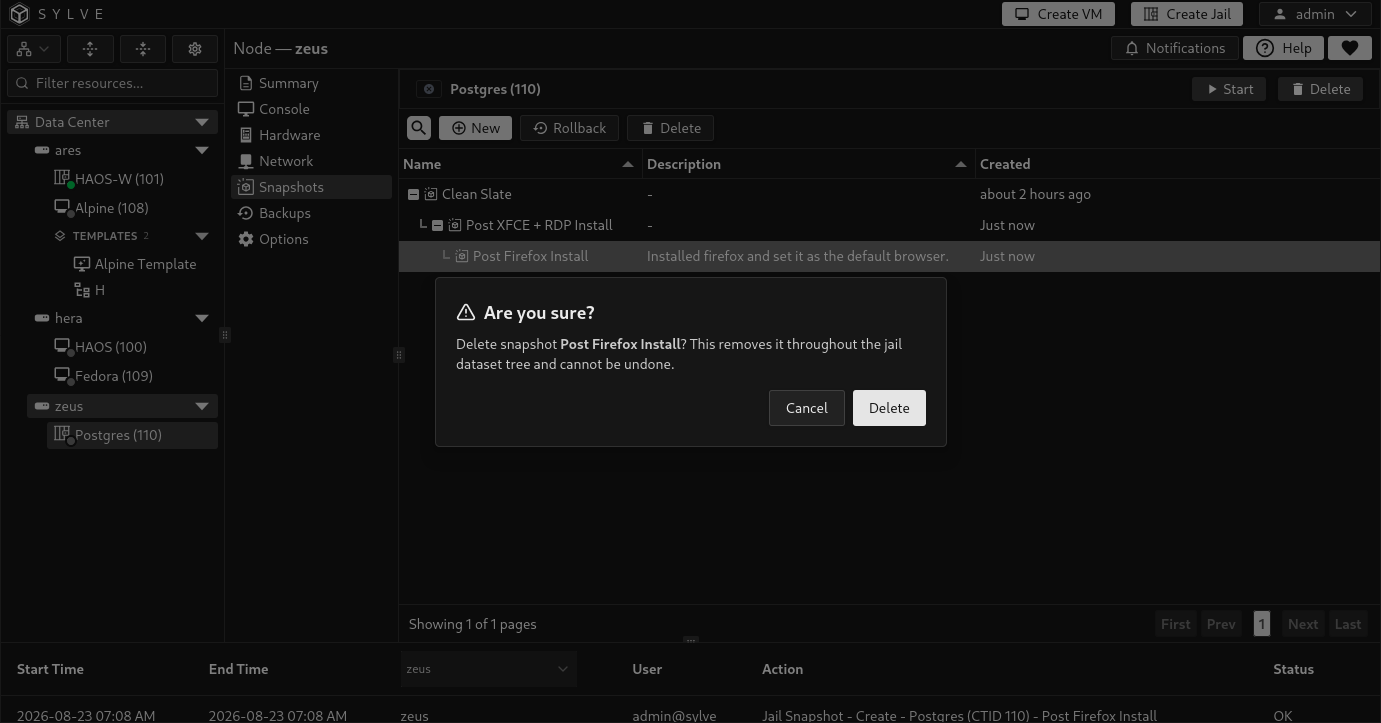
Section titled “Delete a snapshot”Select a snapshot, choose Delete, and confirm the action. Sylve removes that physical snapshot from the root dataset and each descendant dataset in the snapshot tree.
Deleting a snapshot does not roll back the jail and does not delete newer managed snapshots. If the deleted entry has children, they are reparented to the deleted snapshot’s parent so their lineage remains visible.
Replication and storage restrictions
Section titled “Replication and storage restrictions”Snapshot creation, rollback, and deletion require the current node to own the jail’s replication lease. Rollback and deletion can also be refused when a replication run is active or a replication policy protects the jail’s storage topology.
These operations can fail safely before mutation when the expected root dataset, descendant snapshot, saved metadata, jail configuration, or referenced storage no longer matches the recorded snapshot. Resolve the storage or replication conflict instead of manually deleting snapshot metadata from the database.