

Manual Switches
A Manual Switch is an existing FreeBSD bridge that Sylve registers by name. It is the escape hatch for a bridge whose configuration is already managed outside Sylve; for example in rc.conf or your own automation; but that you still want to select for jail and VM networking.
Sylve does not create, destroy, start, stop, reconfigure, add physical ports to, assign addresses to, or otherwise alter a Manual Switch’s bridge. When a jail uses it, Sylve attaches the jail’s host-side epair; when a VM uses it, Sylve attaches its tap interface. Everything else remains the administrator’s responsibility.
Prepare the bridge outside Sylve
Section titled “Prepare the bridge outside Sylve”Create and configure the bridge before importing it. The bridge must already exist and report membership in FreeBSD’s bridge interface group; a physical interface such as em0 cannot be imported directly.
This rc.conf example creates bridge0, attaches em0, obtains IPv4 configuration with DHCP, and accepts IPv6 router advertisements:
rtsold_enable="YES"cloned_interfaces="bridge0"ifconfig_em0="-txcsum -txcsum6 -tso -lro -mextpg up"create_args_bridge0="inet6 auto_linklocal -ifdisabled"ifconfig_bridge0="addm em0 SYNCDHCP"ifconfig_bridge0_ipv6="inet6 accept_rtadv"The offloads on em0 are intentionally disabled. FreeBSD can renegotiate or change bridge-member capabilities as transient tap and epair interfaces are attached to or removed from the bridge. Disabling these offloads avoids interface flapping during that churn, which is especially important for a bridge carrying VM and jail traffic.
rtsold is enabled because accept_rtadv needs it to receive IPv6 router advertisements. Adapt the addresses, DHCP behaviour, VLAN arrangement, filtering, routing, and any other bridge options to your own network; Sylve will leave them alone.
Import the bridge
Section titled “Import the bridge”Open Network → Switches → Manual, select New, give the switch a Sylve-facing name, and choose the existing bridge. The bridge picker only offers eligible bridges that are not already registered as a Standard or Manual Switch.
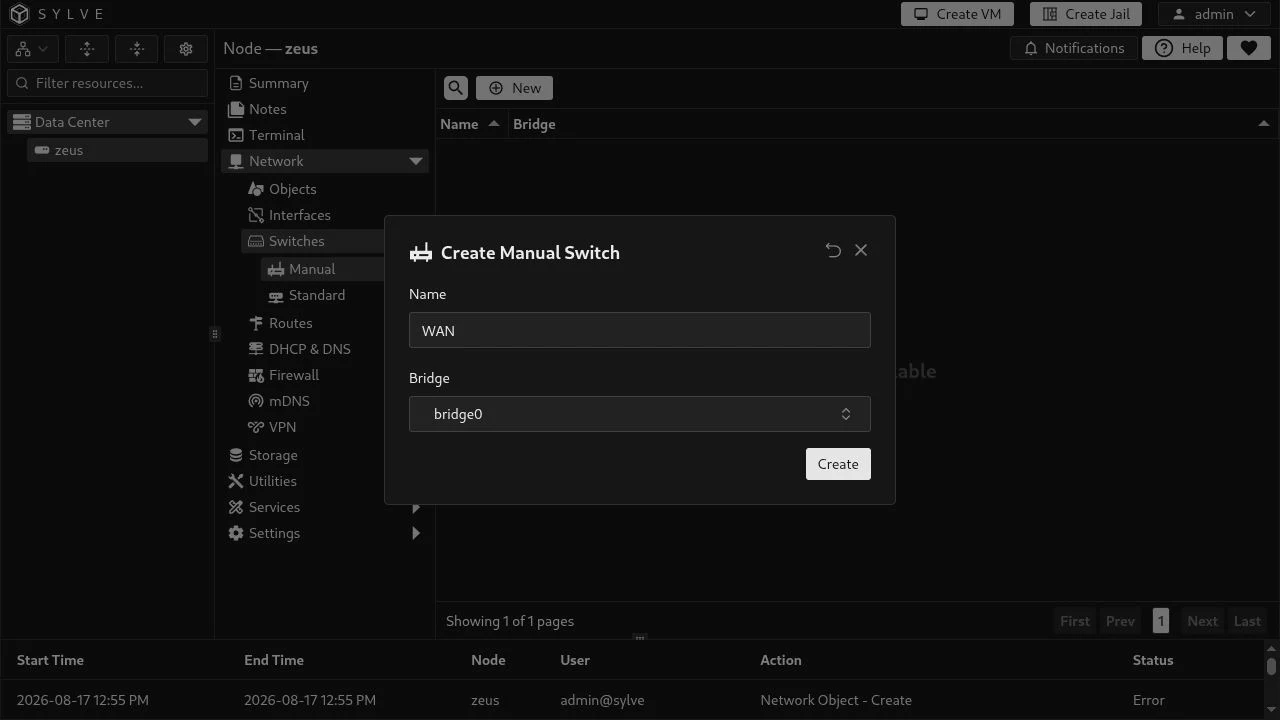
The example imports the independently configured bridge0 as WAN. Creating it stores the association in Sylve; it does not run network configuration against bridge0.
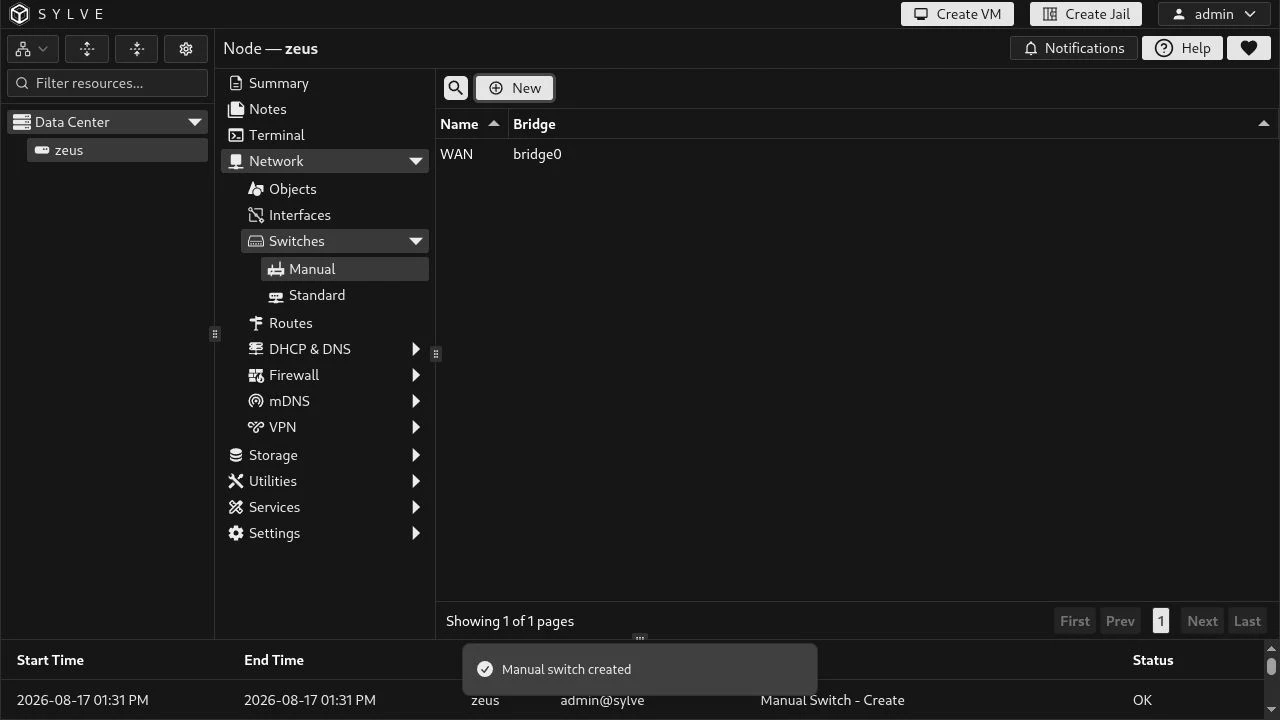
After it is registered, WAN is available in the network selection for jails and VMs. Select it exactly as you would any other switch:
| Workload | What Sylve attaches to bridge0 |
|---|---|
| Jail | The host-side endpoint of the jail’s epair. |
| VM | The VM’s host-side tap interface. |
No bridge port, IP address, route, DHCP setting, VLAN setting, firewall rule, or media/offload setting is derived from the Manual Switch record. Manage those in rc.conf, an rc.d script, or your own configuration system.
Operational constraints
Section titled “Operational constraints”- A Manual Switch name may contain letters, numbers, underscores, and hyphens. Names are unique across both Manual and Standard Switches.
- A bridge may be registered only once, and it cannot also back a Standard Switch.
- Sylve verifies that the selected interface exists and is a FreeBSD bridge when it is imported. If the bridge is renamed or removed later, repair the host configuration first and then update the registration.
- Deletion only removes Sylve’s registration; it never destroys the FreeBSD bridge. To prevent orphaned networking, Sylve refuses deletion while a VM, jail, DHCP configuration, or DHCP range still references the switch.