

Backups
The Backups page is the jail-scoped view of Data Center backup jobs. It shows only jobs that protect the selected jail while providing the same scheduling, retention, monitoring, and restore controls as the cluster-wide view.
Before creating a job, add and validate a remote backup target. A backup stores recovery data on that target, unlike a local jail snapshot that remains on the jail’s storage pool.
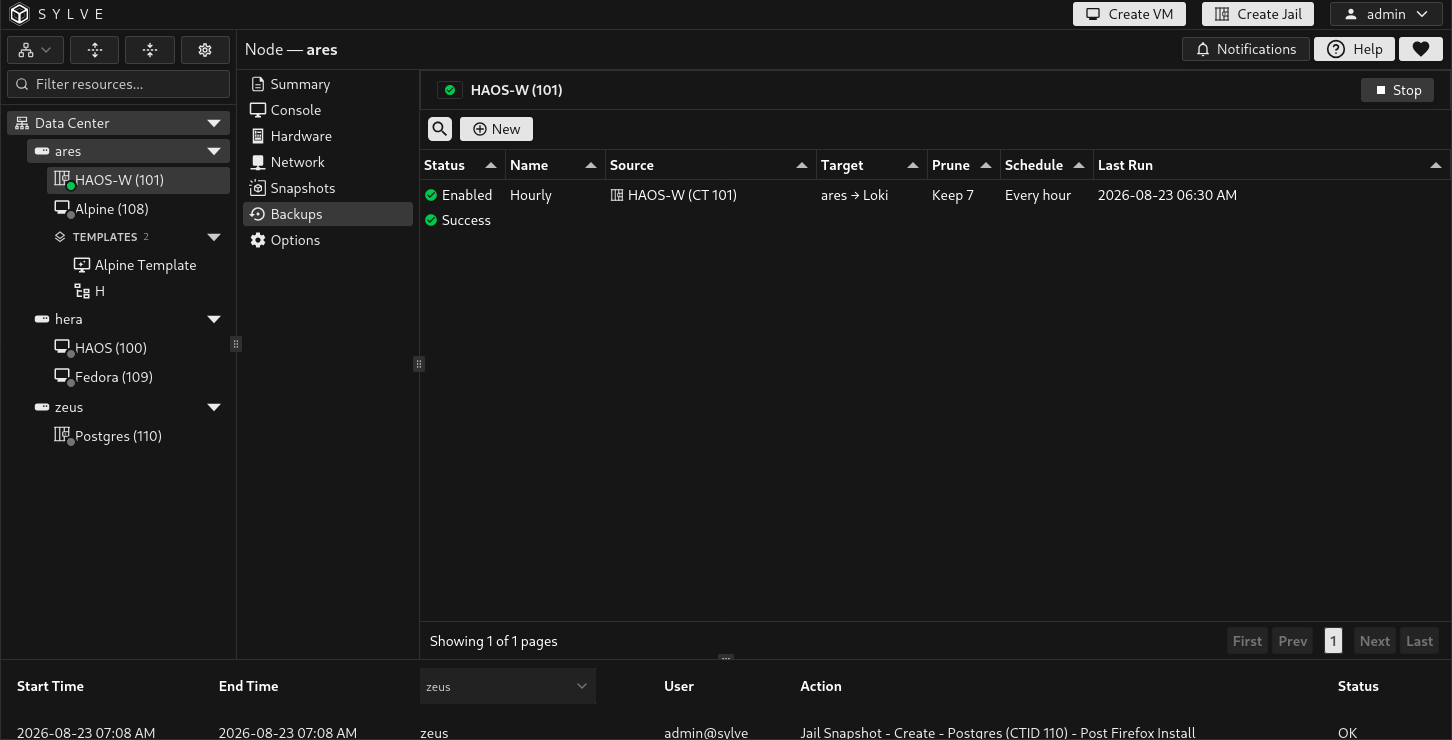
Create a jail backup job
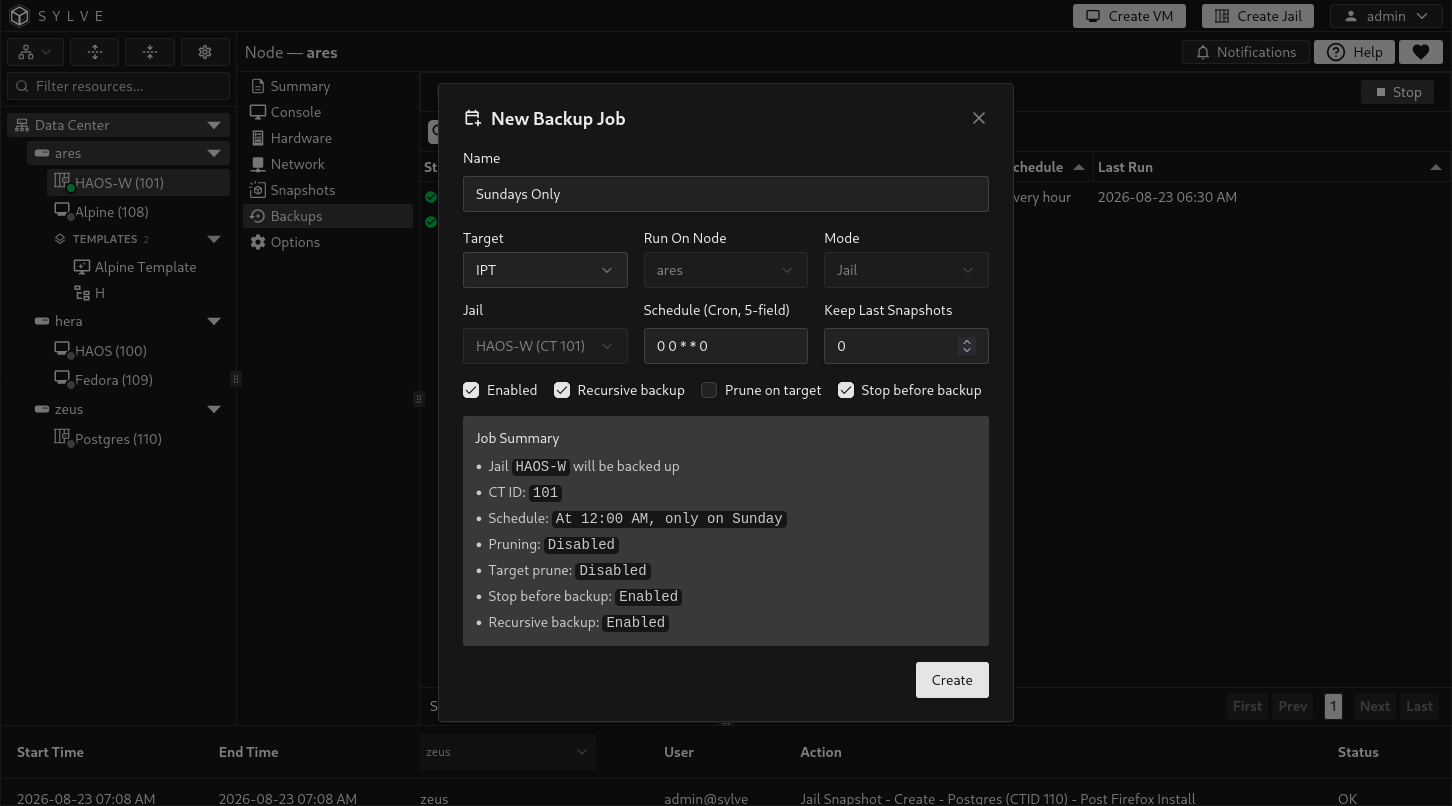
Section titled “Create a jail backup job”Select New. Because the page is scoped to a jail, Sylve fixes the mode and source to the current jail and selects its current owner as the runner. Choose the target, schedule, retention, and consistency options, then save the job.
| Field | Description |
|---|---|
| Name | A name that identifies this jail’s backup policy. |
| Target | The validated remote target that receives the backup data. The target cannot be changed after creation. |
| Run On Node | The jail’s current owner. Backups must run on the node where the jail currently lives. |
| Mode | Fixed to Jail in this scoped view. |
| Jail | Fixed to the currently selected jail. |
| Schedule (Cron, 5-field) | When the job runs, such as 0 2 * * * for 02:00 every day. |
| Keep Last Snapshots | Number of recovery points retained by the job. Use 0 to disable count-based retention. |
| Enabled | Enables scheduled execution. Clear it to save the policy without running it on the schedule. |
| Recursive backup | Includes descendant datasets below the jail’s canonical root dataset. |
| Prune on target | Applies the retention count to job-owned recovery points on the remote target. |
| Stop before backup | Stops a running jail before transfer and starts it again after the attempt finishes. |
Choose recursive scope
Section titled “Choose recursive scope”Every jail job starts from the canonical base dataset derived from the jail’s base-storage pool and CTID:
<pool>/sylve/jails/<ctid>Enable Recursive backup when the jail has descendant datasets beneath this root and they must be recovered with the jail. With it disabled, the job backs up only the root dataset.
Datasets mounted into the jail from elsewhere in the pool hierarchy are not included merely because they appear in the jail’s filesystem. Protect those datasets with their own backup jobs when they are outside the selected root tree.
Changing recursive scope on an existing job can archive the current target generation and require a full reseed. Existing recovery points remain available under their preserved lineage.
Choose consistency and downtime
Section titled “Choose consistency and downtime”With Stop before backup disabled, the job transfers a ZFS recovery point while the jail continues running. This avoids planned downtime but produces crash-consistent application data. Databases and other write-heavy applications should flush or quiesce themselves if they require stronger consistency.
With Stop before backup enabled, Sylve checks whether the jail is running and stops it before the transfer. A jail that was stopped beforehand remains stopped. If the job stopped the jail, it attempts to start it again after success or failure. A restart failure is recorded as part of the failed backup event.
Run and monitor a job
Section titled “Run and monitor a job”The table reports whether the job is enabled, the result of its most recent run, its source jail, runner and target, retention, schedule, and last-run time. Select a job to expose its actions.
| Action | Result |
|---|---|
| Run Now | Queues an immediate backup without changing the schedule. |
| Edit | Changes the name, schedule, enabled state, retention, recursive scope, pruning, and stop-before-backup behavior. |
| Restore | Opens the recovery-point selector for an in-place restore. |
| View Error | Displays the complete error from the most recent failed run. |
| Delete | Removes the job configuration and schedule while preserving existing source and target snapshots. |
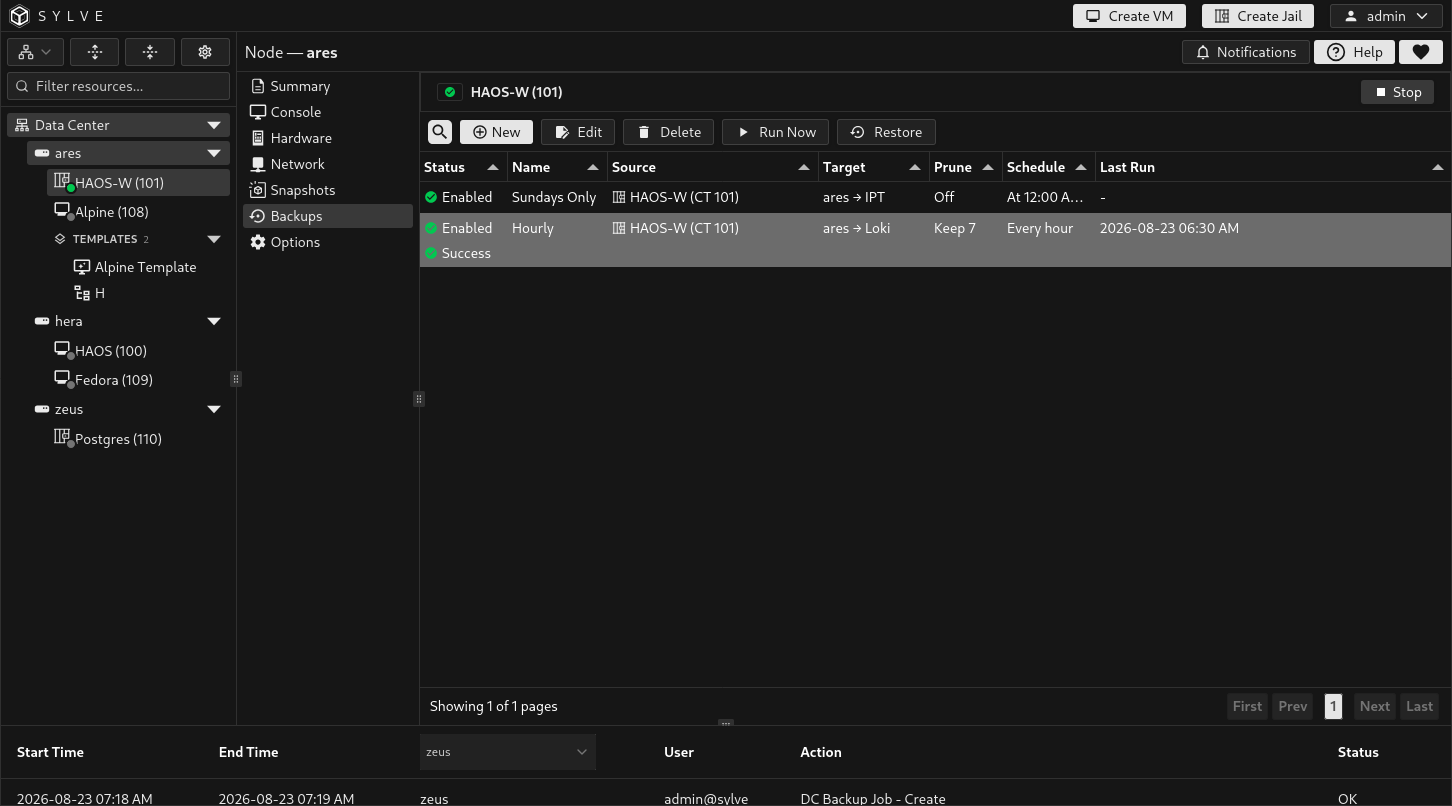
Use Backup Events to follow live transfer output, inspect progress, and review the full history. Only one conflicting workload operation can run at a time, and the node must own the jail’s replication lease when a backup starts.
Jobs marked Runner rebind pending or Repair required cannot run or restore until their placement state is repaired. A supported migration or failover updates the runner to follow the jail’s current owner. Do not create a duplicate job solely because ownership moved.
Restore the jail in place
Section titled “Restore the jail in place”Select a job and choose Restore. Select a generation, then select the desired recovery point within that generation. Encrypted backups also show an optional passphrase field for cases where the key is not already registered. A supplied passphrase is saved in the cluster key store for automated recovery.
The restore dialog can include several lineages:
- Current lineage contains the active job generation.
- System-preserved lineage contains a generation archived after a job topology change.
- Out-of-band lineage contains recovery points introduced through another restore or target workflow.
Count-based pruning applies to the current lineage. Preserved or out-of-band generations can remain available independently.
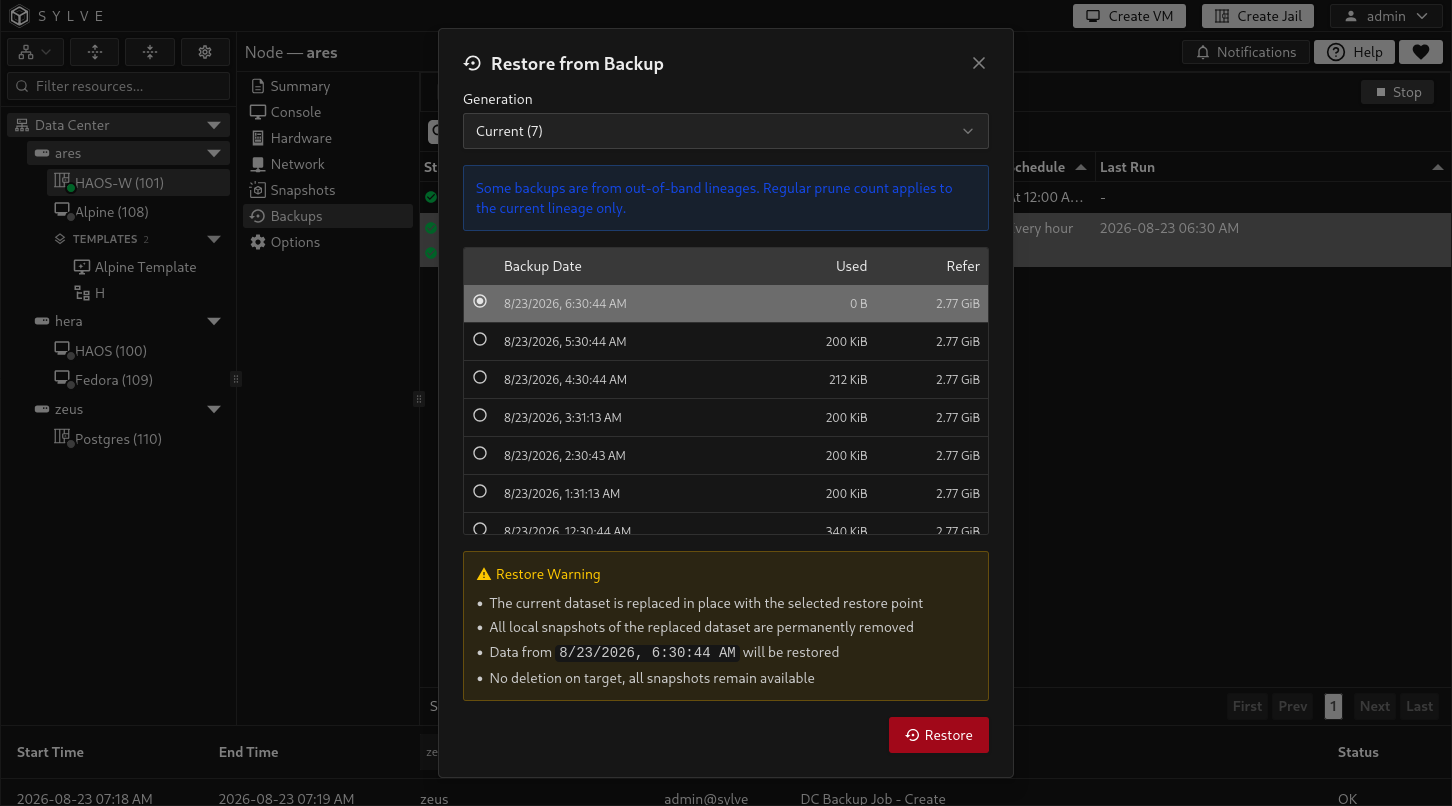
An in-place restore performs these high-level steps:
- Verifies job ownership, target data, the selected generation, and the backup manifest.
- Acquires a restore fence so other guest operations cannot modify the jail concurrently.
- Stops the jail if it is running and waits for its dataset to become safe to replace.
- Receives the selected recovery point into a temporary staging dataset.
- Verifies the staged data, replaces the current jail dataset in place, and removes local snapshots of the replaced dataset.
- Reconciles the jail’s saved metadata and managed configuration from the restored dataset.
- Activates the restored target generation and records the result in Backup Events.
If the job is recursive, descendant datasets recorded in the verified generation are restored with the root. If it is not recursive, only the selected root dataset is restored. Legacy jail recovery points created before manifest commits do not record their original recursive setting, so set Recursive backup to the value used when that recovery point was created before restoring it.
For recovery to another node, dataset path, or alternate target location, use OOB Restore from Data Center Backups Jobs. The jail-scoped page intentionally provides only in-place restore.