

Cloud-Init Templates
Cloud-init configures a compatible virtual machine on its first boot. A template stores three cloud-init documents that you can copy into a new VM: User Data, Meta Data, and optional Network Config. Use it to consistently create users, install packages, add SSH keys, set hostnames, or configure a static network address.
Templates are stored on the selected node. They are reusable starting points, not a live link: when you select a template during VM creation, Sylve copies its content into that VM. Editing or deleting the template later does not change VMs that already used it.
What to prepare
Section titled “What to prepare”Cloud-init must be supported by the guest image. Cloud images for Debian, Ubuntu, Rocky Linux, and many FreeBSD images normally include it. When creating the VM, the selected installation media must be a Downloader entry whose Type is Cloud-Init. Sylve rejects regular Base RootFS and Uncategorized downloads for this workflow, even if their contents might otherwise be bootable.
Choose Cloud-Init as the type when downloading, importing, or uploading the cloud image in Utilities → Downloader. This marks the media as cloud-init capable so Sylve can use it during VM creation.
Keep secrets out of general-purpose templates where possible. A template can contain users, password hashes, SSH public keys, and application configuration. Treat the page and its audit history as administrative data.
Create a template
Section titled “Create a template”Choose New to open the template editor. Name, User Data, and Meta Data are required. Network Config is optional, but its field is always saved, even when it is empty.
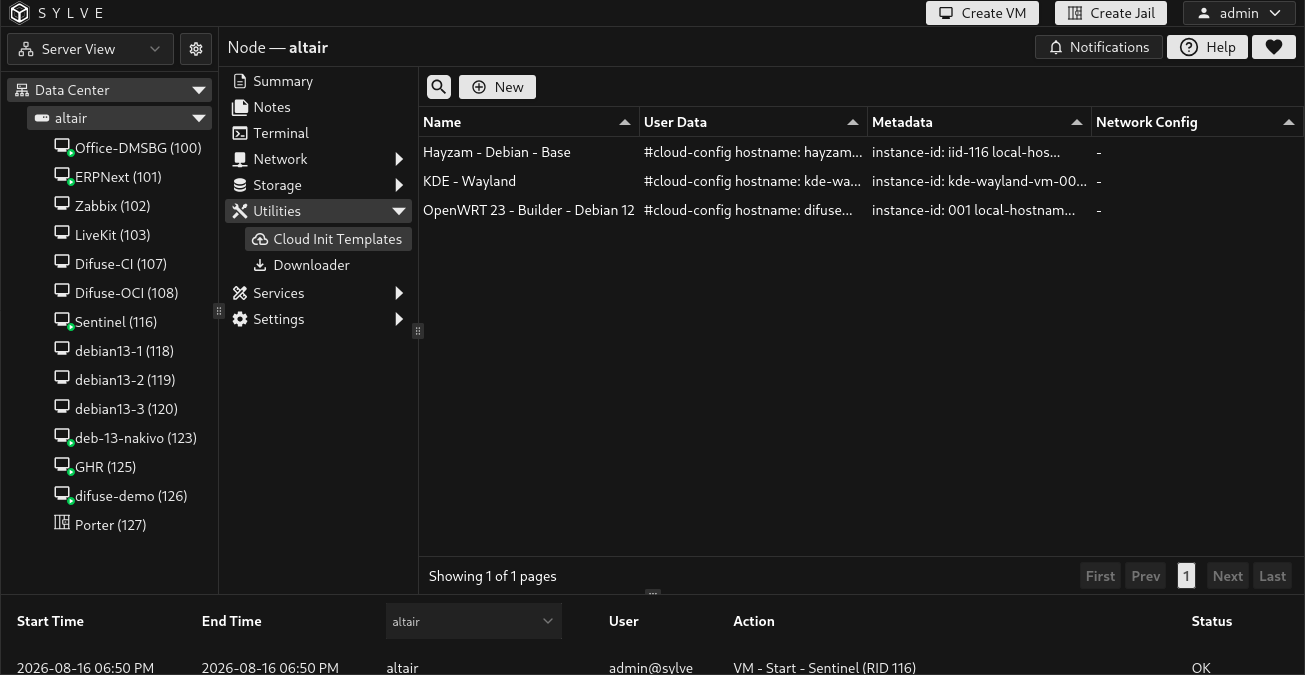
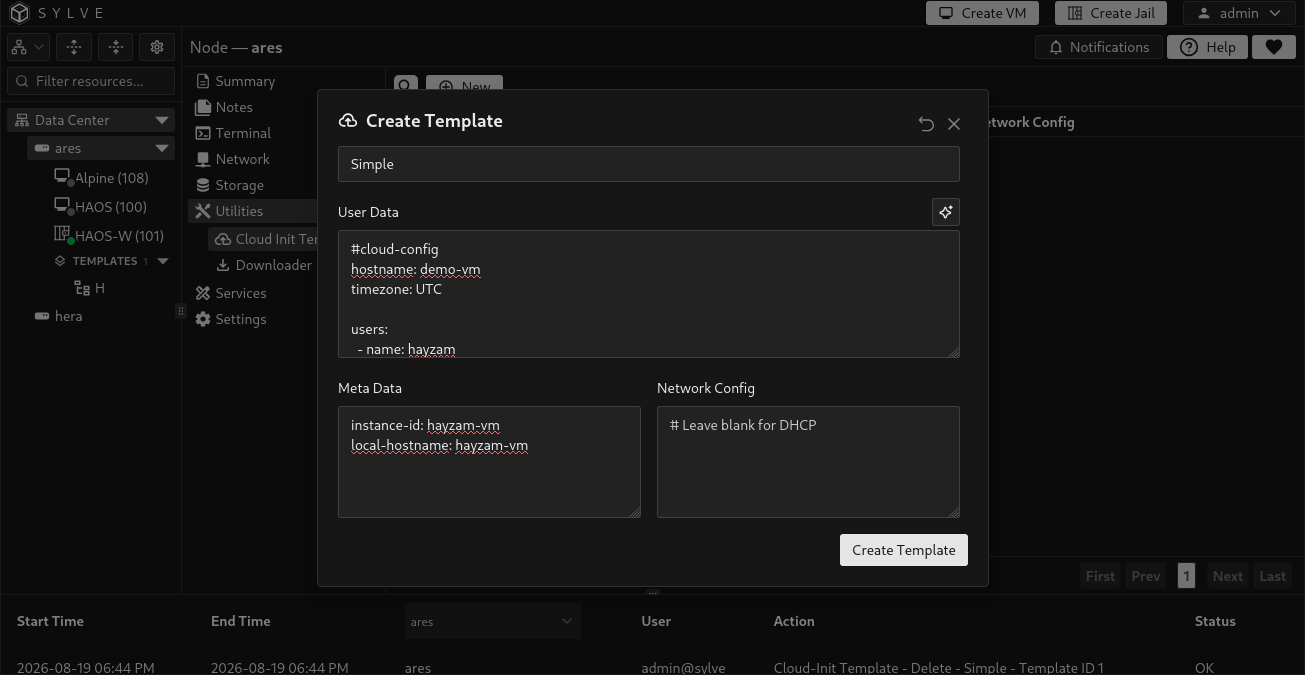
| Field | What it controls |
|---|---|
| Name | Required display name for choosing the template later. Names are trimmed, support up to 255 characters, and must be unique without regard to case. |
| User Data | Required cloud-config document. This is where you define users, SSH keys, packages, commands, hostname behavior, and other first-boot actions. Start it with #cloud-config. |
| Meta Data | Required instance identity document. It commonly contains instance-id and local-hostname. |
| Network Config | Optional cloud-init network document. Leave it empty when the guest should use its normal DHCP behavior. |
The template library checks that these required documents are present, but it stores their content as text. Sylve validates cloud-init YAML when the configuration is applied to a VM, so test a new template with a disposable VM before using it broadly.
Minimal DHCP template
Section titled “Minimal DHCP template”Use a distinct instance-id for each independent VM. The following template lets the guest obtain networking through DHCP:
#cloud-configusers: - name: admin groups: wheel sudo: ALL=(ALL) NOPASSWD:ALL shell: /bin/sh ssh_authorized_keys: - ssh-ed25519 AAAA... replace-with-your-public-keyssh_pwauth: falsedisable_root: trueinstance-id: web-01local-hostname: web-01Leave Network Config empty for this example.
Static-network example
Section titled “Static-network example”For a guest that uses cloud-init networking, add a document matching its interface name. Debian-style guests commonly use names such as ens3 or enp0s3; FreeBSD examples in the built-in presets use em0.
version: 2ethernets: ens3: dhcp4: false addresses: - 192.168.50.20/24 routes: - to: default via: 192.168.50.1 nameservers: addresses: - 1.1.1.1 - 1.0.0.1Do not reuse this example unchanged. Select an unused address and the interface name that exists in the guest.
Start from a built-in preset
Section titled “Start from a built-in preset”The button beside User Data opens a preset picker. The available presets are Simple, FreeBSD with Static IP, Debian with Static IP, and Docker. Selecting one fills all three documents and sets the template name. Review and edit the generated hostname, instance ID, usernames, SSH identity, network addresses, and package choices before saving.
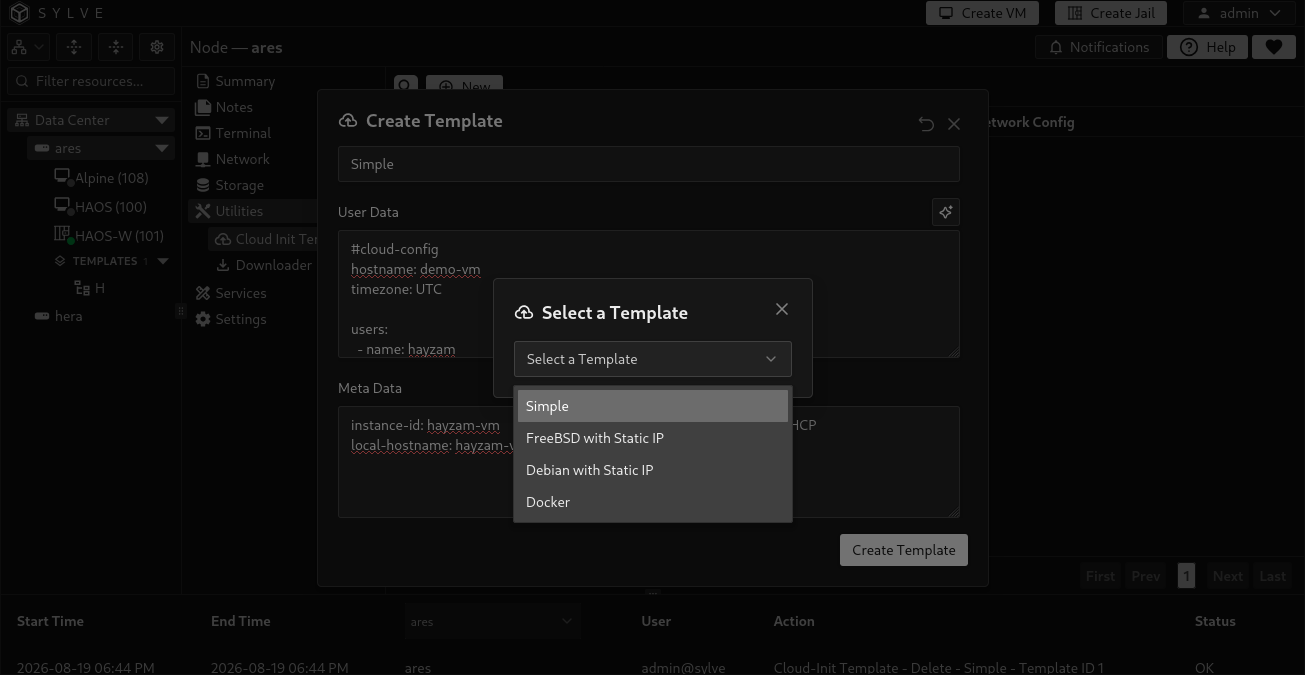
The presets are convenience starting points. They do not discover guest interfaces, reserve an IP address, create a DHCP lease, or verify that a referenced GitHub account or SSH key is correct.
Use a template for a new VM
Section titled “Use a template for a new VM”While creating a VM, open Advanced, enable Cloud-Init, then use the template button beside Cloud-Init User Data. Choose a template and Sylve fills the VM’s User Data, Meta Data, and Network Config fields. Review the copied values before creating the VM.
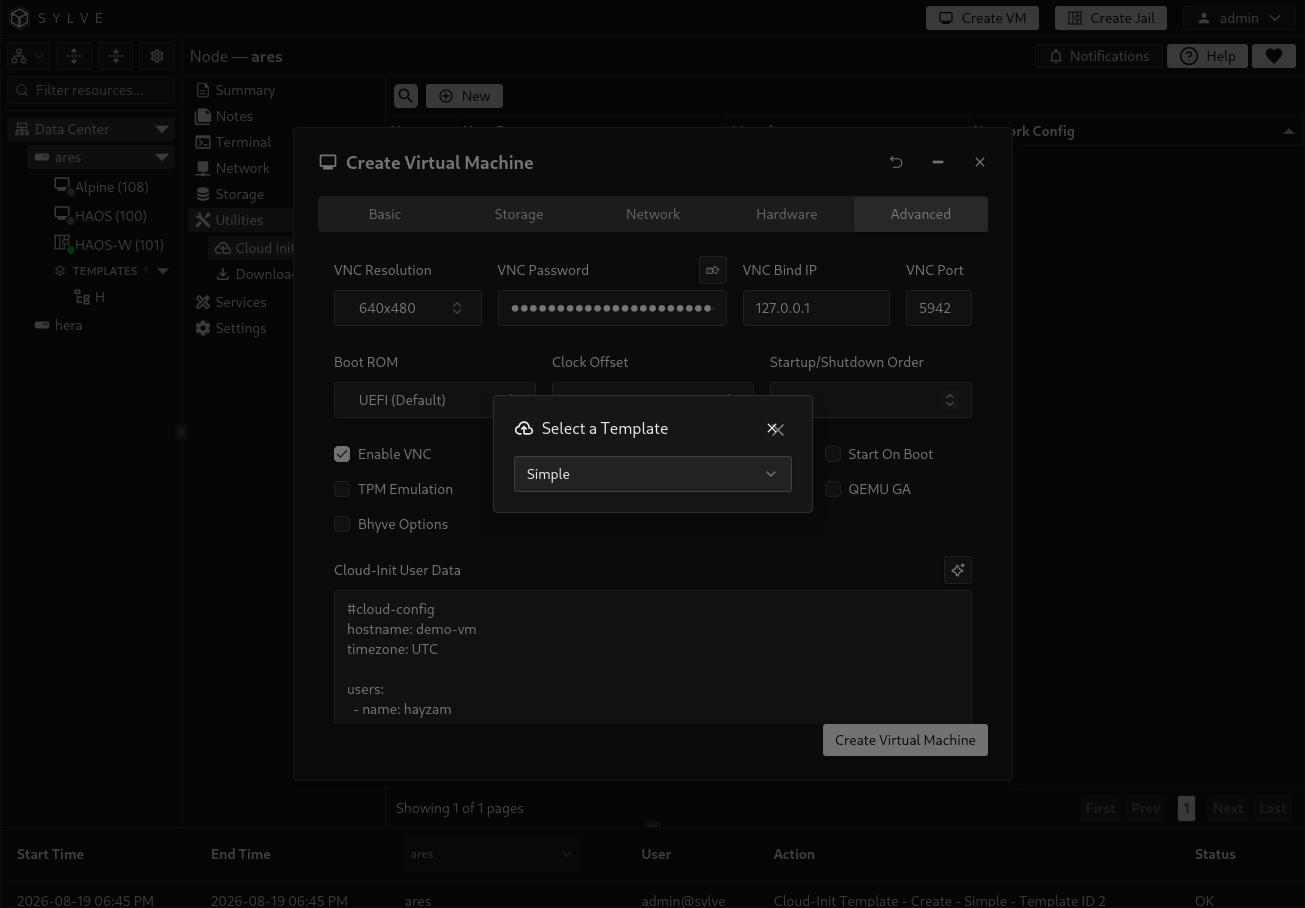
Sylve creates a cidata ISO containing the cloud-init documents for the VM. You can later open the VM’s Cloud Init option to change or clear the three documents, but the VM must be shut off for that operation. User Data and Meta Data must either both be provided or both be empty; Network Config may be present by itself when needed.
Edit and delete templates
Section titled “Edit and delete templates”Select one row to reveal Edit and Delete. Editing replaces all three stored documents. In particular, clearing Network Config is an explicit change, so a template can be switched back to DHCP behavior.
Deleting a template removes only the reusable library entry. It does not remove a cloud-init ISO or configuration already copied to a VM.