

Notes
Notes is a lightweight record attached to the active node. Use it for information that should remain close to the host: maintenance context, recovery instructions, ownership, unusual configuration choices, or a handoff for another operator.
Each note has a name for scanning the table and a free-form content field for the detail.
Create a Note
Section titled “Create a Note”Select New, enter a concise, searchable name and the note content, then select Save. The note appears in the table immediately, with its creation and last-updated timestamps.
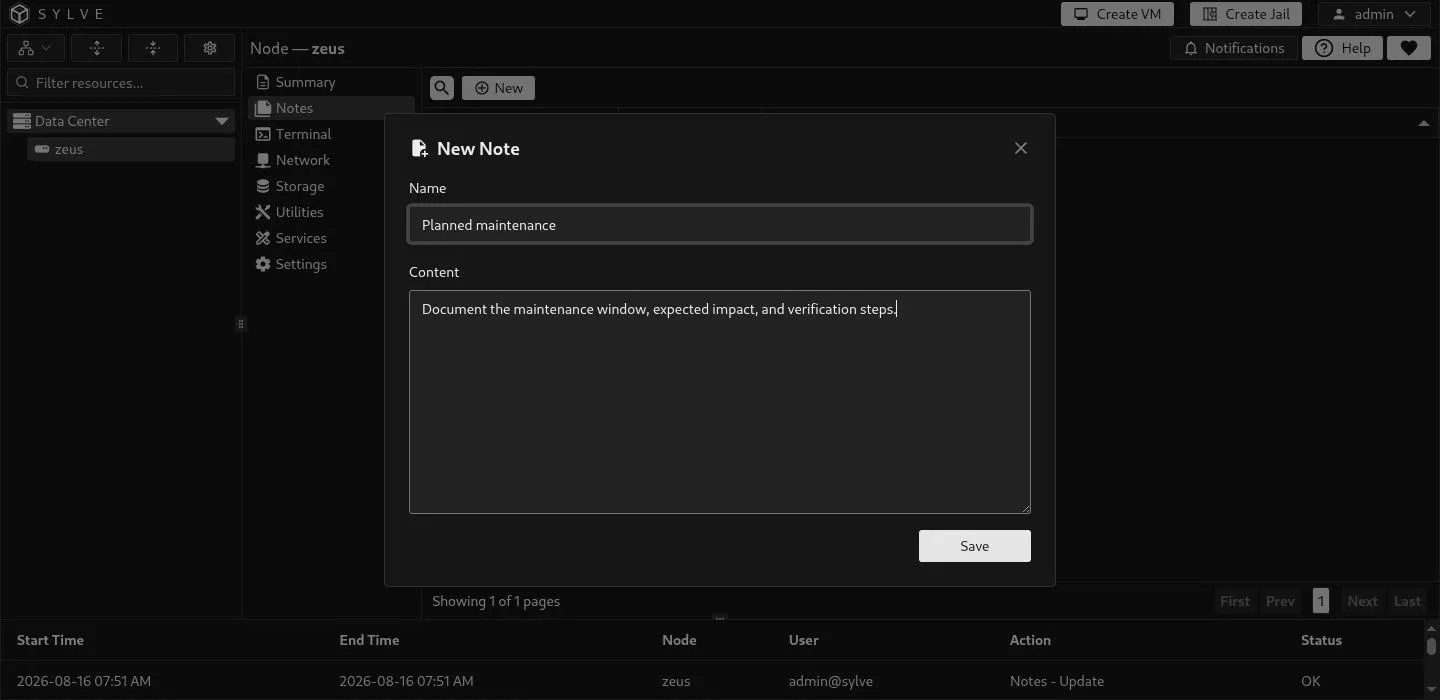
Choose names that describe the subject rather than the action, such as Planned maintenance, Network handoff, or Recovery contacts. That makes the list useful when there are many notes.
Read and Select Notes
Section titled “Read and Select Notes”Select a single row to reveal View, Edit, and Delete. View is useful for reading a longer note without putting it into edit mode.
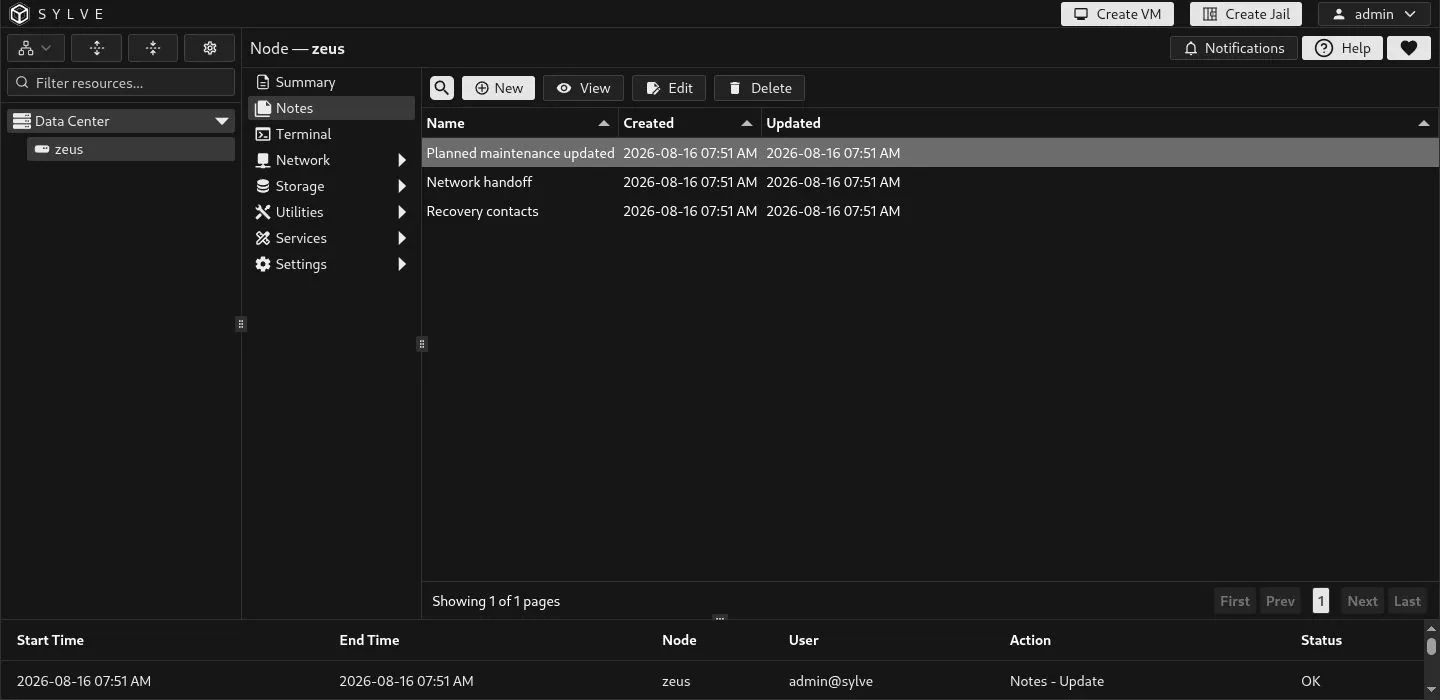
Use the table columns to scan note names and timestamps. Select Toggle Search when you need to narrow the list, and use the pager when the table contains more than one page.
Edit a Note
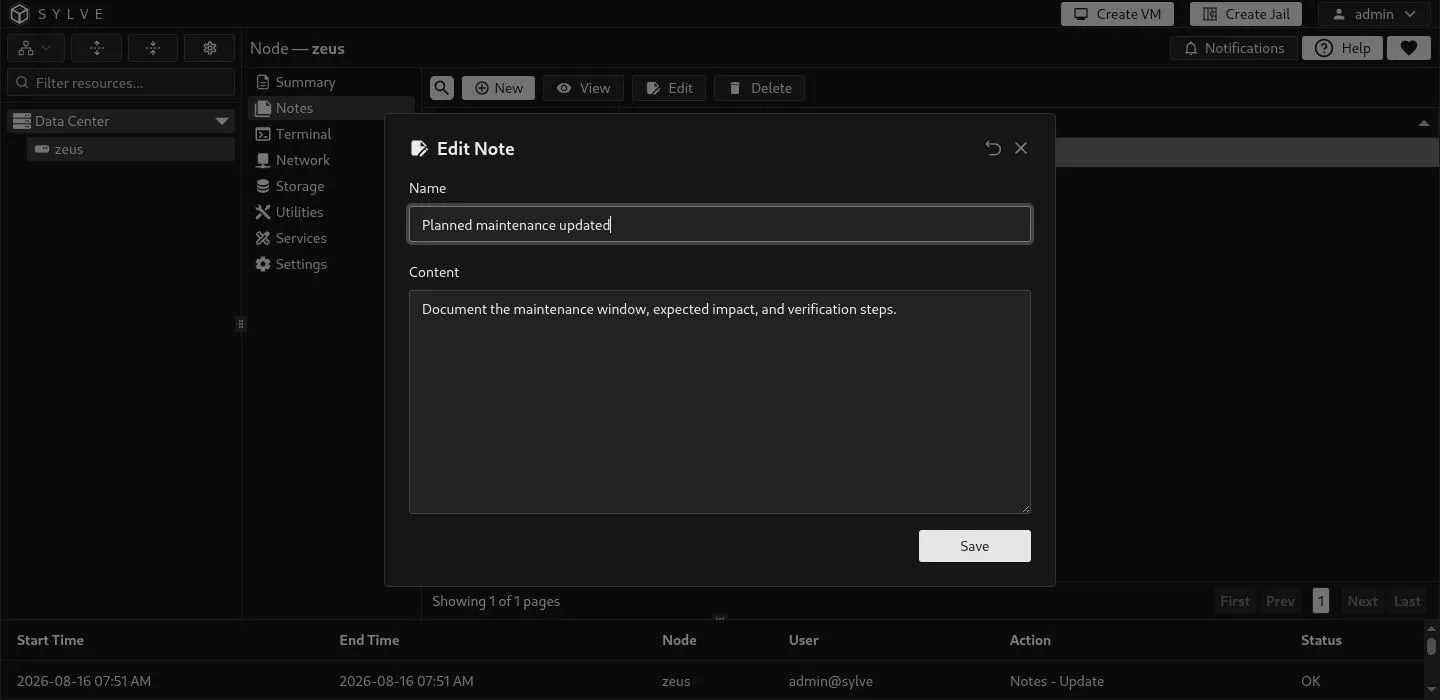
Section titled “Edit a Note”Select one note, choose Edit, update its name or content, then select Save. The Updated column changes when the edit is stored. Use Reset in the edit dialog to discard unsaved changes and restore the saved values.
Delete One Note
Section titled “Delete One Note”Select one row and choose Delete. Read the confirmation message carefully, then continue only when the note is no longer needed. Deletion is permanent.
Bulk Delete Notes
Section titled “Bulk Delete Notes”To remove several notes together, select multiple rows with Ctrl on Windows and Linux, or Command on macOS. The action bar changes to Bulk Delete. Select it, confirm the displayed count, then choose Continue to permanently remove the selected notes.
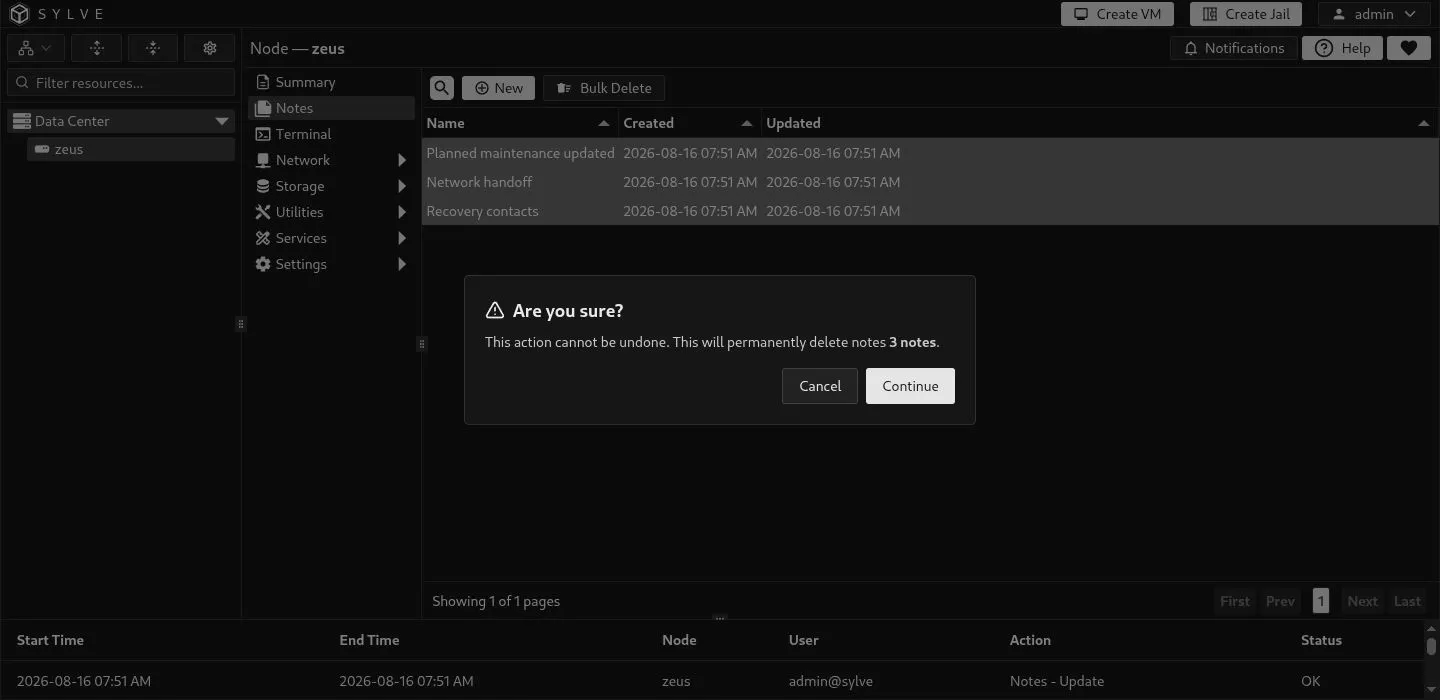
Bulk deletion only affects the selected rows. If the selection is not what you expect, choose Cancel, clear the selection, and select the intended notes before trying again.