Logs
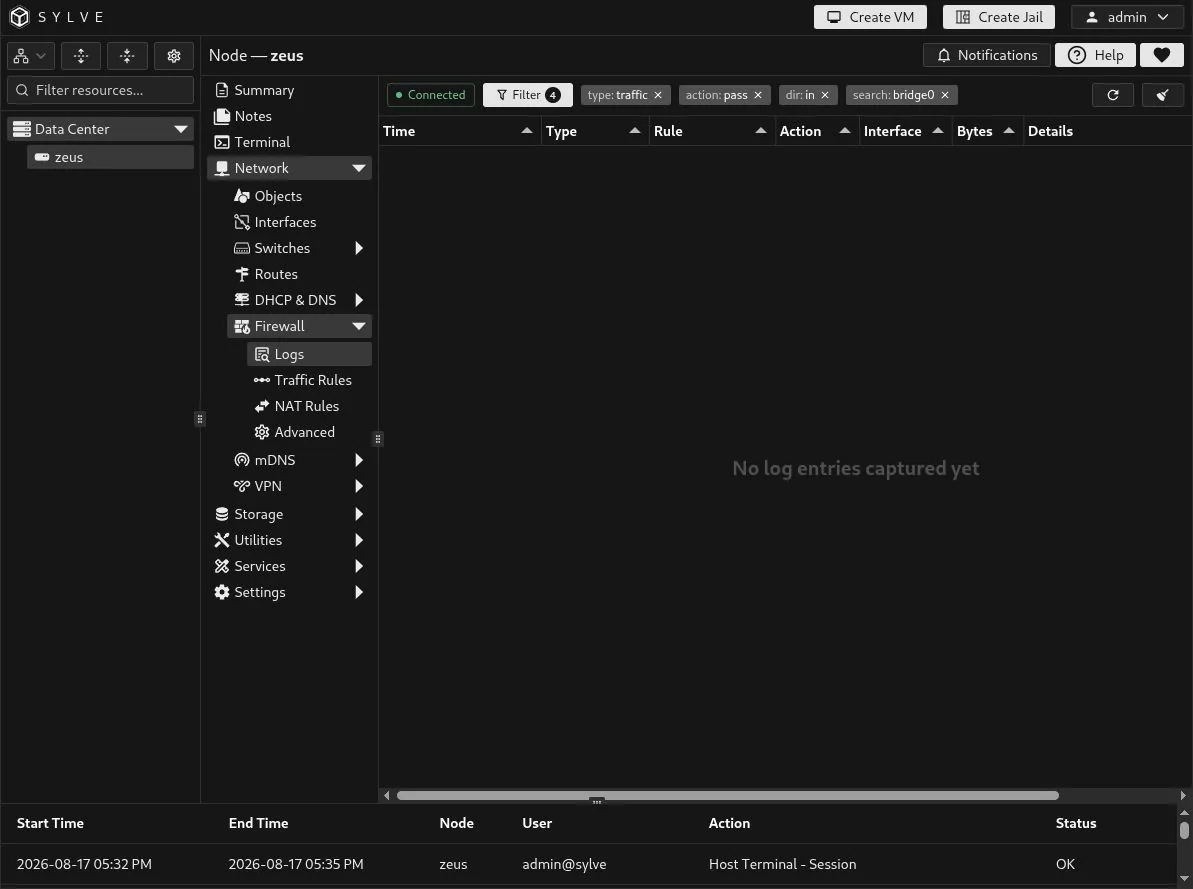
The Firewall → Logs page is a live view of packets matched by the firewall’s traffic or NAT rules that have logging enabled. It is a troubleshooting surface, not a persistent audit archive: opening the page starts at the current live cursor, so it does not replay earlier events.
The connection indicator is green while the node’s firewall log source is available. The page polls for new events every second while it is visible. You can click on the same button to stop automatic updates temporarily; click it again to resume.
Read a live hit
Section titled “Read a live hit”The existing Log ICMP traffic rule records the inbound ICMP request sent to 10.10.30.101. The event identifies the matching rule, its action and direction, the bridge that received the packet, and the packet size.
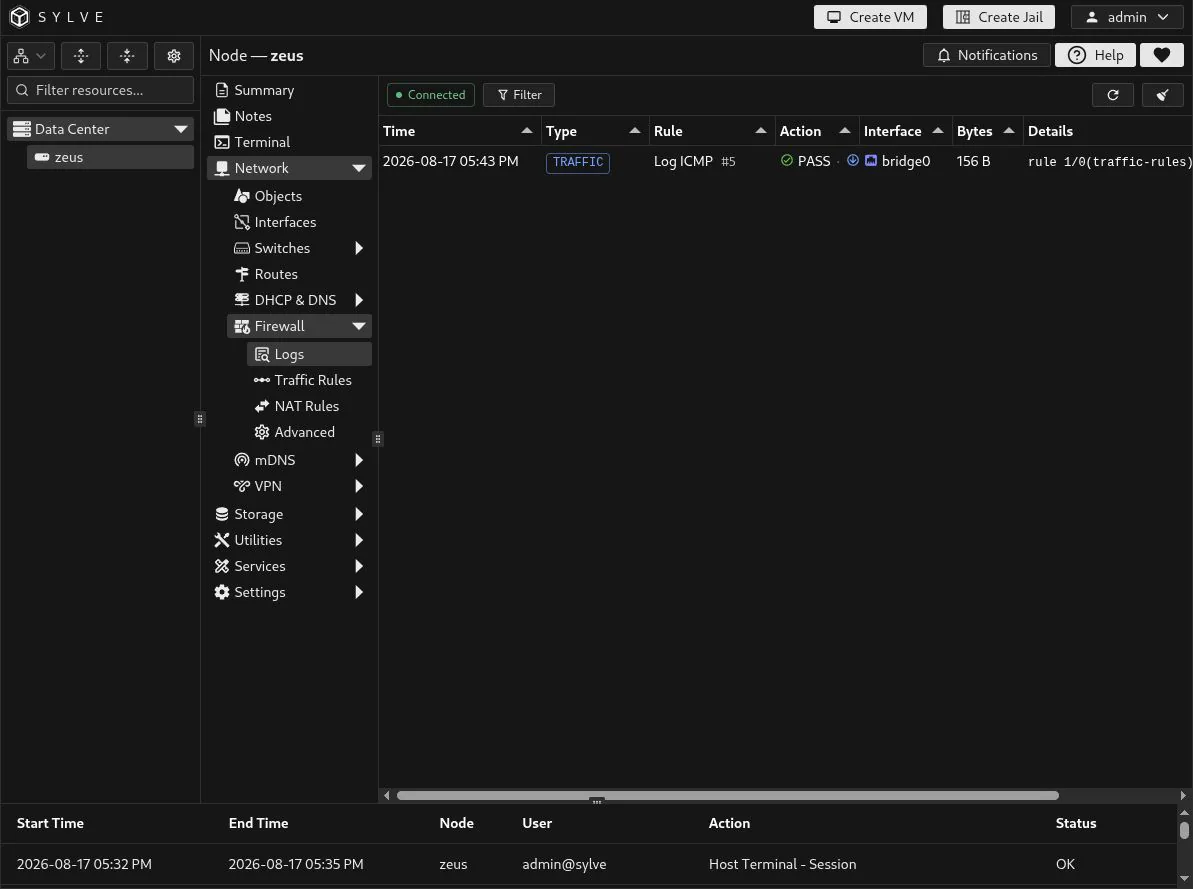
| Column | Meaning |
|---|---|
| Time | When Sylve received the PF log event. |
| Type | The kind of rule that produced the event: TRAFFIC or NAT. |
| Rule | The resolved rule name and its Sylve rule ID. |
| Action | The PF result such as PASS, BLOCK, or a NAT redirect plus the packet direction when available. |
| Interface | The interface or bridge reported by PF. |
| Bytes | Packet length reported for the event. |
| Details | The raw PF log line, useful when matching the event to low-level firewall behavior. |
Filter the current view
Section titled “Filter the current view”Choose Filter to narrow the rows already shown in the table. You can combine:
- Rule Type: traffic rules or NAT rules.
- Action: pass or block.
- Direction: inbound or outbound.
- Search: a case-insensitive match across the rule name, interface, and raw PF detail.
The active choices appear as removable chips beside the Filter button. In this example, the filter isolates inbound traffic-rule passes on bridge0.
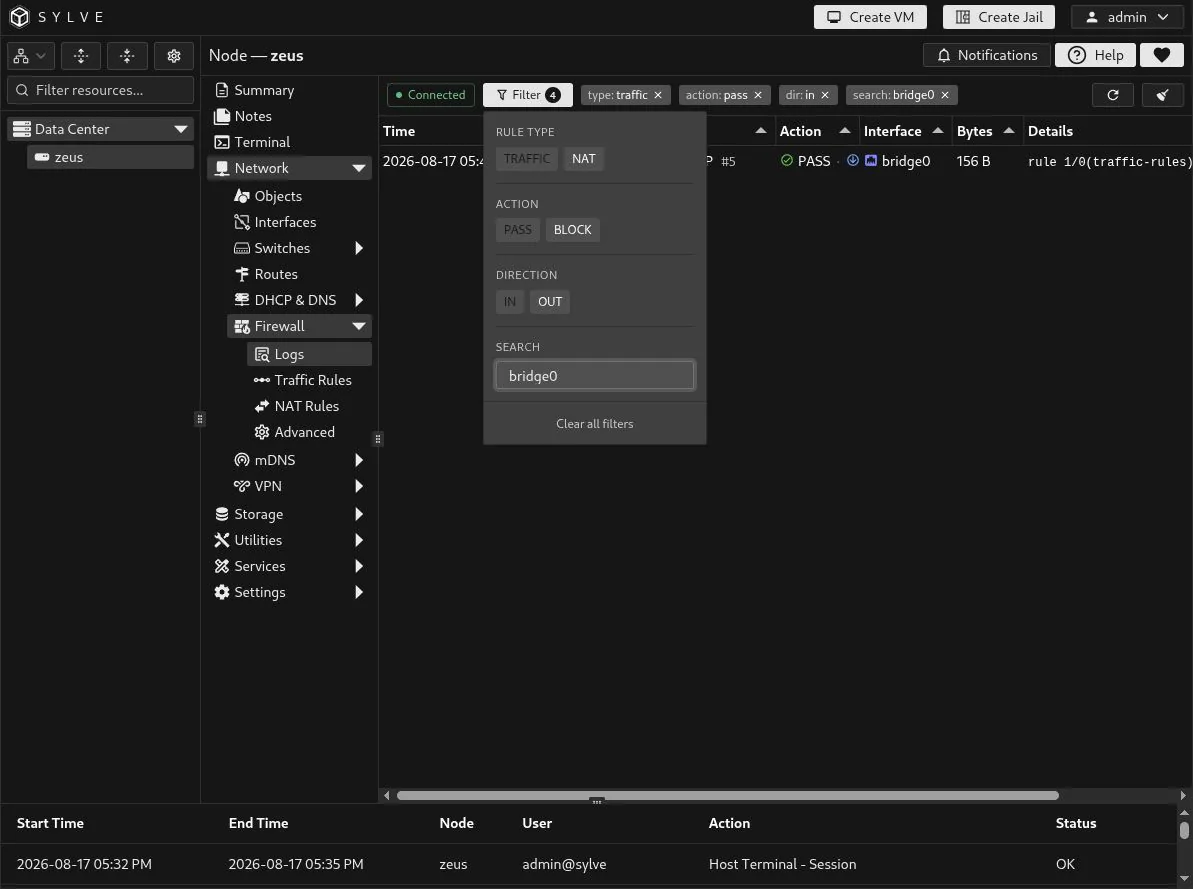
Filtering is local to the table, so it is immediate and does not change the firewall rule or discard incoming events. Use Clear all filters in the popover, or select an individual chip, to return to the full current view.
Refresh and clear
Section titled “Refresh and clear”The circular-arrow button requests new events immediately instead of waiting for the next one-second poll. It only adds entries newer than the page’s current live cursor; it does not replay old traffic.
The broom button clears the rows displayed in this browser tab. It does not delete PF rules, change logging, or erase the node’s firewall configuration. New matching packets will appear again after the clear.