

Groups
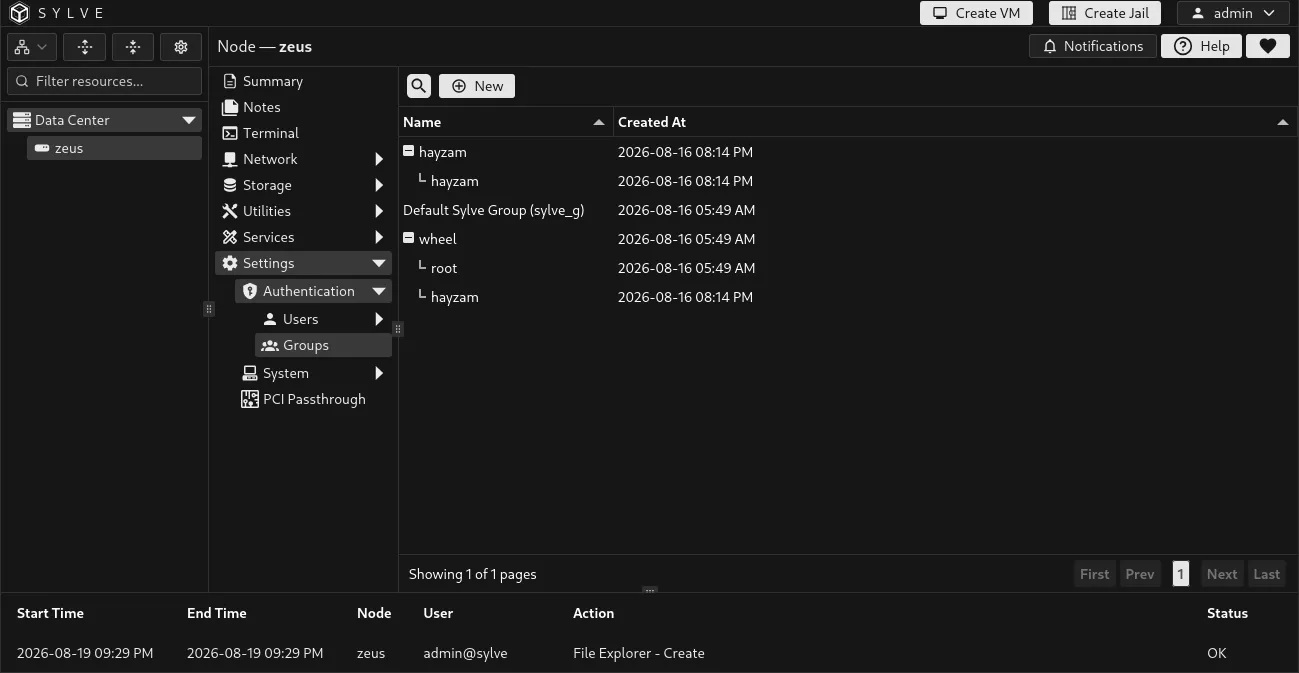
Groups are managed Unix groups on the node. They organize PAM Users into reusable sets for filesystem permissions, Samba access, and other host-level access decisions.
Only PAM users can be members of a managed group because local users do not have Unix accounts. Creating a group creates the corresponding Unix group and its Sylve record.
Groups and Samba shares
Section titled “Groups and Samba shares”Managed groups are the recommended way to grant the same Samba access to several people. Add the PAM users to a group here, then assign that group as a read-only or writable group on the relevant Samba share.
Membership alone does not give a user access to every Samba share. The group must be selected on the share, and each person must also have a Samba user credential to authenticate to a non-guest share. Create that credential with Samba User when creating the PAM user, or select Create or update Samba user while editing it.
If the same group is assigned both read-only and writable access to a share, writable access takes precedence. Guest shares do not use individual users or groups.
Create a group
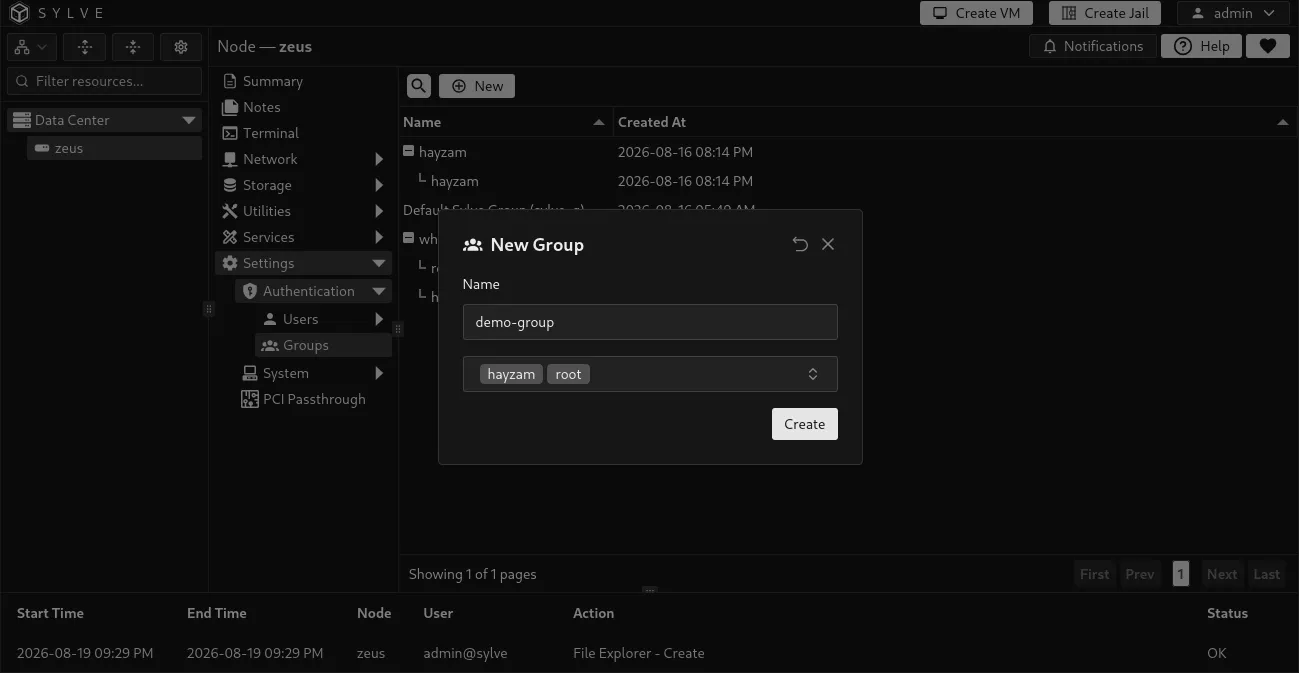
Section titled “Create a group”Select New Group, enter a unique group name, then select one or more PAM users as members. A group must have at least one member when it is created.
| Field | Description |
|---|---|
| Name | The managed Unix group name. Choose a clear, durable name because it can be used by filesystem and share permissions. |
| Users | PAM users that should belong to the group. Local users are not available because they do not exist on the operating system. |
View and edit members
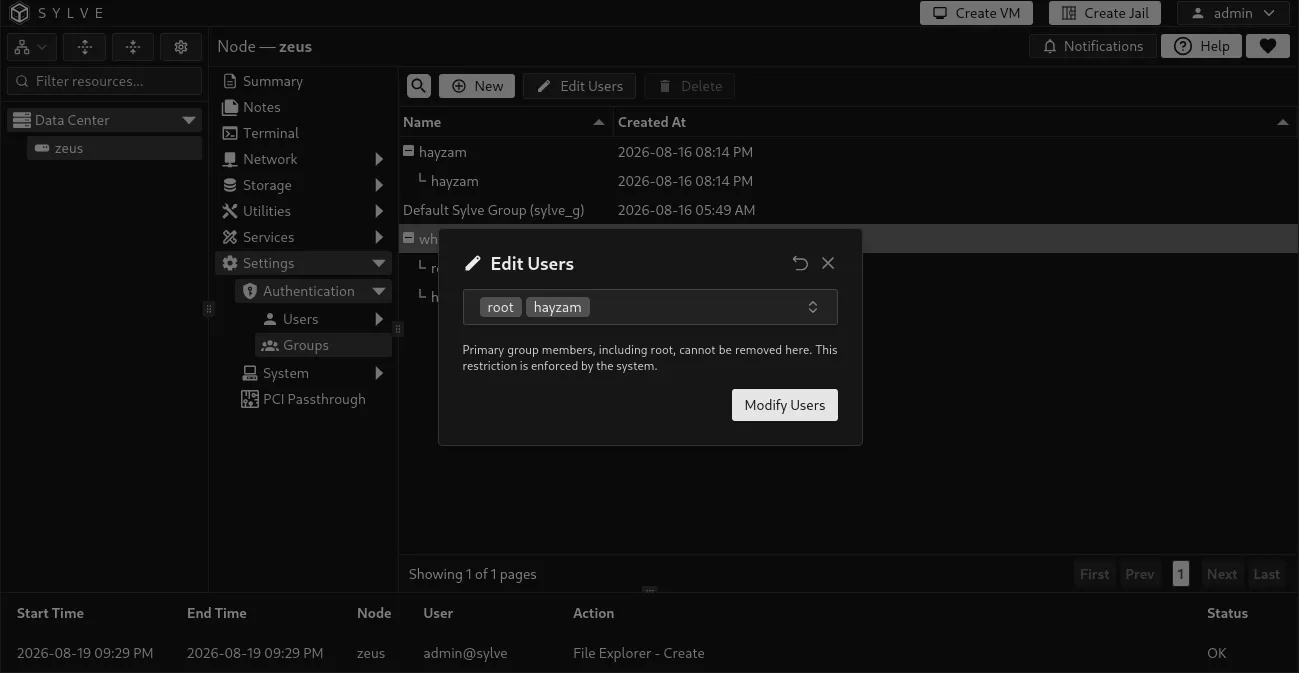
Section titled “View and edit members”Expand a group in the table to see its current members. Use Edit Users to add or remove PAM users. Member changes are applied to the managed Unix group as well as Sylve’s record.
Be deliberate when changing a primary group. Sylve prevents removing a user from their primary group through this screen. It also keeps root in the protected wheel group.
Delete a group
Section titled “Delete a group”Deleting a group removes the managed Unix group and its Sylve group record. It does not delete its user accounts.
Deletion is blocked when the group is a user’s primary group or when a Samba share still references it. Reassign the affected users or share before trying again. The built-in sylve_g and wheel groups are protected and cannot be deleted.
Avoid removing a group until you have checked filesystem ownership, ACLs, Samba shares, service accounts, and scheduled jobs that may rely on it.