

Routes
The Routes page manages static routes that Sylve installs and reconciles on the node. It is for destinations that should use a particular gateway or leave through a particular interface; it does not replace the default route configured by a Standard Switch.
First example: a direct WAN route
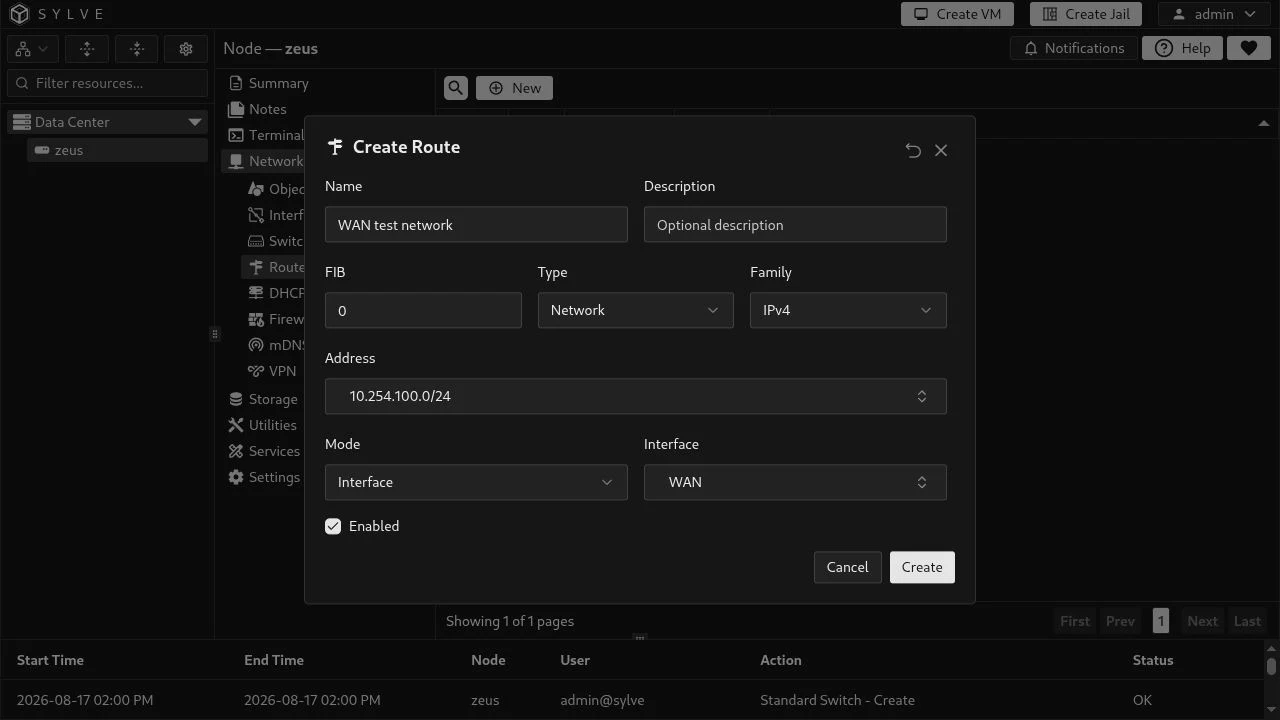
Section titled “First example: a direct WAN route”This example sends traffic for 10.254.100.0/24 directly through the existing WAN switch. It uses Network as the destination type, IPv4 as the family, and Interface mode, so no gateway is supplied. This is appropriate when that destination is directly reachable through the WAN link.
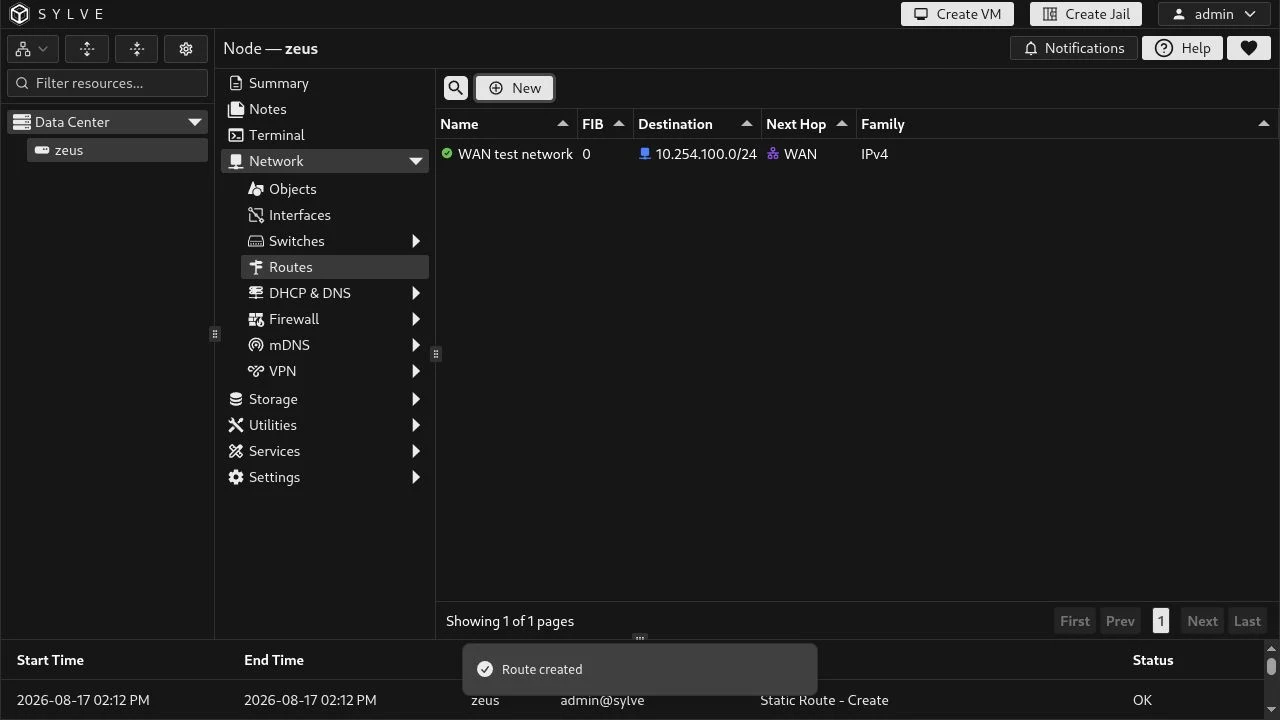
After saving, the route appears beside other managed routes. The table makes the destination, next hop, family, and FIB easy to review before troubleshooting connectivity.
Oracle IPv6 example
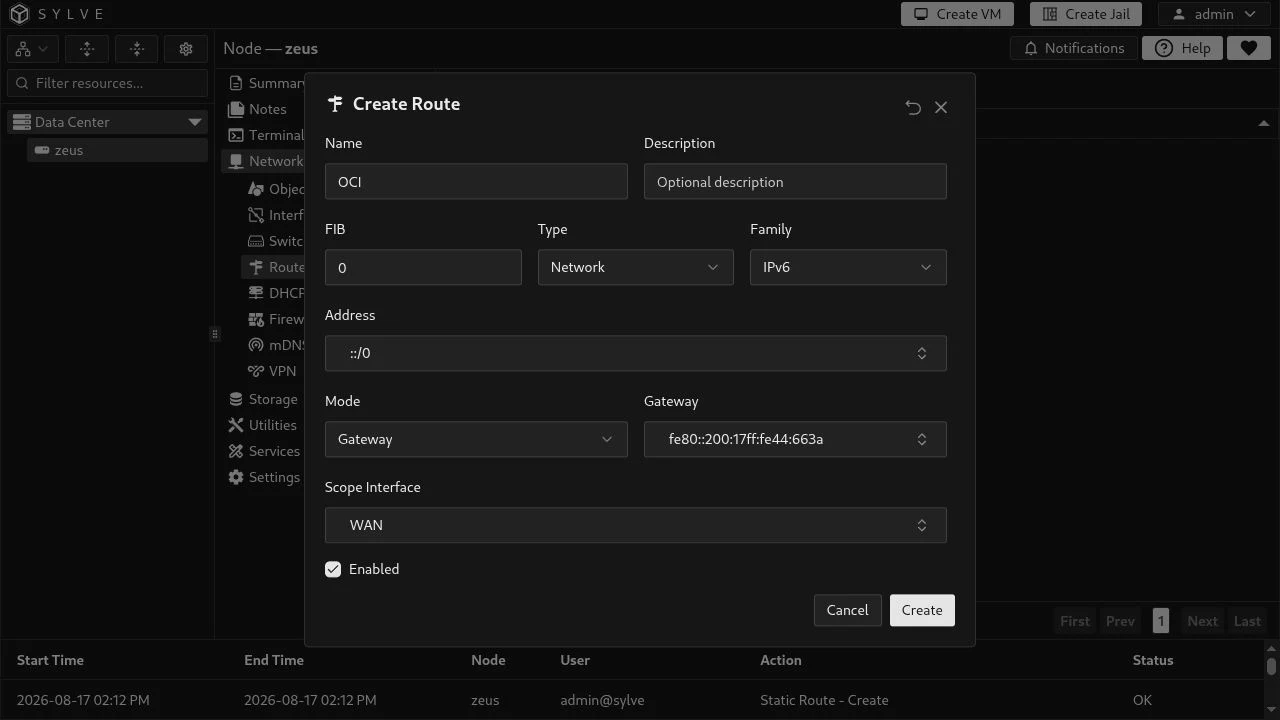
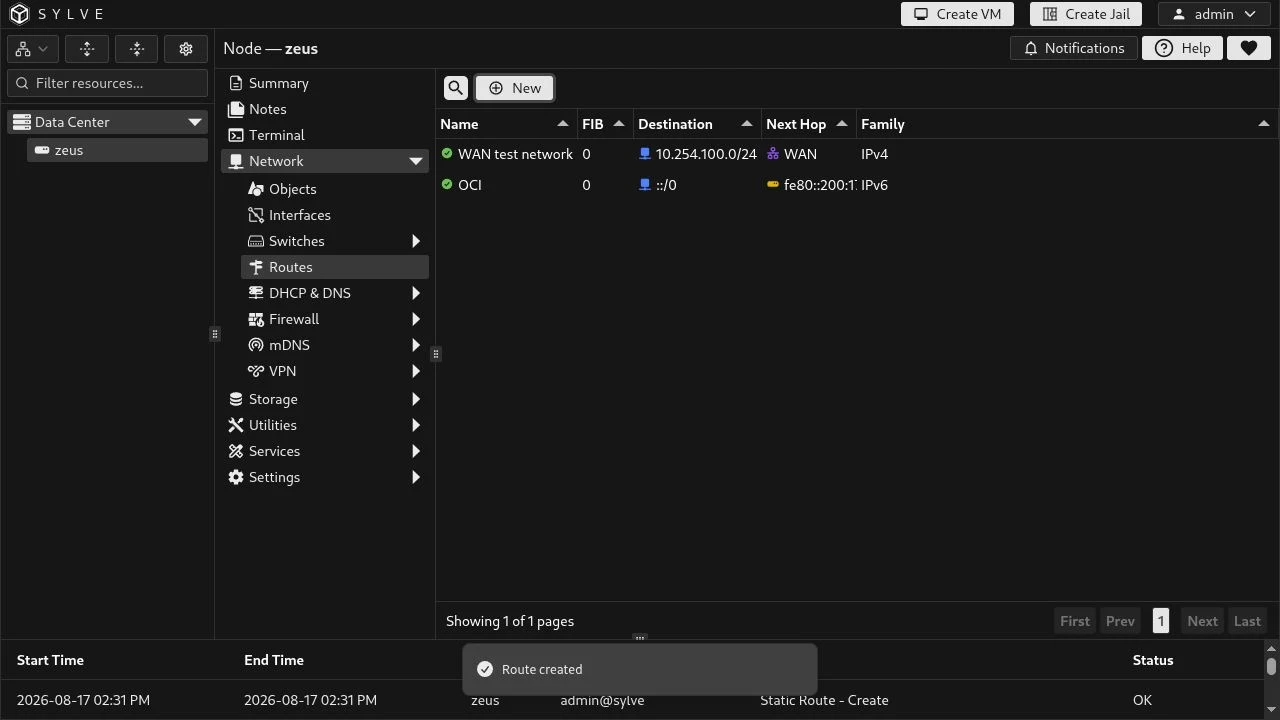
Section titled “Oracle IPv6 example”The route shown in the Oracle environment is an IPv6 default route. It sends all IPv6 destinations (::/0) to the link-local Oracle gateway fe80::200:17ff:fe44:663a through the WAN interface. The interface is required because an IPv6 link-local address is meaningful only on a specific link.
| Field | Example | Meaning |
|---|---|---|
| Name | OCI |
A unique, descriptive label for the managed route. |
| Description | Optional | A note for operators; it does not affect routing. |
| FIB | 0 |
The FreeBSD routing table. Use 0 for the normal host routing table unless you deliberately use policy routing. |
| Type | Network |
A CIDR destination. Choose Host for one IP address without a prefix. |
| Family | IPv6 |
Must match the destination and gateway family. |
| Address | ::/0 |
The destination. ::/0 is the IPv6 default route; 0.0.0.0/0 is the IPv4 equivalent. |
| Mode | Gateway |
Sends packets to a next-hop IP. Interface instead creates a direct route through the selected interface with no gateway. |
| Gateway | fe80::200:17ff:fe44:663a |
The next-hop address. A link-local IPv6 gateway needs an interface scope. |
| Scope Interface | WAN |
The required zone for this link-local gateway; it identifies the link on which the gateway exists. |
| Enabled | Enabled | Whether Sylve installs and maintains the route. Disabled routes remain recorded but are not applied. |
Choosing destination and next hop
Section titled “Choosing destination and next hop”Use Network for a subnet or default route; for example 192.168.50.0/24, 2001:db8:50::/64, or ::/0. Use Host for one destination such as 192.168.50.10 or 2001:db8::10; host routes must not include CIDR notation.
With Gateway mode, provide a same-family IP next hop. For IPv6 link-local gateways (fe80::/10), also select the scope interface. With Interface mode, select an interface and leave Gateway and Scope Interface empty; this is useful for directly reachable destinations.
Safety and lifecycle
Section titled “Safety and lifecycle”- Sylve rejects destinations that duplicate another enabled route in the same family and FIB.
- A gateway requires a destination, and the gateway and destination must be in the selected address family.
- Only valid host interfaces may be used for Interface mode or an IPv6 link-local scope.
- Edits replace the installed route atomically where possible; deletes remove the managed runtime route as well as its Sylve record.
- Routes selected from Network or Host objects must use exactly one matching entry. When that object changes, Sylve reconciles the dependent route.