

Initiators
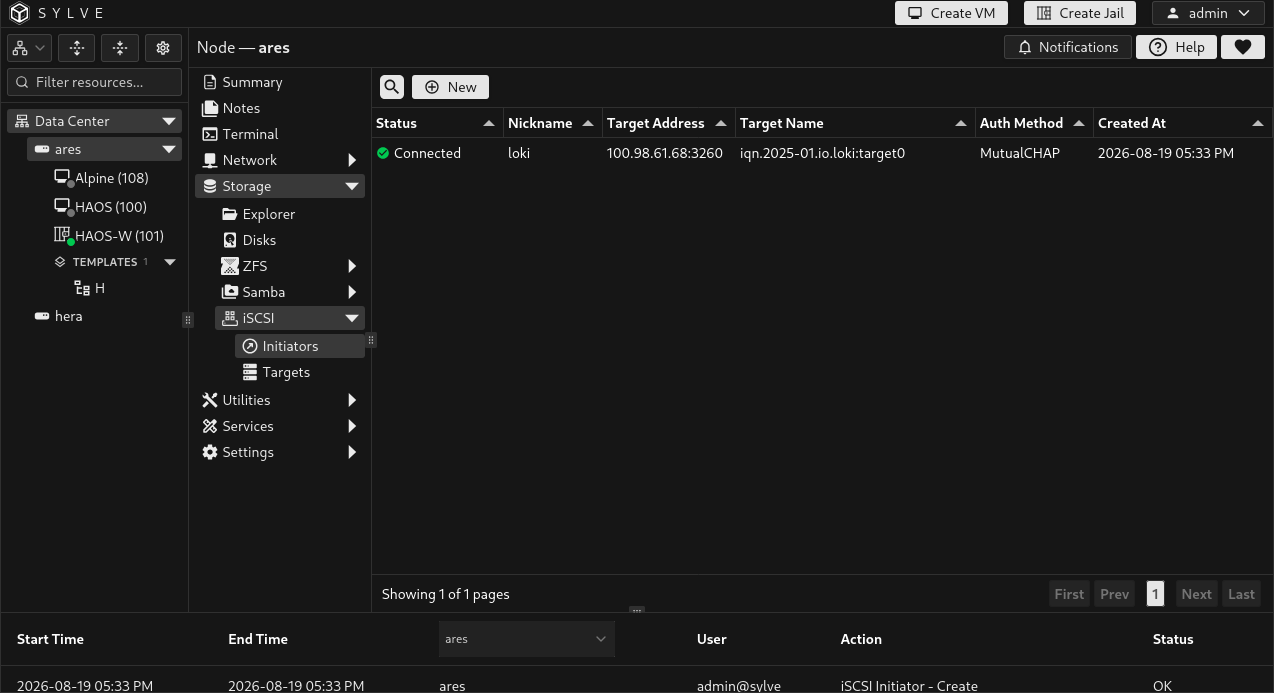
An iSCSI initiator is the client side of iSCSI. Configure one when this node needs to attach block storage published by another iSCSI server, NAS, or storage array. Enable the iSCSI system service in System Settings → Services before adding an initiator. Enabling it writes the current configuration, starts the required initiator and target services when needed, and connects all saved initiators.
Use Targets when another computer should connect to storage published by this Sylve node.
What an initiator creates
Section titled “What an initiator creates”An initiator stores the remote target connection details and lets the node connect to it. Once connected, FreeBSD exposes the remote LUNs as local block devices. Sylve does not format, mount, partition, or automatically use those devices for another feature. Handle the discovered disk deliberately through the operating system or the appropriate workflow.
Add an initiator
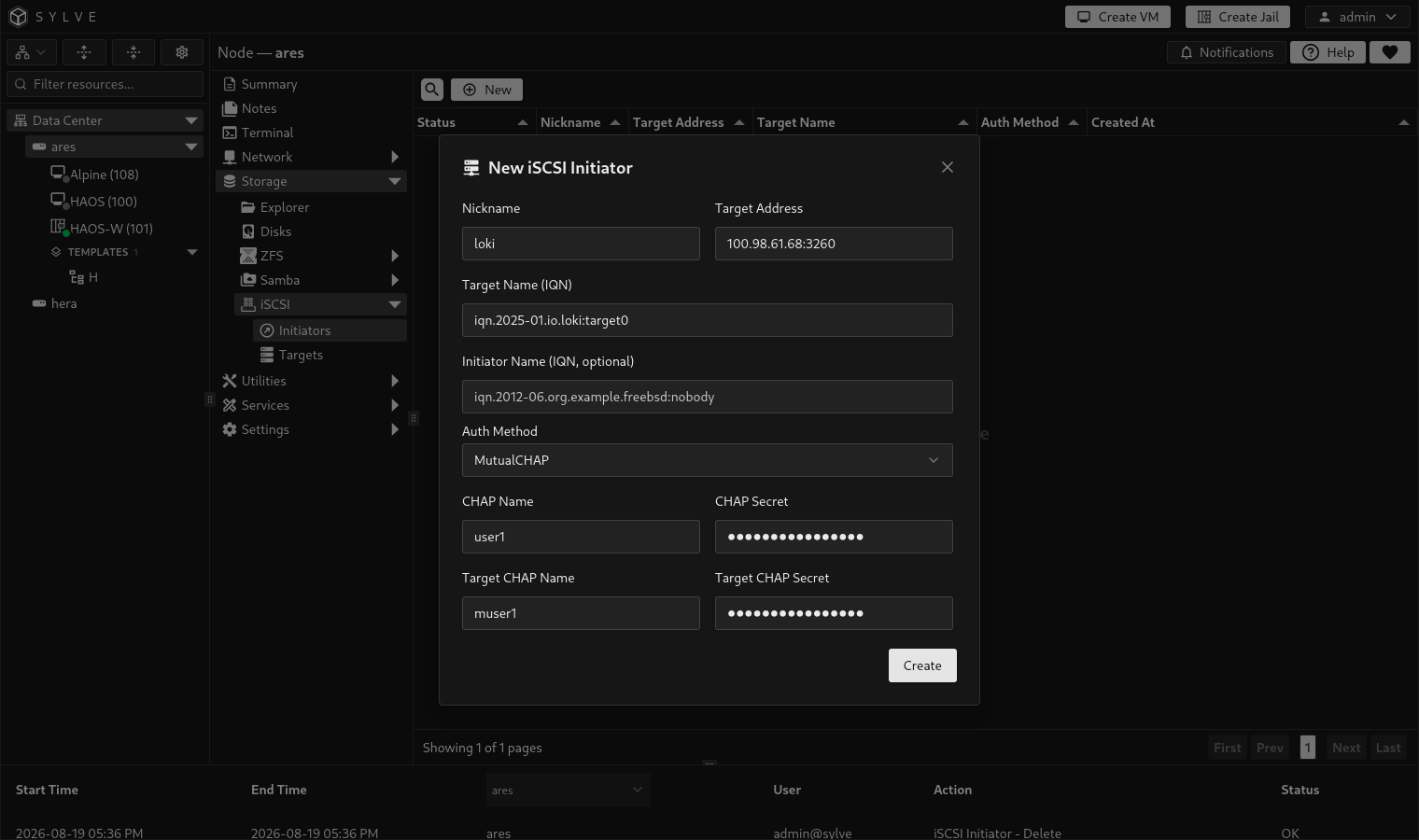
Section titled “Add an initiator”Choose New, then enter the connection details provided by the remote target administrator. Saving writes the node’s managed initiator configuration and connects only the newly created entry. Existing iSCSI sessions are not restarted.
| Field | What it controls |
|---|---|
| Nickname | Required unique local label used by FreeBSD to identify this connection, such as archive-nas. It accepts up to 128 ASCII characters without spaces or configuration punctuation. |
| Target Address | Required address of the remote iSCSI portal. Enter an IPv4 address, hostname, IPv6 address in brackets, or an address with a port such as storage.example.com:3260 or [2001:db8::10]:3260. |
| Target Name (IQN) | Required remote target IQN, supplied by the target administrator. It must exactly match the target’s configured name. |
| Initiator Name (IQN, optional) | Optional initiator IQN to present to the remote target. Leave it empty unless the remote storage system expects a specific initiator name. |
| Auth Method | Selects None, CHAP (one-way), or MutualCHAP (two-way) to match the remote target configuration. |
| CHAP Name | Username this node presents to the remote target. Required for CHAP and MutualCHAP. |
| CHAP Secret | Secret paired with the CHAP name. It must be 12 to 16 printable ASCII characters. |
| Target CHAP Name | Identity the remote target presents back to this node. Required only for MutualCHAP. |
| Target CHAP Secret | Secret paired with the target identity. Required only for MutualCHAP and also 12 to 16 printable ASCII characters. |
For a standard CHAP setup, the remote target’s CHAP username and secret become this initiator’s CHAP Name and CHAP Secret. For MutualCHAP, the remote administrator must also provide the target-side identity and secret.
Check status and reconnect
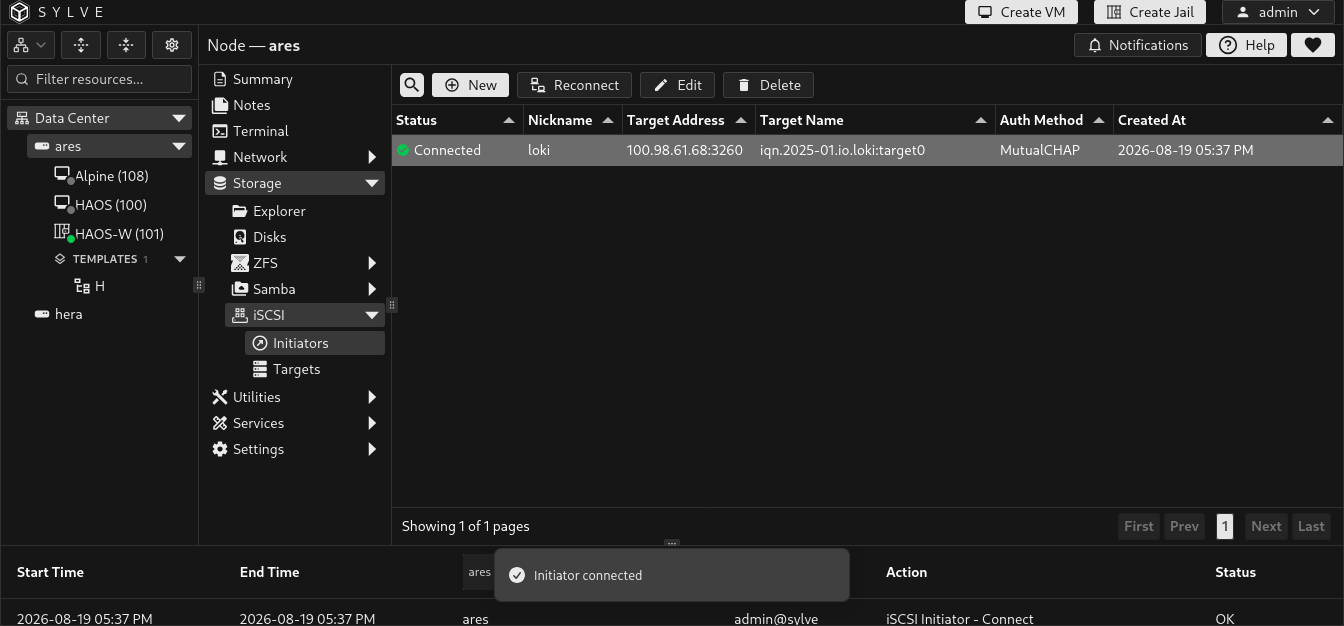
Section titled “Check status and reconnect”The table’s Status column reflects the current iSCSI session state reported by the node and refreshes every three seconds while the page is visible. Select one initiator and choose Reconnect to remove and add only that saved session again. This is useful after the remote target comes back online or its network path changes, without interrupting other initiators.
| Status | Meaning |
|---|---|
| Connected | The target session is active and its LUNs should be available as local block devices. |
| Not connected | No active session is currently reported for that target. Verify the target address, firewall access, IQN, and authentication, then use Reconnect. |
| Other reported state | The page displays the state supplied by the FreeBSD iSCSI tools. Use it with the target’s own logs when diagnosing a connection failure. |
Edit or delete an initiator
Section titled “Edit or delete an initiator”Select a row and choose Edit to change its address, identity, or authentication. Sylve first removes that initiator’s existing session using its current nickname, writes the new configuration, then connects the updated entry. Other initiators are left alone. When editing an existing CHAP or MutualCHAP entry, leave a secret field empty to retain the previously stored secret. Enter a replacement value only when intentionally rotating the credential.
Choose Delete to remove that initiator’s live session, then remove the saved entry and write the updated configuration. This does not erase the remote LUN, but it removes the local connection to it. If the live session cannot be removed, Sylve preserves the saved entry rather than leaving the system in an ambiguous state.
If a configuration change is saved but the runtime action cannot be applied, the page warns that the change is pending. The stored entry remains updated, but its connection state may not reflect the new settings until the runtime issue is resolved and the entry can be reconnected.