Records
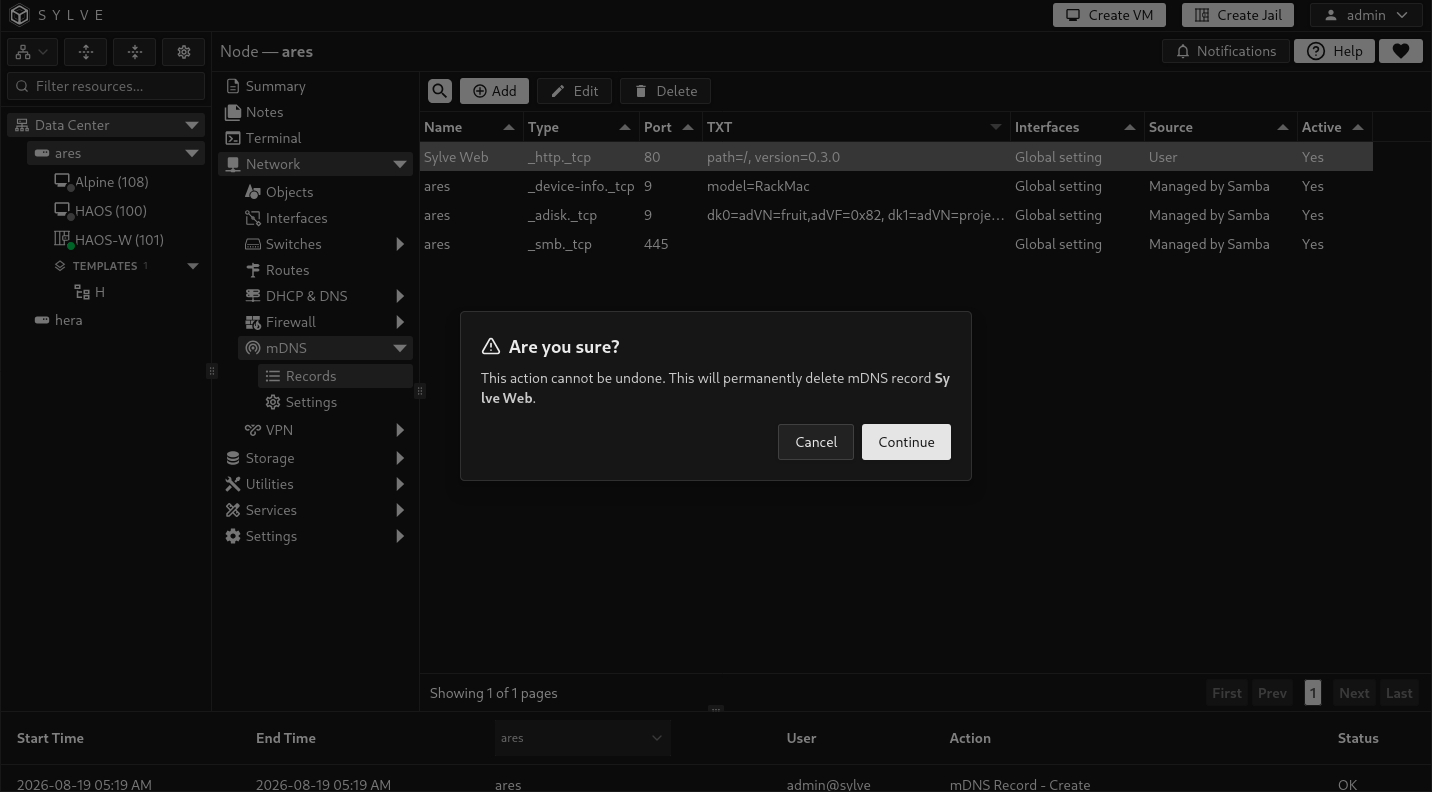
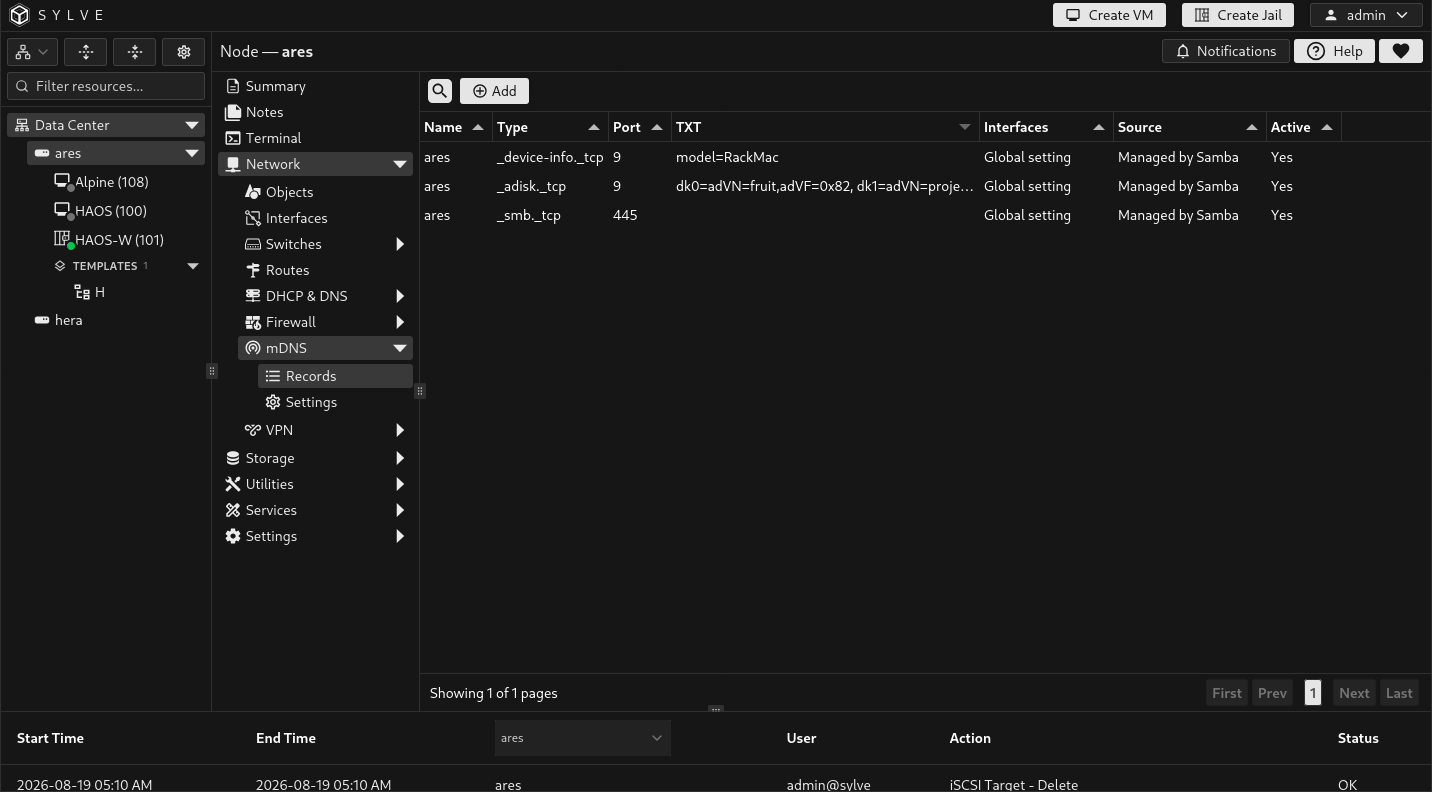
An mDNS record describes a service instance, its DNS-SD service type, port, optional TXT metadata, and where it is advertised. The table combines records you create with records that Samba manages automatically.
Enable the mDNS system service before creating records. A record remains stored when the service is disabled, but it is not active on the network until the service is enabled again.
Record sources and active state
Section titled “Record sources and active state”| Column | Meaning |
|---|---|
| Source | User records are created on this page. Managed by Samba records are derived from enabled Samba shares and Samba settings. |
| Active | Shows whether the responder is currently advertising that record. A stored record can be inactive while the mDNS service is disabled or the responder is being rebuilt. |
| Interfaces | Shows the record’s own interface limit. All means it uses the global mDNS interface setting. |
Samba-managed records are intentionally read-only here. They reflect Samba’s Advertise Samba (mDNS) option and enabled shares, including Time Machine discovery where applicable. Change Samba configuration rather than trying to recreate or override those records.
Create or edit a record
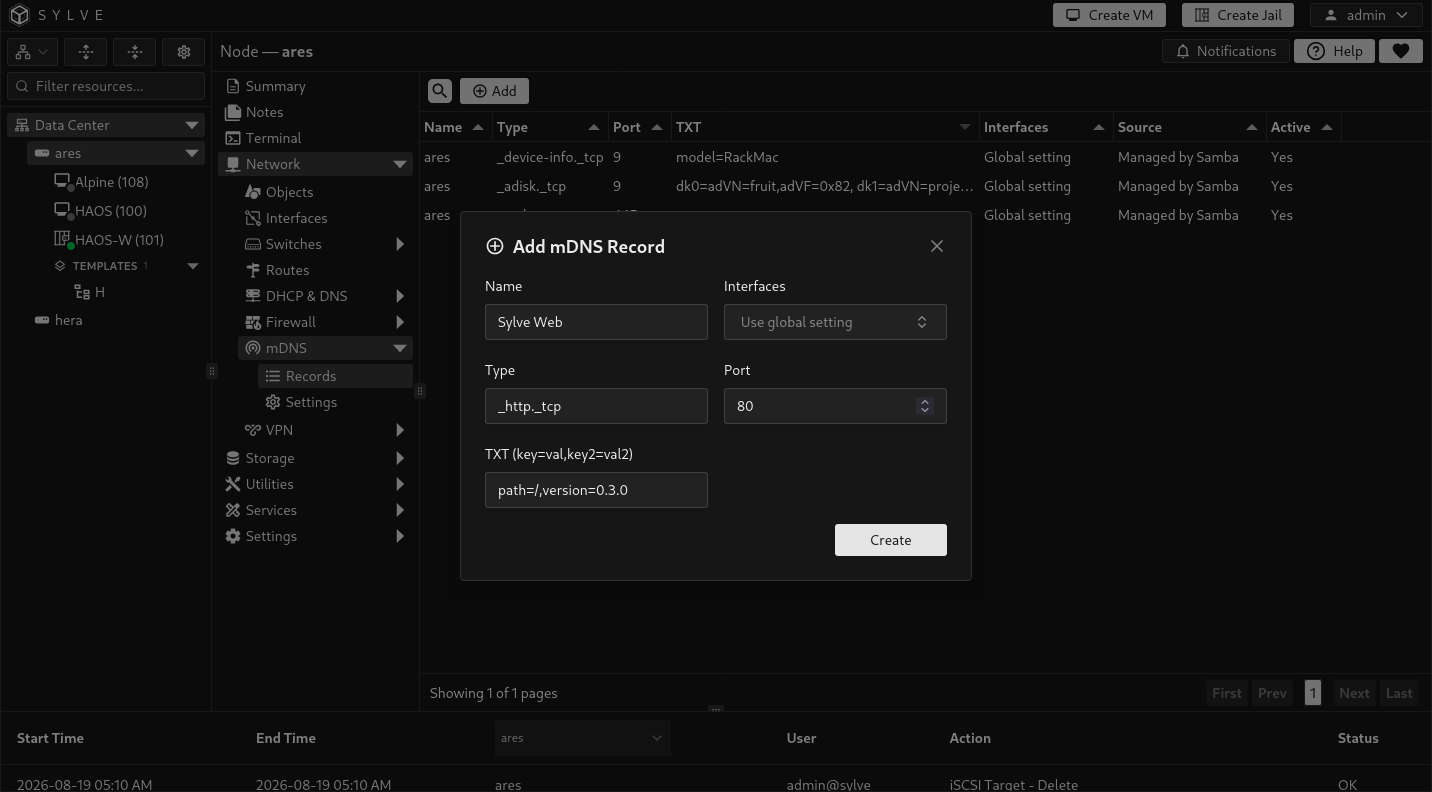
Section titled “Create or edit a record”Use Add Record to create an advertisement, or open a user-created row to edit it. Only user-created records can be edited or deleted.
| Field | What it controls |
|---|---|
| Name | The service instance name shown to clients, such as Sylve Web. It is required, must be valid UTF-8, cannot contain line breaks, and is limited to 63 bytes. |
| Type | The DNS-SD service type, such as _http._tcp or _ssh._tcp. It must be lowercase and match _service._tcp or _service._udp. |
| Port | The TCP or UDP port offered by the service. It must be between 1 and 65535. |
| TXT | Optional service metadata. Enter comma-separated key=value pairs. Each key must be non-empty and cannot contain = or line breaks; each complete pair is limited to 255 bytes. |
| Interfaces | Optional per-record restriction. Leave it empty to inherit the global mDNS settings. Select one or more interfaces to advertise this service only there. |
For example, an application listening on port 8080 can be advertised as Sylve Web with type _http._tcp and TXT data such as path=/,version=1. mDNS advertises the service only. It does not open a firewall port or confirm that an application is listening, so configure network access separately.
Remove a record
Section titled “Remove a record”Use the delete action on a user-created row when the corresponding service no longer exists. Removing it stops the advertisement and deletes the stored record. Samba-managed rows do not have this action because Samba rebuilds them from its own configuration.