

Notification Transports
Notification transports are delivery destinations. Create one or more transports before enabling an external channel in a notification rule. Sylve can deliver to the web interface, ntfy, Pushover, SMTP email, and Discord. The web interface is configured per rule and does not need a transport.
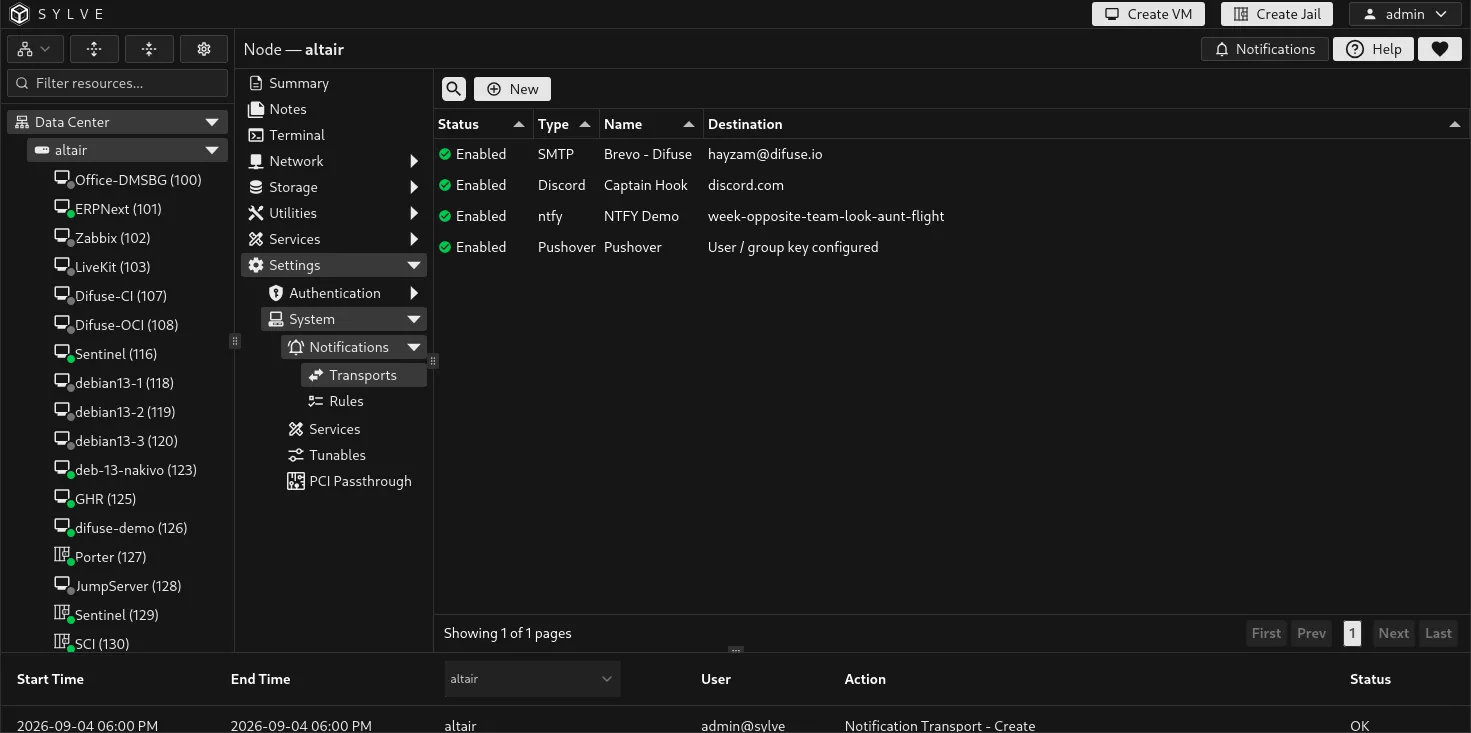
Create a transport
Section titled “Create a transport”Select New, give the transport a clear name, choose its type, configure its settings, then enable it. You can create multiple transports of the same type, such as separate email destinations for operations and backups.
| Type | Required configuration | Optional configuration |
|---|---|---|
| ntfy | Topic | Base URL, which defaults to https://ntfy.sh, and an authentication token. |
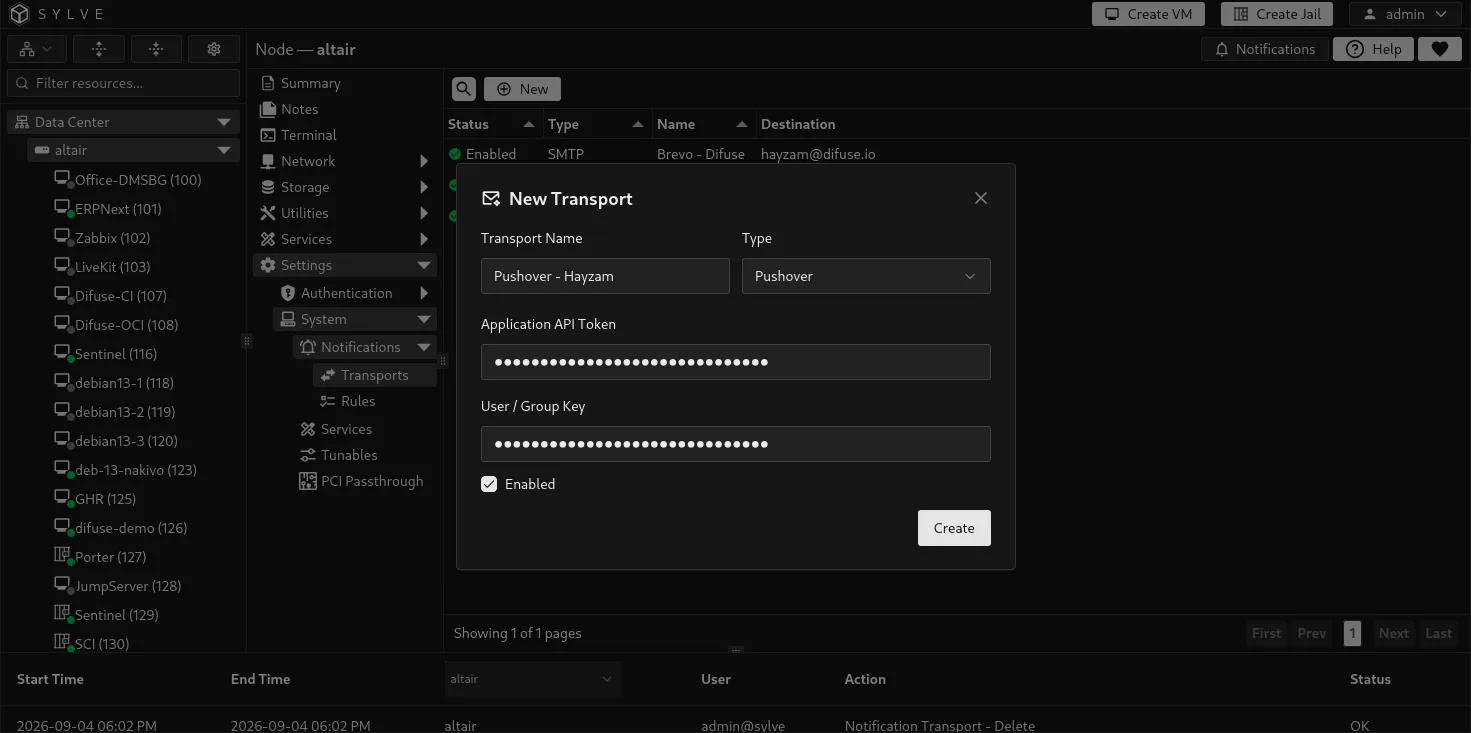
| Pushover | Application API Token and User or Group Key | None. Both credentials must contain exactly 30 letters or numbers. |
| SMTP | SMTP host, From Email, and at least one recipient | Port, username, password, and TLS or STARTTLS. The default port is 587. |
| Discord | Webhook URL | None. |
For SMTP recipients, Sylve offers email addresses saved on local and PAM user records, and you can also enter a recipient address directly. A transport can be saved disabled while you finish configuration or wait for the destination to be ready.
ntfy transport
Section titled “ntfy transport”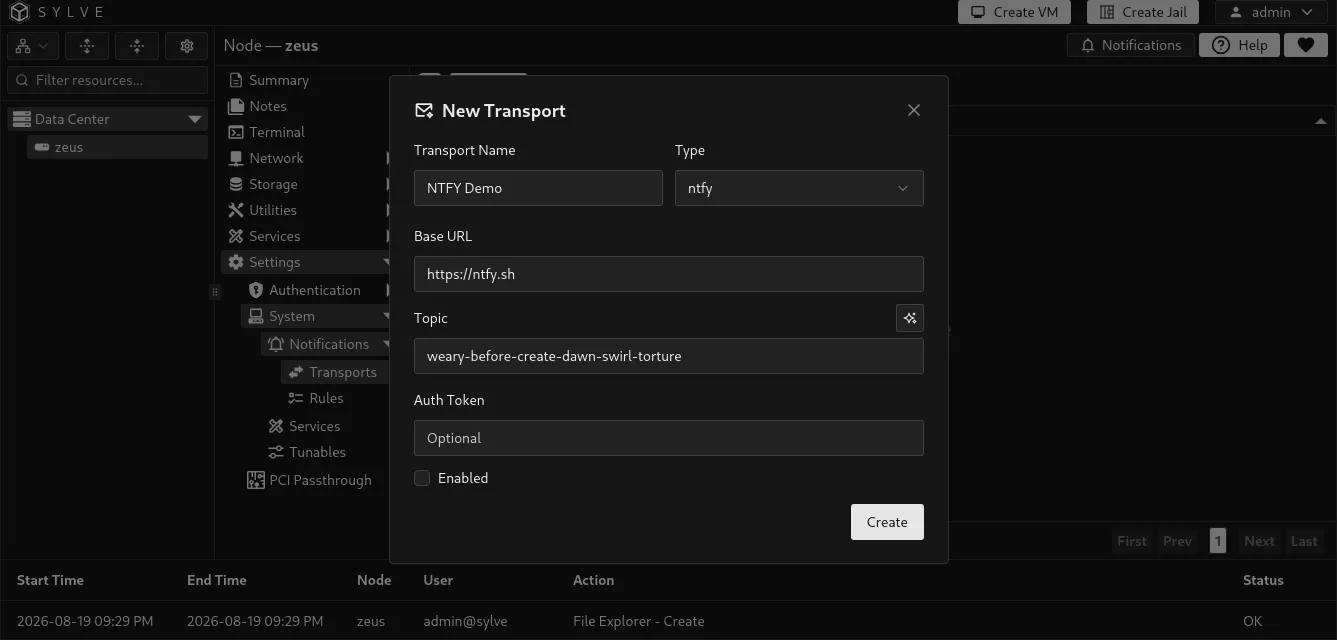
Pushover transport
Section titled “Pushover transport”Create an application in Pushover, then enter its Application API Token and the User / Group Key that should receive messages. Treat both values as secrets.
SMTP transport
Section titled “SMTP transport”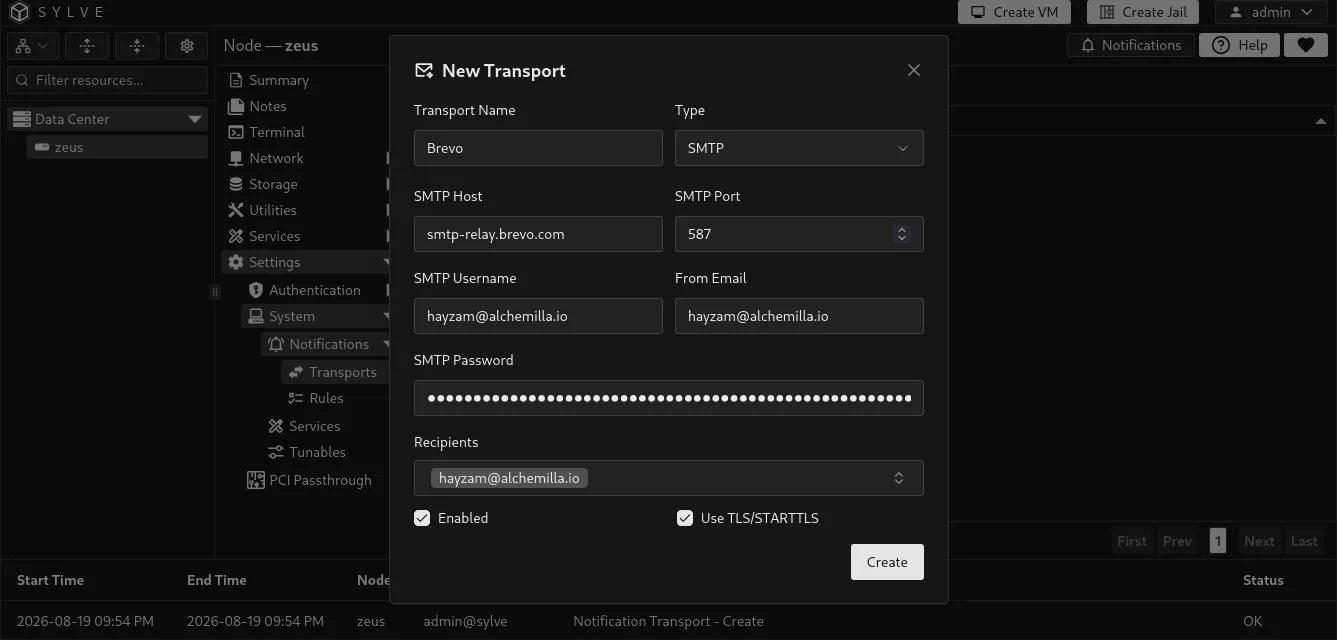
Discord transport
Section titled “Discord transport”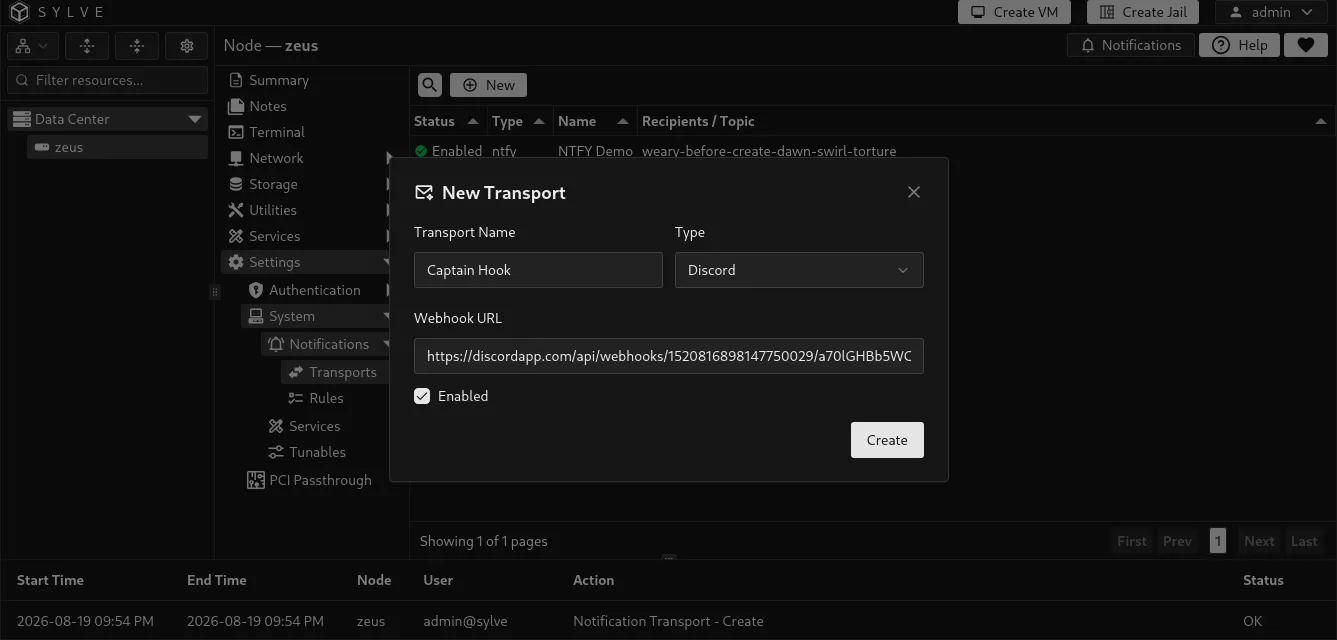
Test before enabling rules
Section titled “Test before enabling rules”Select a transport in the table and use Test to send a test notification. Testing checks the configured delivery path without needing to wait for an actual disk, pool, or service event.
Treat the credentials and URLs in transport forms as secrets. Tokens, Pushover keys, SMTP passwords, and Discord webhooks can grant access to notification destinations. When editing an existing ntfy, Pushover, or SMTP transport, leave a stored credential field blank to retain its current value. Enter a replacement only when you intend to change it.
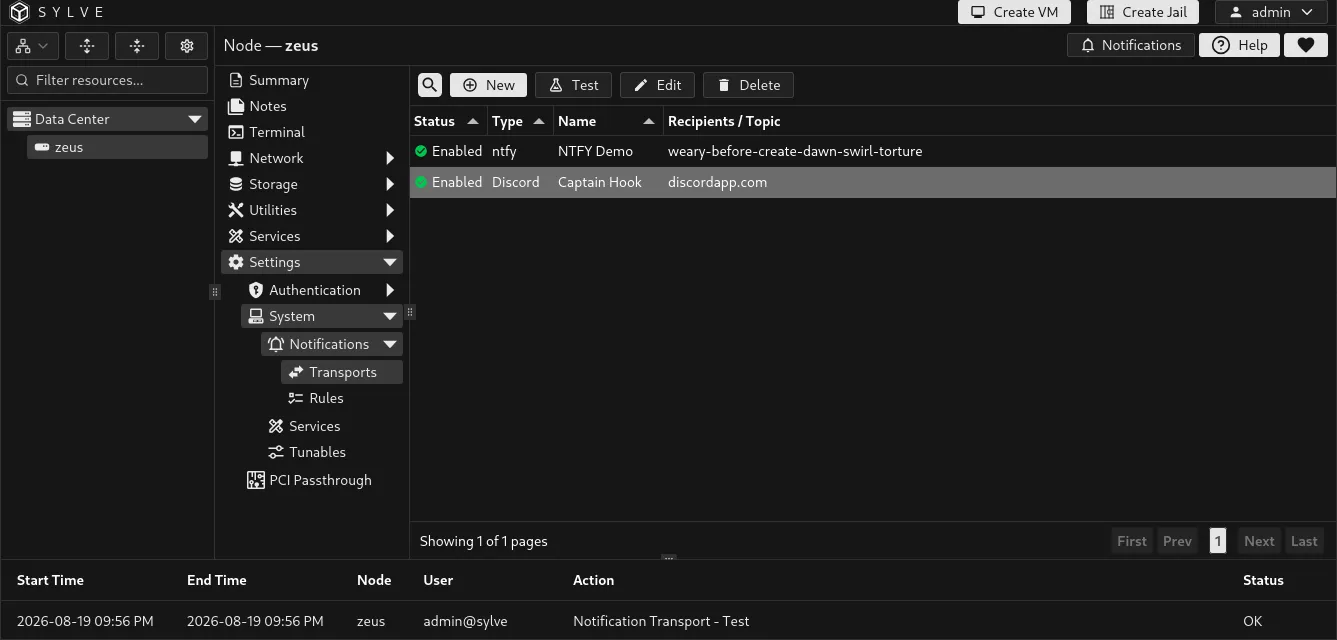
SMTP test delivery
Section titled “SMTP test delivery”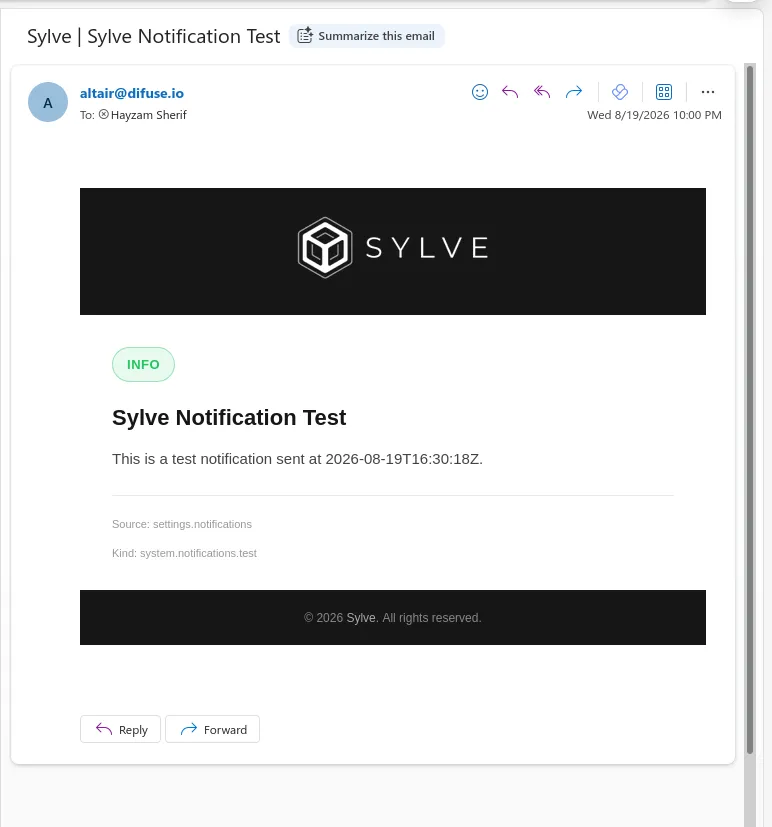
Discord test delivery
Section titled “Discord test delivery”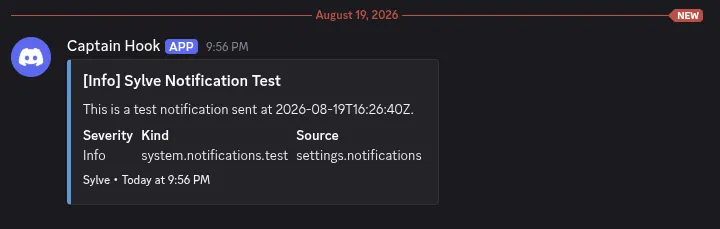
Pushover transports use the same Test action. A successful test should appear in the Pushover application associated with the configured user or group key.
Temporary Pushover connection, response, and server failures are retried twice after the initial request, with waits of 5 and 10 seconds. Requests rejected with a 4xx response or a response status other than 1 are not retried. If all three attempts fail, the delivery returns an error and is not queued for later.
Manage transports
Section titled “Manage transports”The table shows the status, type, name, and destination details for each transport. For Pushover, Sylve confirms that a user or group key is configured without revealing it. Select one transport to edit, test, or delete it.
Deleting a transport removes that delivery destination without deleting notification rules or other transports. Review rules that use its channel afterward, because an enabled ntfy, Pushover, email, or Discord channel cannot deliver without an enabled matching transport.