

Interfaces
The Interfaces page is the node’s live inventory of network interfaces. It is observational: it does not create or reconfigure interfaces. Use it to confirm what exists on the host, which addresses are currently assigned, and how Sylve’s bridges and virtual links relate to their underlying FreeBSD interfaces.
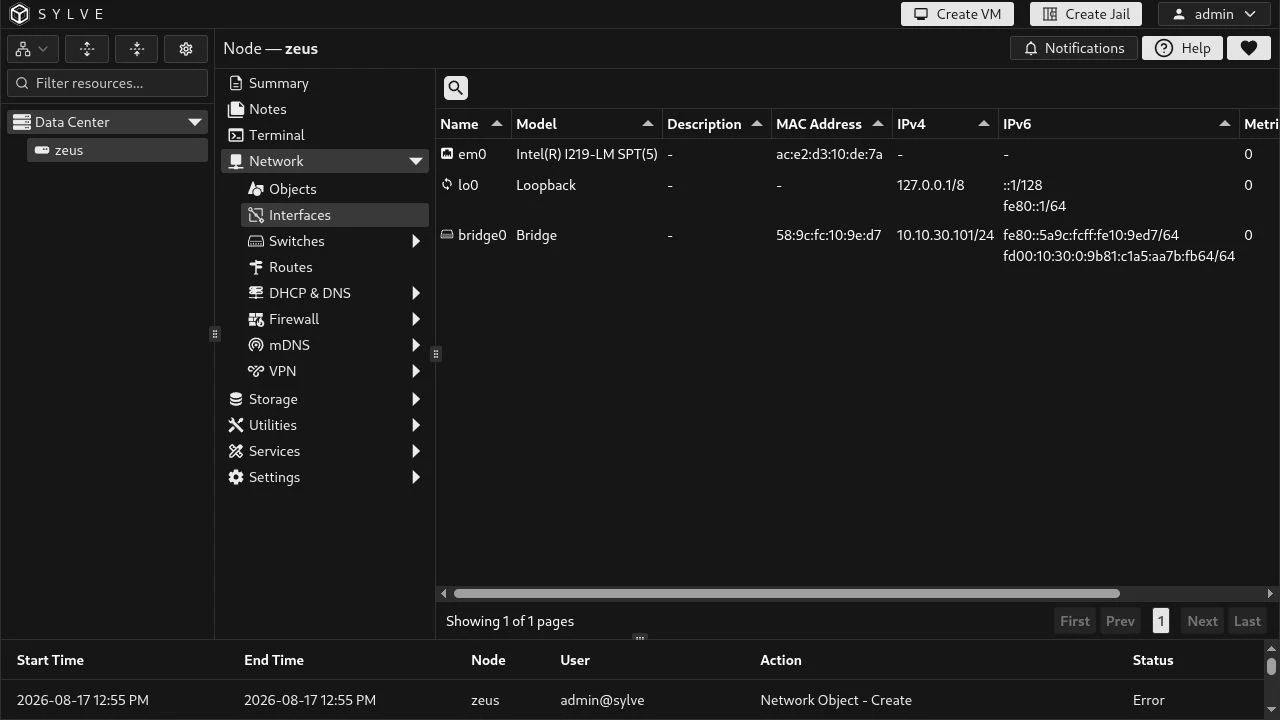
Reading the inventory
Section titled “Reading the inventory”Each row is one interface discovered on the node. The list is refreshed while the page is open, so it is useful when checking the result of a switch, jail, VM, or VPN change.
| Column | What it tells you |
|---|---|
| Name | The interface name. Sylve recognizes and labels certain names more usefully: lo0 is loopback, wgs0 is the WireGuard server, wgc<n> is a WireGuard client, and named bridges are shown as their associated switch when possible. |
| Model | The driver or interface model. Sylve classifies members of the bridge, epair, tap, wg, and Tailscale tun groups as Bridge, Epair, TAP, WireGuard, and Tailscale respectively. |
| Description | The FreeBSD interface description. For a Sylve-created bridge this is often the durable clue that associates the kernel interface with its switch. A dash means no description is set. |
| MAC Address | The interface Ethernet address. Epair rows can show their hardware address when it differs from the normal Ethernet address; this lets Sylve match the host-side endpoint to a jail network. |
| IPv4 | Every current IPv4 address, rendered as CIDR notation. The prefix is calculated from the returned netmask. |
| IPv6 | Every current IPv6 address and its prefix length. Link-local addresses are expected alongside routable IPv6 addresses when IPv6 is enabled. |
| Metric | The interface routing metric reported by FreeBSD. |
| MTU | The maximum transmission unit reported by FreeBSD. |
| Status | Link/media status when the interface has media information. Active means the reported status is active; a dash means that media status is not applicable or not available. |
Interface kinds you will encounter
Section titled “Interface kinds you will encounter”The list includes more than physical NICs. This is deliberate: the host networking graph is easier to diagnose when its managed edges are visible.
| Kind | Typical appearance | Why it is present |
|---|---|---|
| Physical interface | A driver/model such as Intel(R) I219-LM SPT(5) and a hardware MAC address |
The host’s actual Ethernet or wireless device; it may be a member of a switch bridge. |
| Loopback | lo0 |
Local-only host networking. Its 127.0.0.1/8 and ::1/128 addresses are normal. |
| Bridge | A Bridge model, often bridge0 |
The FreeBSD bridge that backs a Standard or Manual switch. It can hold the switch’s host addresses and bridge member ports. |
| Epair | An Epair model, commonly a generated name | One endpoint of a jail’s virtual Ethernet pair. Sylve correlates it with the jail from the endpoint MAC address when possible. These interfaces can appear and disappear with the jail. |
| TAP | A TAP model, commonly a generated name | A VM’s host-side virtual NIC. Sylve correlates it with the VM from its MAC address when possible. |
| WireGuard or Tailscale | WireGuard or Tailscale model | Tunnel interfaces created by the corresponding VPN service. A WireGuard server is wgs0; a client uses wgc<n>. |
Inspect an interface
Section titled “Inspect an interface”Select a row, then choose View in the toolbar. The details modal is the place to inspect fields that do not fit in the inventory table. It is read-only, and nested values can be expanded inside the modal.
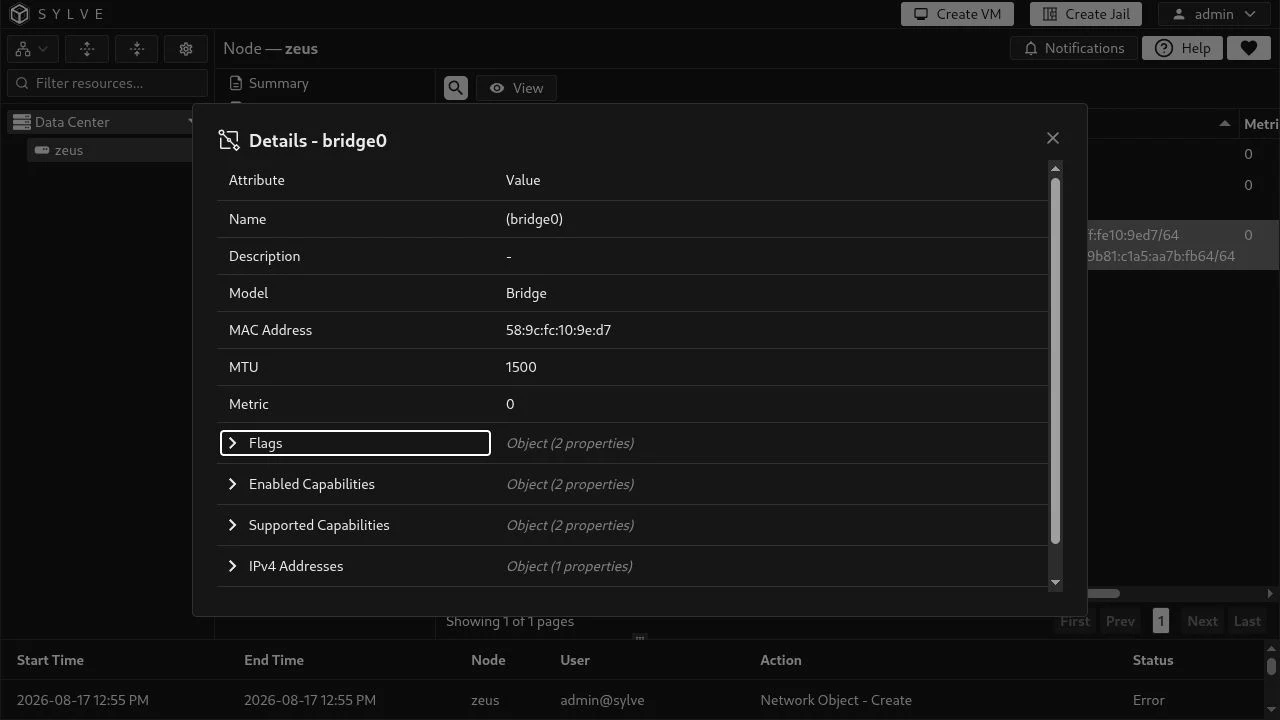
The modal presents the following values when the host reports them:
| Section | Contents |
|---|---|
| Identity | Name, description, model, MAC address, MTU, and metric. Bridges are displayed as description (interface-name) when they have a description. |
| Flags | The raw FreeBSD interface-flag bitmask plus decoded names such as UP, RUNNING, PROMISC, or MULTICAST. Unknown bits remain visible as UNKNOWN_0x…. |
| Capabilities | Enabled and supported offload/capability bitmasks, each with the raw value and decoded names. Examples include checksum offload, VLAN hardware tagging, TSO, LRO, and wake-on-LAN. Supported does not mean enabled. |
| IPv4 addresses | For each address: address and CIDR prefix, original netmask, and broadcast address. |
| IPv6 addresses | For each address: address and prefix, scope ID, auto-configuration, detached and deprecated state, plus preferred and valid lifetimes. |
| Media options | When available: link status, media type and subtype, mode, and options such as duplex. It is commonly meaningful for a physical NIC and absent for loopback or virtual interfaces. |
Additional interface data
Section titled “Additional interface data”Some data is collected for particular interface kinds even though the current modal does not render every field. These values are most relevant to bridge and IPv6 diagnostics:
bridgeMembersidentifies ports attached to a bridge and includes each member’s flags, state, priority, port, and path cost.stpis present when spanning-tree data is available, with bridge timing and root/port information.nd6carries the raw and decoded IPv6 neighbour-discovery flags.media.rawCurrentandmedia.rawActiveretain the underlying FreeBSD media values behind the human-readable media fields.