

Configuration
This page is the shared configuration for Sylve’s DHCP & DNS service. It decides which switches the service binds to, which upstream resolvers it uses, and how lease hostnames are qualified. It does not create address pools: add those separately in Ranges.
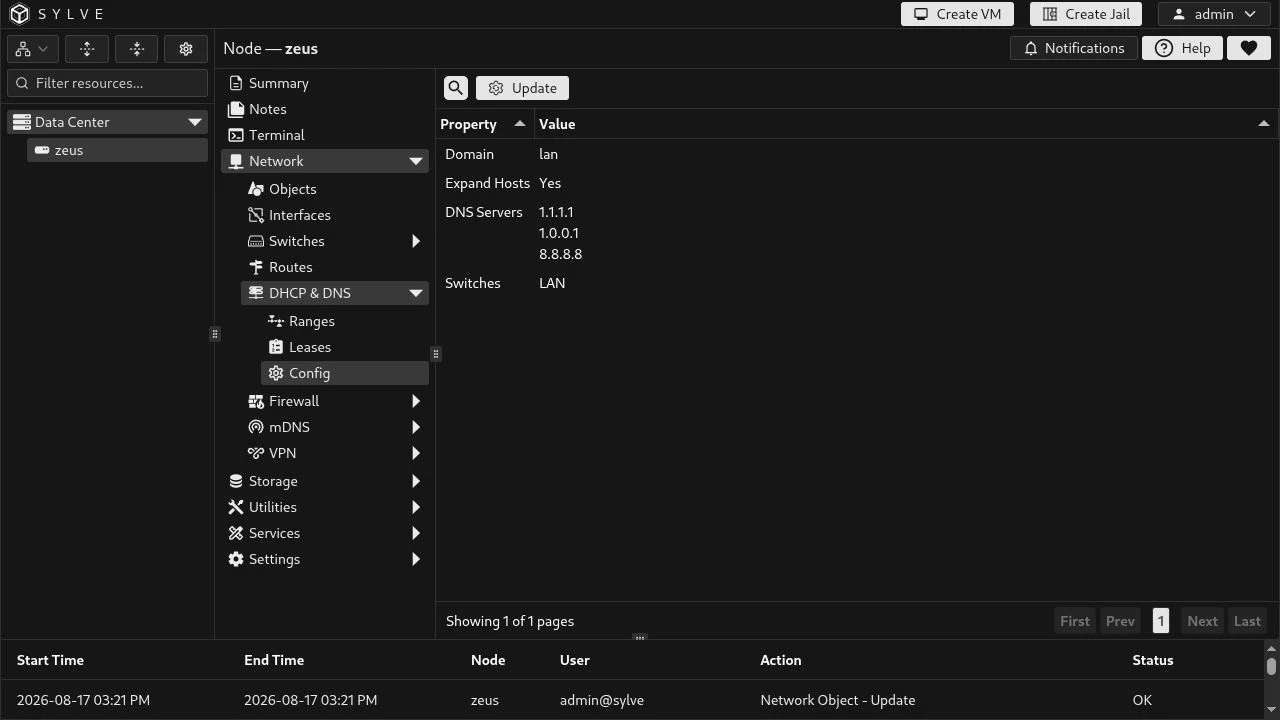
The configuration currently enables the LAN switch, uses three upstream resolvers, and qualifies lease hostnames under lan.
Update the configuration
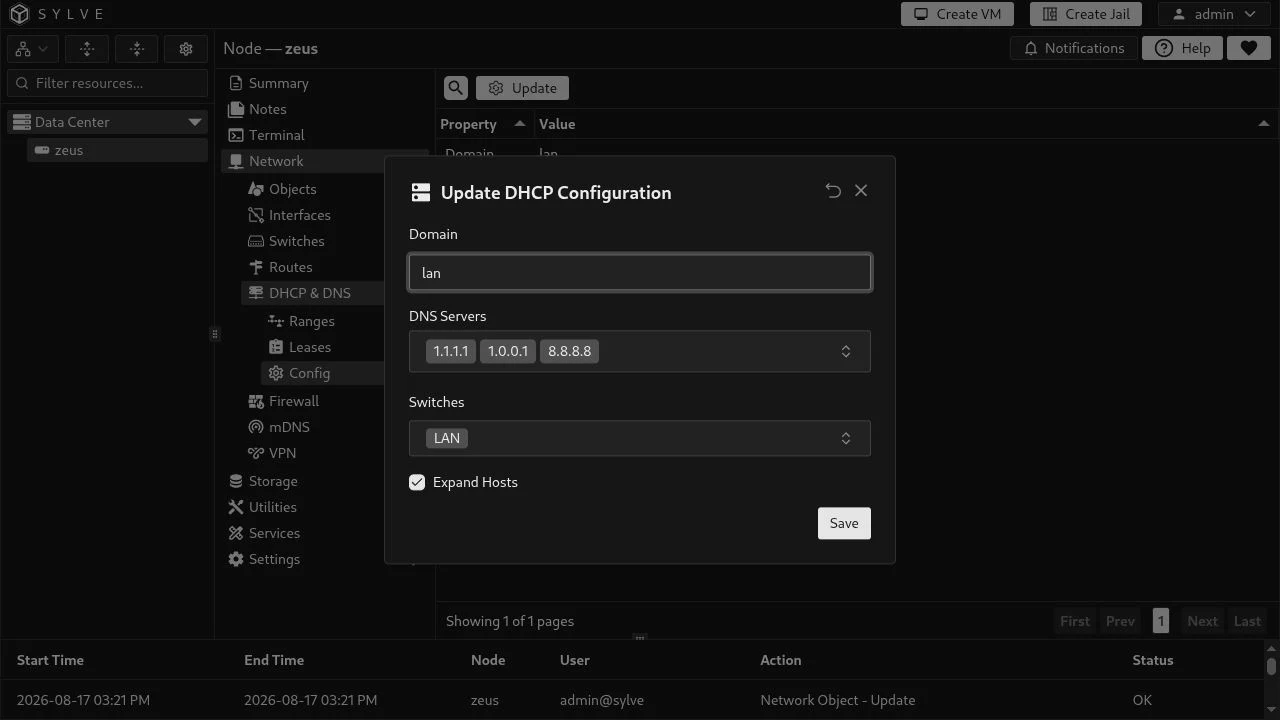
Section titled “Update the configuration”Choose Update to edit the complete configuration. The switch picker contains both Standard and Manual Switches. Selecting a switch authorizes the DHCP & DNS service to bind to that bridge; it does not create a DHCP range or change the bridge’s own network settings.
| Field | What it controls |
|---|---|
| Domain | The local DNS suffix for DHCP hostnames, such as lan. It is optional, normalized to lowercase, and must be a valid DNS domain name (up to 253 bytes). |
| DNS Servers | IP addresses of upstream resolvers used by dnsmasq for names it cannot answer locally. Enter IPv4 and/or IPv6 addresses. Sylve removes duplicate addresses and accepts at most 16. These are forwarders, not DHCP address pools. |
| Switches | The Standard or Manual Switch bridges on which dnsmasq listens. DHCP ranges and IPv6 Router Advertisements only operate through an enabled switch. Up to 256 switches can be selected. |
| Expand Hosts | When enabled, dnsmasq also makes lease names available with the configured domain. For example, a lease named caddy with domain lan can resolve as caddy.lan. The unqualified hostname remains useful on the local network. |
A practical LAN setup
Section titled “A practical LAN setup”For the LAN shown above, keep LAN selected, set the domain to lan, and enable Expand Hosts. Add resolver addresses that are reachable from the node; here 1.1.1.1, 1.0.0.1, and 8.8.8.8. Then create the IPv4 and IPv6 pools on the LAN switch and add static reservations such as caddy where a stable address is needed.
The service uses the selected switch bridge names when it writes its dnsmasq configuration. Changes are applied as a single update: Sylve writes the generated configuration, restarts dnsmasq, and only commits the database change when the runtime update succeeds. If applying it fails, it restores the prior runtime configuration.
What this page does not configure
Section titled “What this page does not configure”- It does not enable DHCP or SLAAC clients on a switch. Those are Standard Switch settings for the node itself.
- It does not make the listed DNS servers available as arbitrary records. They are dnsmasq upstream resolvers; local lease-name resolution comes from DHCP leases and the domain/Expand Hosts settings.
- It does not preserve hand edits to dnsmasq configuration. Sylve regenerates its managed configuration whenever DHCP, ranges, leases, or dependent network objects change.