

Leases
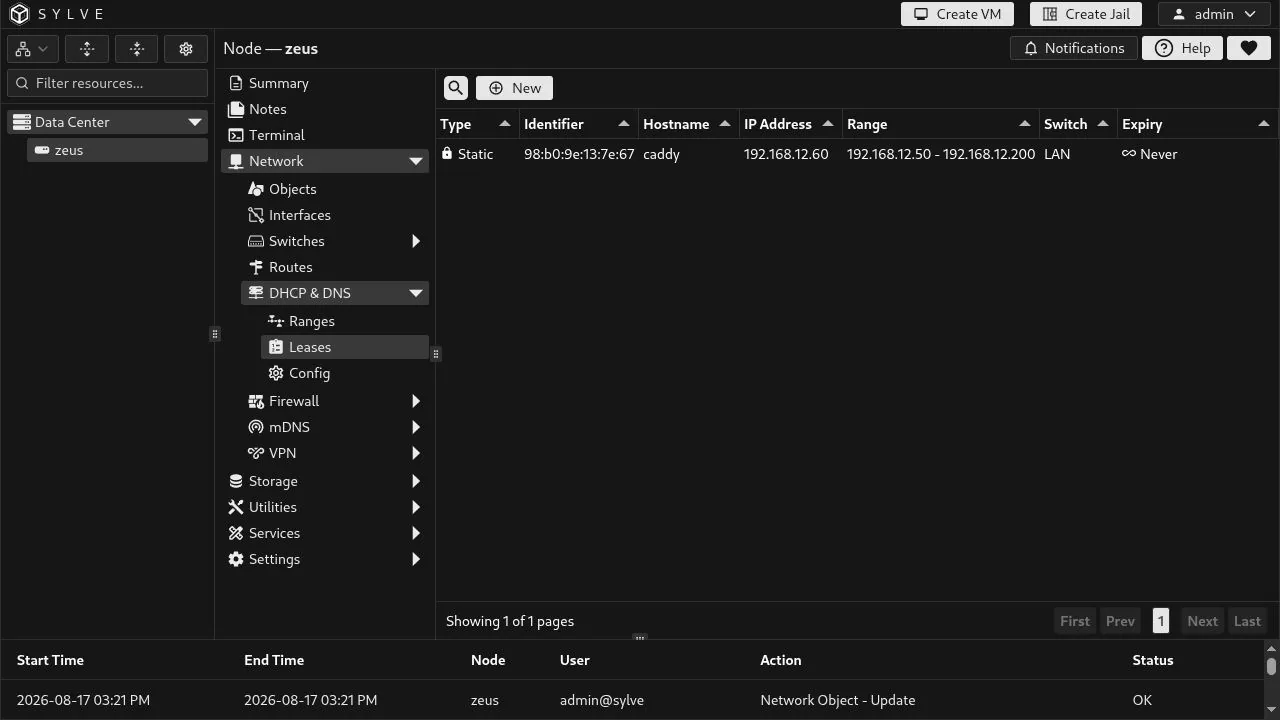
A lease records the address assigned to a DHCP client. This page brings together two sources:
- Dynamic leases are the clients currently recorded by the DHCP service. Their expiry is the timestamp reported by the service; an expiry of
0is shown as Never. - Static leases are persistent reservations managed by Sylve. They always display Never and take precedence when the matching client requests an address.
The table identifies each client, its hostname and address, the pool and switch for static leases, and the lease expiry. Select one row to edit or delete a static reservation. A selected dynamic row can be deleted to remove its active lease; the client can request another one afterwards.
Create a static lease
Section titled “Create a static lease”Create the client identifier and reserved address as Network Objects first. A static lease deliberately references those objects instead of duplicating the values in the form, so the reservation is clear and reusable elsewhere.
For an IPv4 DHCP range, provide:
- A single-value MAC(s) object for the client identifier.
- A single-value Host(s) object containing an IPv4 address.
For an IPv6 DHCP range, replace the MAC object with a single-value DUID(s) object, and select a Host(s) object containing an IPv6 address. A DUID is the DHCPv6 client identifier; it is not a MAC address.
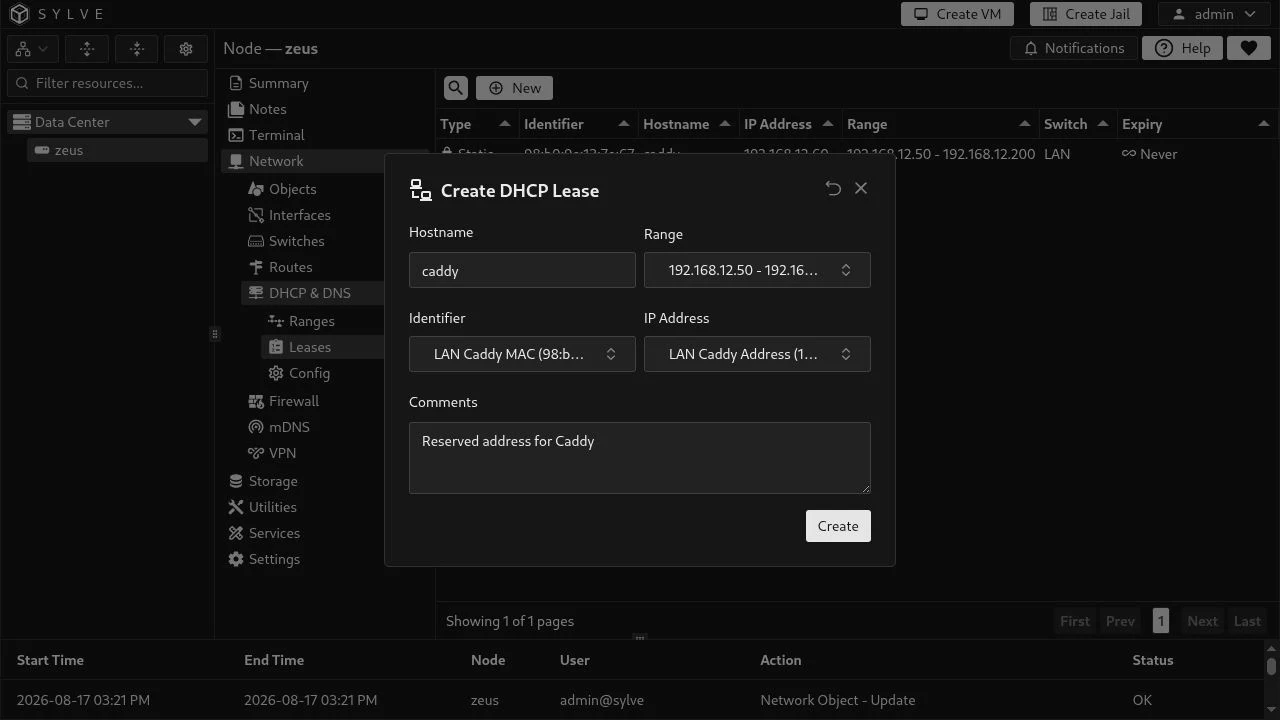
Choose the Range first. Sylve then limits the Identifier and IP Address pickers to the object kinds and address family that the range accepts. The hostname must be a valid DHCP hostname: it starts and ends with a letter or digit, may contain single - or _ characters, and cannot contain doubled separators. Comments are optional and are kept with the reservation.
In this IPv4 example, LAN Caddy MAC identifies the client and LAN Caddy Address reserves 192.168.12.60 for caddy from the LAN pool (192.168.12.50 to 192.168.12.200).
Reservation rules
Section titled “Reservation rules”Each reservation belongs to one DHCP range. Within that range, Sylve prevents duplicate hostnames, reserved IP objects, MAC objects, and DUID objects. Keep the chosen Host(s) object in the same address family as the range; IPv4 ranges accept MAC identifiers only, while IPv6 ranges accept DUID identifiers only.
Static reservations are useful for services that need a stable address, such as Caddy, a printer, or a monitoring target. They do not turn DHCP into a server for addresses outside the selected range: configure the relevant DHCP range and attach its switch in DHCP configuration first.